

Article · part of a guide
Getting Started with Terraform Modules
Different ways of hosting, naming and structuring your Terraform modules.

Key takeaways
- Terraform modules can be hosted via local paths, Git repositories, HTTP URLs, AWS or GCP cloud storage, or a service implementing the Module Registry Protocol like Terraform Cloud or Scalr.
- Any registry using the Module Registry Protocol requires modules to follow the terraform-<provider>-<name> naming format, and the hosting repository must match that name.
- A module file structure mirrors normal Terraform code but omits a providers.tf file, since the provider configuration comes from the calling configuration.
- Before creating a module, confirm it provides value over the raw provider resource and makes life easier for consumers and maintainers.
Modules are one of the most widely used features in Terraform, but widely used doesn't mean well thought out. Over the years I've seen plenty of odd things in Terraform code. Most are harmless. The one that worries me is overusing modules, reaching for one when a plain resource would do. That's why I wrote a post in August of 2020, Terraform; to module, or not to module: I wanted engineers to think about when a module is actually worth creating, rather than building one out of habit.
This post covers three areas:
- Hosting options
- Naming modules
- File structure
What Are the Options for Hosting a Terraform Module?
There are a few ways to host your Terraform modules. In some cases you're locked into a particular method because of security or governance requirements.
- Local Module: the module is on the local file system and referenced using a relative or exact path. Modules set up this way are hard to version, because you'd be versioning the entire repository they live in, along with any other code in it.
module "awesome_module" {
  source = "../modules/awesome-module"

  ...
}- Remote Module with Git: the module lives in a git repository, and you invoke it by referencing that repository. With git references you can be explicit about which version (git tag) or branch to use. There are also convenience aliases for common git providers.
// Generic non-versioned git
module "awesome_module" {
  source = "git::https://github.com/BrendanThompson/awesome-module.git"

  ...
}

// GitHub explicit version
module "awesome_github_module" {
  source = "github.com/BrendanThompson/awesome-module?ref=v1.0.0"

  ...
}
Using the ?ref= URL parameter at the end of our git endpoint we can specify a git tag, a branch, or even a particular commit.
- HTTP URLs: if you don't want complex module sources, you can use an HTTP endpoint as a vanity URL for the module.
module "awesome_module" {
  source = "https://terraform.brendanthompson.com/modules/awesome-module"

  ...
}
The above just redirects to our GitHub (or another git provider) endpoint, the same as Remote Module with Git. You can also point the HTTP endpoint at one that returns a zip/tar.bz2/tar.gz/tar.xz archive, like the below:
module "awesome_module" {
  source = "https://terraform.brendanthompson.com/modules/awesome-module.zip"

  ...
}
Alternatively, it can use the archive query parameter:
module "awesome_module" {
  source = "https://terraform.brendanthompson.com/modules/awesome-module?archive=zip"
}- Cloud Storage: Terraform can also pull modules straight from GCP and AWS cloud storage. Either way, you'll need credentials so Terraform can reach the storage accounts.
// AWS
module "awesome_module" {
  source = "s3::https://s3.ap-southeast-2.amazonaws.com/brendanthompson/modules/awesome-module.zip"

  ...
}

// GCP
module "awesome_module" {
  source = "gcs::https://www.googleapis.com/storage/v1/brendanthompson/modules/awesome-module.zip"

  ...
}- Module Registry Protocol: The most powerful way to source modules (in my opinion) is through a service that implements the Module Registry Protocol (MRP), both Terraform Cloud and Scalr are examples of that. With MRP you can declare a specific version or stay more flexible with version constraints like pessimistic versioning.
// HashiCorp Public Repository
module "awesome_module_public" {
  source = "ministry-of-magic/awesome-module/azurerm"
  version = ">= 1.0.0, < 2.0.0"

   ...
}

// Terraform Cloud
module "awesome_module_tfc" {
  source "app.terraform.io/ministry-of-magic/awesome-module/azurerm"
  version = "1.0.0"

  ...
}

// Scalr
module "awesome_module_scalr" {
  source = "ministry-of-magic.scalr.io/env-XXX/awesome-module/azurerm"
  version = "~> 1.0"
}
How Should You Name a Terraform Module?
Naming is a contentious topic in IT. The exception is a Terraform module you want to host in a registry. Local modules, and modules you source from most remote services, can have any name at all. But if your module is going to live on any registry that implements the Module Registry Protocol, it has to be named in the terraform-
If you don't name your repository in that format, you'll get the following error:
{
  "errors": [
    {
      "status": "422",
      "title": "unprocessable entity",
      "detail": "Validation failed: Name is invalid"
    }
  ]
}
If you're going to be moving to a Terraform Cloud/Enterprise, or any other Terraform Cloud alternative that uses the Module Registry Protocol such as Scalr then you should think about setting your modules up with the above naming from the get-go.
What File Structure Should a Terraform Module Follow?
A module's file structure is almost identical to any other Terraform code. There's one small exception: you shouldn't ship a providers.tf file with your module, since that comes from the caller.
Say we were creating a simple module for an Azure Virtual Machine that could enable Private Link. We'd structure the repository like so:
.
├── README.md
├── examples/
├── linux.tf
├── network.tf
├── outputs.tf
├── private-link.tf
├── terraform.tf
├── tests/
├── variables.tf
└── windows.tf
We could name the repository in two ways:
- With the provider: terraform-azurerm-virtual-machine
- With our organization: terraform-mom-virtual-machine
You might consider option two if it was wrapping a few providers.
Here's what each of these files does.
- README.md: holds documentation about our module and its use, as well as links to relevant information. This will also be shown on the Readme page of the module registry.
- examples/: where example implementations should be to allow quick use, these may also be used as test fixtures.
- linux.tf: where the resource declaration occurs for a Linux VM and anything specific to it.
- network.tf: all networking setup occurs here irrespective of which OS is used.
- outputs.tf: data that we want to return to the caller.
- private-link.tf: the optional setup of Private Link for the virtual machine(s).
- terraform.tf: where we set our Terraform core and provider requirements.
- tests/: if the module is being tested with something like TerraTest then this is where those tests would reside. The native
terraform testandtofu testcommands read from the same folder by default; our testing guide shows a first test. - variables.tf: where we declare the interface for our module, this MUST be very explicit and exceptionally well documented as our consumers use this to understand what needs to be passed in.
- windows.tf: similarly to our linux.tf this holds configuration specific for a Windows VM if it was selected.
As you can see, that's a fair few files even for a module you'd call rather simple, and it follows Phase 3 - The Domain Files (My Terraform Development Workflow). When you're developing modules, keep asking yourself these questions:
- What does this module provide over using the provider resource?
- How does this module make my consumer's life easier?
- How does this module make an engineer's life easier to continue development on the module?
If you've got a positive answer to all of the above, you meet the criteria for creating a module and you should go for it. Remember, your module should always make someone's life easier. If it doesn't, you might want to reconsider.
As an exercise, here are the answers to the above three questions for our Virtual Machine module:
- This module provides a simpler interface that can create either a Linux or Windows VM with the ability to enable Private Link in a single module block.
- As a consumer of the module you don't need to understand the inner workings of how Private Link works only that you require it to be enabled.
- As the module is split out into concise domain files modifying and extending the module is simple, because there is a module we can assume this is a standard within the organization thus if the standard needs to be changed it only has to occur in a single place to propagate out to the consumers.
Ready to Build Your Own Terraform Module?
You should now have enough to write and host your own Terraform modules. Before you publish one, run it past the three questions above.
You can follow Brendan @BrendanLiamT on Twitter.
About the author

solutions engineer at Scalr
Brendan Thompson is a solutions engineer at Scalr, specializing in Terraform and cloud infrastructure.
Part of this guide
13 sheets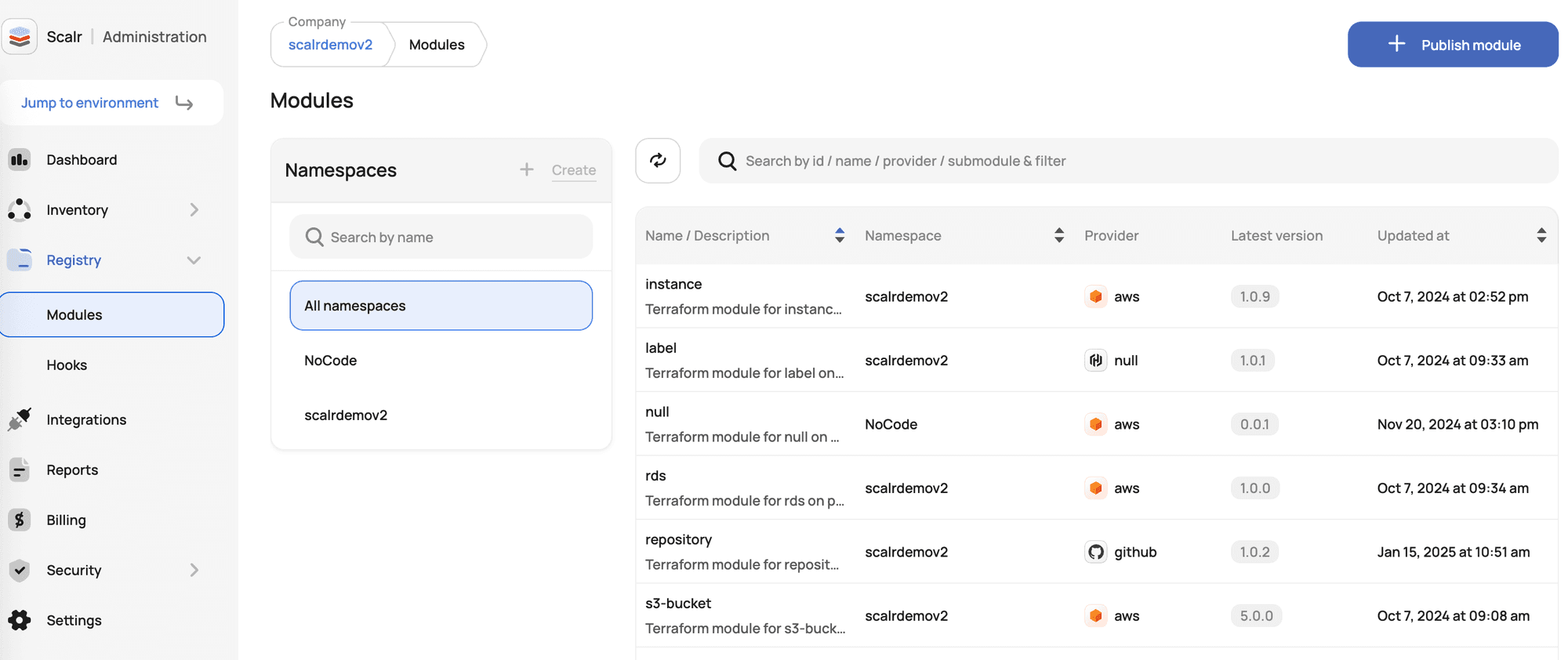
Terraform Modules Explained
- Terraform Registry: Public vs Private Module Registries Explained
- New Feature: Private Module Registry Namespaces
- Top 10 Most Popular Terraform Modules [2026]
- Dependabot for Terraform Modules: The Complete Setup Guide
- Use local execution mode for free with Scalr
- Scaling Terraform Modules
- Scalr offers a free private module registry
- Terraform Modules - Define, Enforce, Report
- Don't Build a Service Catalog
- Terraform Credential Helper With Scalr
- New Feature: Deploy Terraform Modules From A Service Catalog