

Article · part of a guide
A Guide to Terraform Audit Logs
Why are Terraform audit logs essential? What should they contain? How can they help with monitoring and workflow automation?
Key takeaways
- Audit logs need to be an append-only history, not a current-state report. A usage report that only reflects the latest run can lose evidence of a malicious module within minutes of the next workspace update.
- Auditors typically request several months of login events, both successful and failed, plus administrative actions like permission changes, exported in CSV or JSON. Capture these from day one; you can't backfill events you never recorded.
- Streaming audit logs to Datadog or AWS EventBridge isn't the same as retention. If the streaming pipeline goes down, you need an export or backfill path to recover the gap.
- A complete Terraform audit log covers authentication events, administrative changes, variable and state access, and run lifecycle events, each with a timestamp, the acting user, and a source IP address.
- Terraform itself doesn't provide a centralized, persistent audit log of user and administrative activity. Scalr generates one automatically and streams it to Datadog and AWS EventBridge as part of its Enterprise tier.
Terraform itself doesn't keep an audit log. It applies changes, but nothing records who logged in, who changed a variable, or who approved a run, so that record has to come from the platform running Terraform. A usable one is append-only, captures logins (including failed ones), permission changes, variable and state access, and run approvals with user, timestamp, and source IP, and exports to CSV or JSON when an auditor asks for four months of it. This guide covers what to capture, which HCP Terraform and Scalr tiers include it, and how to stream it to Datadog or EventBridge.
Why Your Organization Needs Terraform Audit Logs
A complete audit trail records who changed what, and when, for every change. Without one, you have nothing to work from when an incident or an audit comes around.
Security and Incident Response
When there's a security incident, the Terraform audit log is where the investigation starts. It gives the security team a timeline for tracing a breach back to its origin and working out how far the unauthorized changes went. If a sensitive variable is accessed or a security group is modified, the audit log shows which user or service account did it, from what IP address, and when.
For that to work, the log has to be append-only history. In May 2026, the security team at one enterprise we work with at Scalr was threat-hunting for supply-chain attacks delivered through malicious Terraform modules. They started with provider and module usage reports, then discovered those reports only reflect each workspace's most recent run: a module that appeared in the report at 8:50 AM was gone nine minutes later, after the workspace ran again with an updated configuration. Their conclusion, verbatim: "If there were an incident… we don't have a source of truth for us to search." A current-state report tells you what your infrastructure uses now; only an append-only audit log can tell you what it used at the moment of compromise.
Meeting Compliance Requirements
Many regulatory frameworks like SOC 2, HIPAA, and PCI DSS have strict requirements for logging and auditing. To pass an audit, you must be able to prove that all changes to your infrastructure are tracked and authorized. Terraform audit logs are the evidence you hand the auditor to show you have control over your production environment.
What auditors actually ask for is more specific than the frameworks suggest. In May 2026, a customer preparing for a security review needed four months of records, January 1 through April 22, covering login and access events (both successful and failed authentication) plus every administrative action: configuration changes, permission modifications, and account and user management. The auditor wanted it in CSV or JSON, in the "most detailed format available." That request shape comes up constantly in Scalr's support queue.
The retention question also tends to arrive late. One customer, already mid-audit, asked Scalr support for twelve months of logs and only then asked what the retention window was. Confirm your retention horizon before the auditor does.
What to Capture in Terraform Audit Logs
A useful Terraform audit log captures more than run events. The key events to record:
- User and Authentication Events: Logins, logouts, and failed authentication attempts.
- Administrative Changes: Modifications to workspaces, environments, user permissions, and VCS provider settings.
- Variable and State Access: Creation, updates, and deletions of variables (especially those marked as sensitive).
- Run Lifecycle Events: Run creations, approvals, denials, and cancellations.
- Object Creation/Deletion: Events for when workspaces, environments, or other resources are created or deleted.
Each log entry needs enough context to stand on its own: a timestamp, the user who performed the action, their source IP address, and a detailed message describing the event.
Which Terraform Cloud tier includes audit logs?
On HCP Terraform (formerly Terraform Cloud), audit trails are in the Standard and Premium editions. Essentials doesn't include them, and HashiCorp's documentation notes the Audit Trails API isn't available for self-managed Terraform Enterprise. On Scalr, audit logs, streaming, and export are on the Enterprise plan; check pricing and the pricing FAQ for current gating. On both platforms, as of June 2026, a persistent audit log is a higher-tier capability, and you can't backfill events that were never recorded. So budget for the tier that turns it on, and check the retention window that comes with it, before the auditor asks.
Centralizing Terraform Audit Logs
Audit logs only help where your security team already looks. Ship them into Datadog or EventBridge next to your application and cloud logs, and a Terraform run shows up beside the alert it caused. You also reuse the dashboards and alert rules you've already built instead of maintaining a second set. Scalr captures every event on the platform, from logins to variable changes to run approvals, and streams both the audit log and run events to each.
One caveat from production experience: streaming is delivery, not retention. When a major cloud outage took down one customer's log pipeline in October 2025, their streaming destination stopped receiving events for roughly two days, October 19 through 21, and they came to Scalr needing that window backfilled. If your compliance posture depends on an unbroken log, treat the streaming integration as one leg and keep an export or backfill path as the other. The same lesson applies after deletions: one team came to Scalr after deleting a workspace, needing the run history that went with it. Logs you have already exported survive the resources they describe.
Sending Audit Logs and Events to Datadog
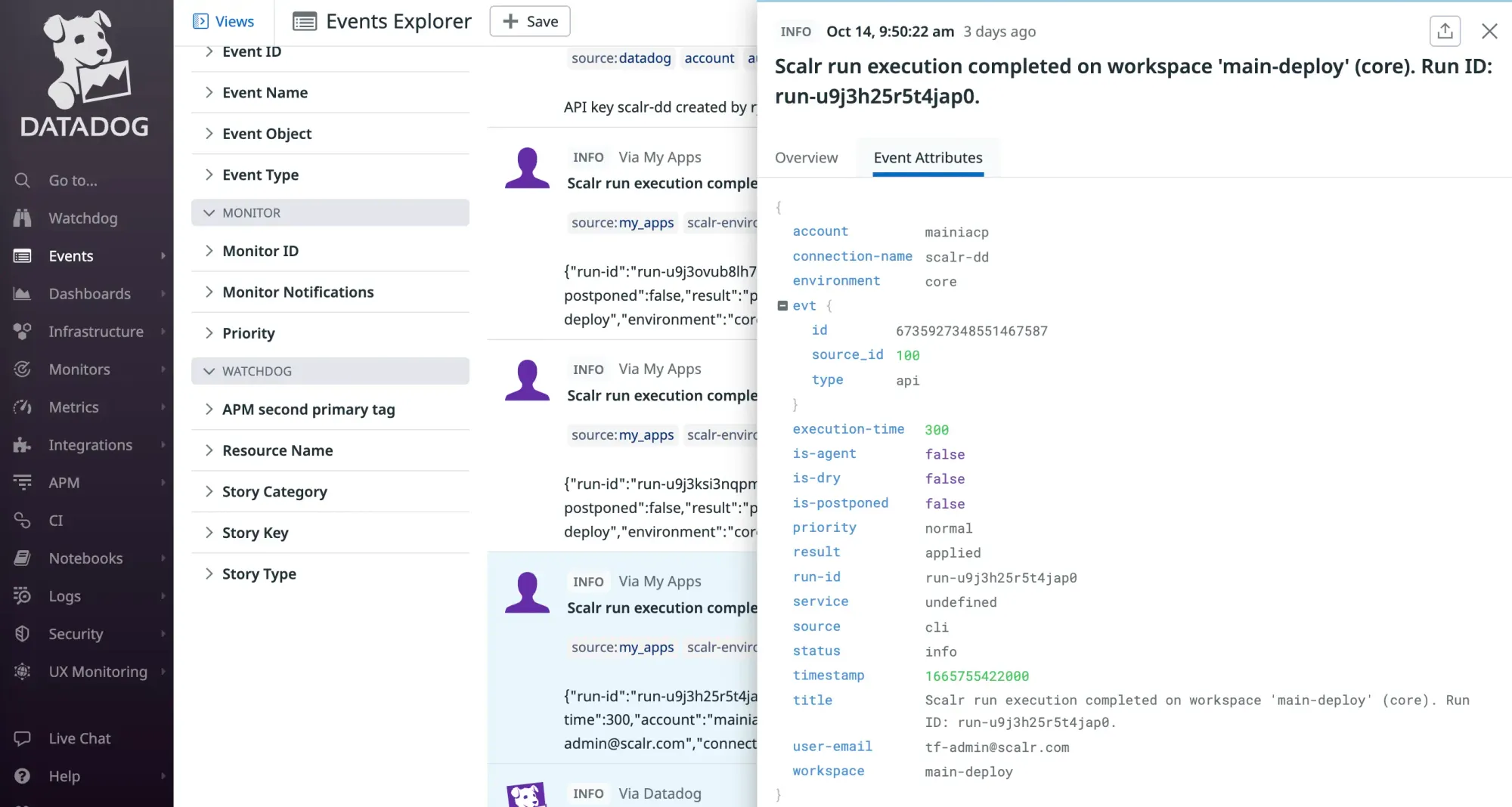
Scalr can send audit logs directly to Datadog Logs, where they sit next to the application, security, and infrastructure logs Datadog already collects. From there you can use Datadog's search, analytics, and visualization features to build dashboards for Terraform activity, watch for specific security events, and alert on suspicious behavior.
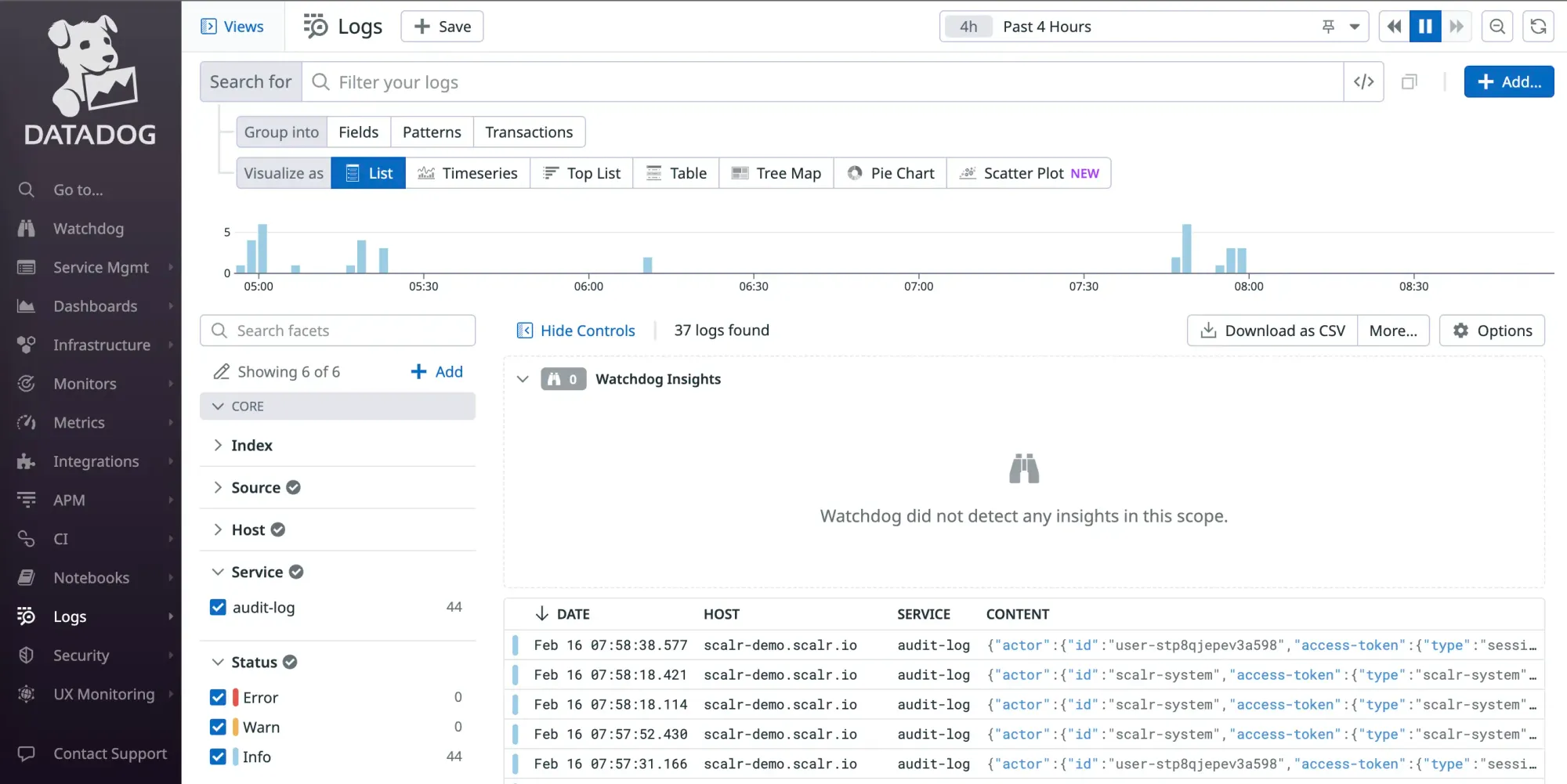
Scalr also sends events to Datadog, such as when a run errored, how the run was executed, and when. They overlap with the audit log, but they're also useful for monitoring and alerting in event-driven workflows, as shown below.
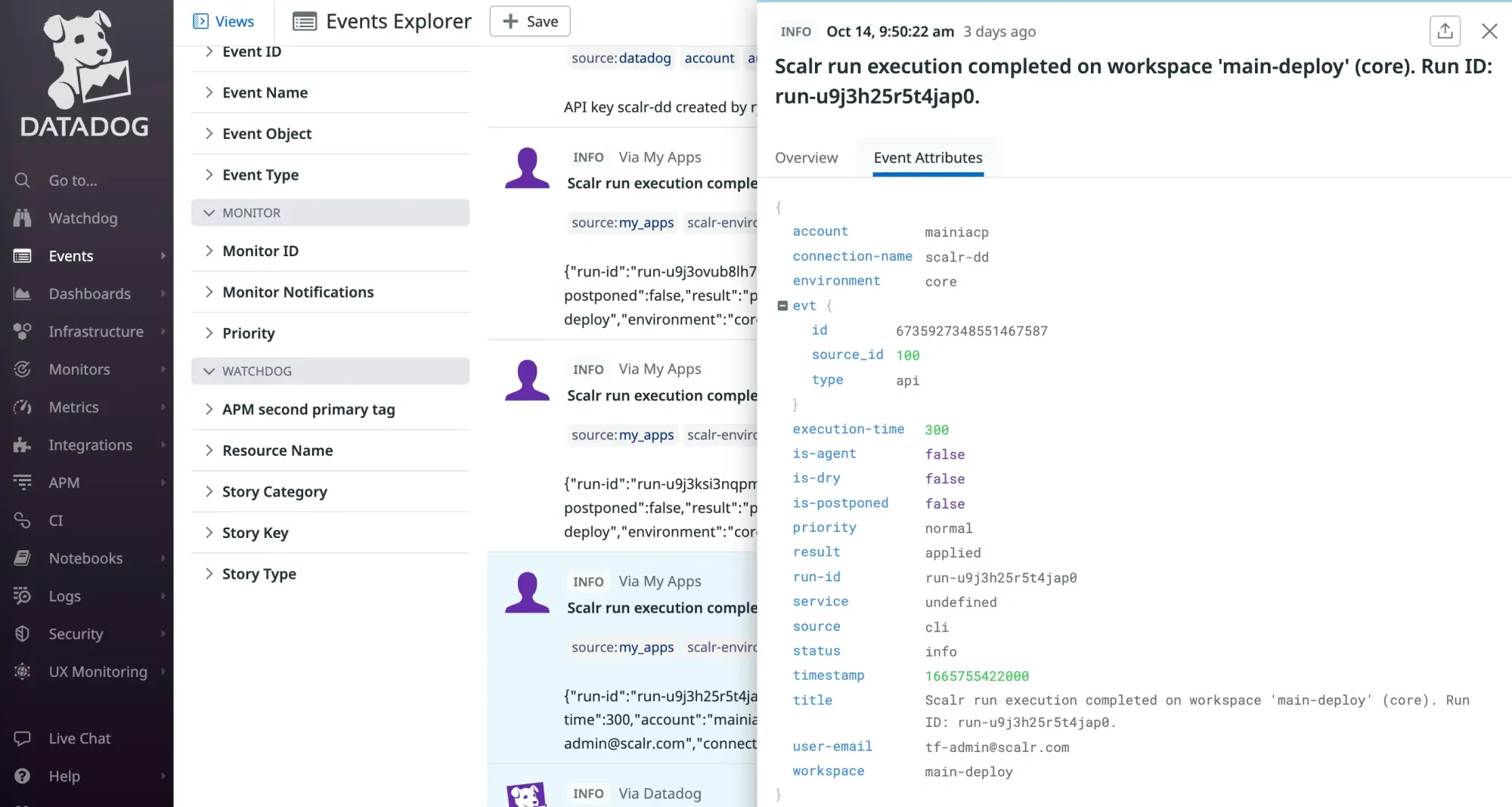
See the official docs on how to set up the integration with Datadog here.
Sending Audit Logs and Events to AWS EventBridge
Scalr sends the same audit log details and run events to an Amazon EventBridge event bus, as two event types: RunExecuted for the run lifecycle and AuditLog for audit events, plus an AuditLogDisabled alert if streaming stops. From there you can forward them to any tool EventBridge integrates with, land them in CloudWatch, or use them as triggers, which is what the next section is about.
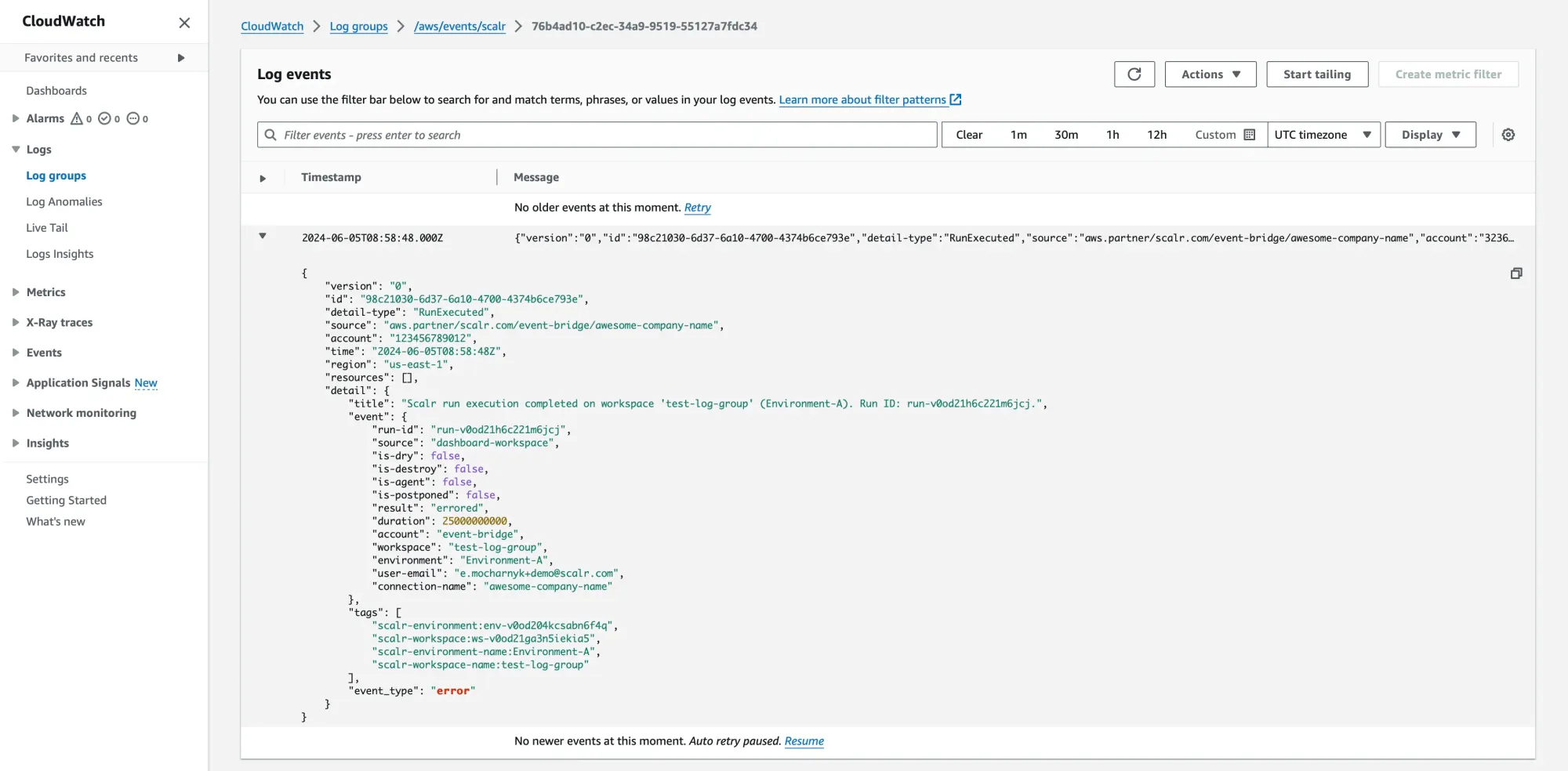
See the official docs for the Scalr integration with AWS Eventbridge here.
Using Terraform Audit Logs for Event-Driven Workflows
When Scalr sends an event to your EventBridge event bus, you can create rules that filter for specific events and route them to targets. A few examples:
- Triggering an AWS Lambda function when a
RunExecutedevent arrives with a completeddetail.statusfor a production environment. The function could create a change ticket in Jira, post a custom summary to a Slack channel, or run a post-deployment validation script. - Starting an AWS Step Functions workflow when an
AuditLogevent is detected with a workspace-creationdetail.event. This could orchestrate a series of compliance checks, apply a standard set of policies, and notify a platform administrator that a new workspace is ready for review. - Sending a notification via Amazon SNS when a
RunExecutedevent arrives with an errordetail.status. Use it for customized email, SMS, or PagerDuty alerts that go beyond standard notifications.
When you route the events from your Terraform audit logs into AWS EventBridge, the same data that proves what happened can also trigger what happens next, so a workspace creation or a failed run kicks off the right ticket, alert, or check automatically.
Frequently asked questions
What should Terraform audit logs contain?
A complete Terraform audit log captures user and authentication events (including failed logins), administrative changes to workspaces and permissions, variable and state access, run lifecycle events, and object creation or deletion. Each entry needs a timestamp, the user who performed the action, their source IP address, and a detailed event description.
Why are Terraform audit logs important for compliance?
Frameworks like SOC 2, HIPAA, and PCI DSS require you to prove that all infrastructure changes are tracked and authorized. Auditors typically ask for months of login and administrative events in an exportable format such as CSV or JSON, so the logs serve as the definitive evidence during a security review.
Does Terraform itself provide audit logs?
No. Terraform executes changes but does not provide a centralized, persistent audit logging system that captures user logins, permission changes, variable access, and run approvals. A management platform such as Scalr generates these logs automatically for every event on the platform.
Can I stream Scalr audit logs to Datadog or AWS?
Yes. Scalr streams audit logs and run events directly to Datadog Logs and to an Amazon EventBridge event bus, where they can be forwarded to CloudWatch or any EventBridge-integrated tool. Audit log streaming is part of Scalr's Enterprise tier.
Is streaming audit logs to an external platform enough for retention?
No. Streaming only delivers events while the pipeline is healthy. During the October 2025 AWS outage, one customer's streaming destination stopped receiving events for roughly two days, and they needed that window backfilled. Treat streaming as delivery and keep a separate export or backfill path for retention.
Which Terraform Cloud tier has audit logs?
On HCP Terraform (formerly Terraform Cloud), audit trails are available in the Standard and Premium editions; the entry-level Essentials edition does not include them, and HashiCorp's documentation notes that the Audit Trails API is not available for self-managed Terraform Enterprise. On Scalr, audit logs (including streaming to Datadog and AWS EventBridge) are part of the Enterprise tier. On both platforms, a centralized, persistent audit log is a higher-tier feature rather than a free-tier default.
About the author

director of platform engineering at Scalr
Ryan Fee is the director of platform engineering at Scalr, with over 15 years of experience improving infrastructure experiences at companies large and small.
Part of this guide
15 sheets
IaC Security: Securing Your Terraform and OpenTofu Infrastructure
- Terraform Module Supply Chain Attacks: Tag Mutation, Pwn Requests, and How to Pin Safely
- Malicious Terraform Providers: Supply Chain Risks and How to Verify What You Install
- Terraform Supply Chain Attacks: Risks, Real Incidents, and How to Defend Against Them
- Terraform Wiz: How to Scan, Secure, and Enforce Policy on Your IaC
- Secrets in Terraform State: Why They Leak, and the Fix
- Bring Your Own Key (BYOK): Customer-Managed Encryption for Terraform Platforms
- Getting Started with Terraform Vulnerability Scanning
- Streamlining AWS IAM Role Creation with Terraform: A Practical Guide
- Using Checkov with Terraform - Integrations, Features, Examples
- Bridgecrew Terraform: Pricing, Use Cases, Best Practices & Alternatives
- How to Use Snyk with Terraform: Securing Your Infrastructure as Code
- Using Scalr Hooks with Bridgecrew Yor
- Automating Terraform Security in Scalr Deployments with Regula