

Article · part of a guide
Using Scalr Hooks with Bridgecrew Yor
A step-by-step guide to using custom hooks and Scalr tags together with Yor.

Key takeaways
- Bridgecrew Yor automatically tags infrastructure across IaC platforms, with a git-based tagger that links resources to commits and a custom tagger for your own organizational tagging standard.
- Scalr custom hooks let you inject any command or script during Terraform phases (pre-init, pre-plan, post-plan, pre-apply, post-apply) to integrate external tools like Yor.
- The walkthrough uses a pre-plan hook that pulls workspace tags and run details via a Python script calling the Scalr API, then runs Yor to apply those values as resource tags.
- The result auto-tags deployed resources, such as an AWS S3 bucket, in the Scalr pipeline without building a DIY pipeline.
What is Yor?
We keep an eye on tools in the Terraform ecosystem and write about the ones we find useful. This post is about Bridgecrew Yor, which automatically tags infrastructure across a bunch of IaC platforms.
Yor ships with a few "Built-in Taggers". The "Git-based Tagger" is super helpful if you're adopting GitOps:
"The git_ tags connect cloud resources to individual git commits and establish clear ownership between developers and resources which are routinely changed."*
The "custom tagger", which we'll interact with today, allows you to build any tagging standard to meet your organizational needs.
Using both together gives you the GitOps paper trail and your own tagging standard at the same time.
Integrate with Scalr
Scalr has many native integrations out of the box, and for everything else it provides custom hooks that can integrate any tool in the cloud ecosystem. That's how we'll bring in Yor, using two Scalr features:
-
Custom hooks - This allows you to inject any command or script during the following Terraform phases:
-
Pre-init
-
Pre-plan
-
Post-plan
-
Pre-apply
-
Post-apply
-
Workspace Tags - These are tags associated with a workspace in Scalr, but in this scenario we're going to take that value and use the Yor custom taggers to inject that tag to the Terraform resources as well.
Prerequisites:
- An account on scalr.io. We will be using the new beta UI, which can be accessed by adding /app2 to your URL: https://<account>.scalr.io/app2/
- Access to custom hooks, one of Scalr's core features, included on every plan.
- A VCS provider connected to Scalr.
- Terraform code in the connected VCS repository. The sample code below can be used.
Overview:
- Create Terraform code if you don't already have it.
- Create the code which will pull Yor into the workflow and execute it.
- Create the workspace settings and add the custom hook.
- Execute the run and check the tags.
Steps
Create the Terraform Code
First, let's create some Terraform code to launch an S3 bucket. NOTE: You don't have to use this sample. Yor automatically tags any resources it supports, so your own Terraform code works too.
Sample Terraform code (main.tf):
resource "aws_s3_bucket" "example" {
  bucket = var.bucket_name

  tags = {
    Name        = "My bucket"
    Environment = "Dynamic Tagging"
  }
}

resource "aws_s3_bucket_acl" "example" {
  bucket = aws_s3_bucket.example.id
  acl    = "private"
}
Variables for the Terraform (variables.tf):
variable "bucket_name" {
  type = string
}
Code to Install Yor
Now let's create a pre-plan.sh script that will execute in the custom hook. This downloads Yor to be used in the Scalr runtime environment.
#!/usr/bin/env bash

pip3 install requests click --quiet

export YOR_SIMPLE_TAGS="$(python3 scripts.py get-tags -h $SCALR_HOSTNAME -t $SCALR_TOKEN -r $SCALR_RUN_ID)"
wget https://github.com/bridgecrewio/yor/releases/download/0.1.151/yor_0.1.151_linux_amd64.tar.gz -q
tar -xf yor_0.1.151_linux_amd64.tar.gz
./yor tag --tag-groups simple -d ./ --skip-tags git*
NOTE: Make sure that pre-plan.sh is added as an executable to Git.
Now, let's create a python script (scripts.py) that the pre-plan.sh will call. This script pulls a number of different objects like VCS information, run details, and workspace tags, which Yor then uses to tag the instance:
import requests
import click
import json
import sys

@click.group()
def cli():
    """
    Scripts helper.
    """

@cli.command()
@click.option(
    "-h",
    "--hostname",
    type=str,
    multiple=False,
    help="The Scalr hostname",
)
@click.option(
    "-t",
    "--token",
    type=str,
    multiple=False,
    help="The Scalr token",
)
@click.option(
    "-r",
    "--run_id",
    type=str,
    multiple=False,
    help="The Scalr Run identifier",
)
def get_tags(hostname: str, token: str, run_id: str):
    def _fetch(route):
        response = requests.get(
            f"https://{hostname}/api/iacp/v3/{route}",
            headers={"Authorization": f"Bearer {token}", "Prefer": "profile=preview"}
        )
        document = response.json()
        if response.status_code != 200:
            raise Exception(json.dumps(document, indent=2))
        return document

    run = _fetch(f"runs/{run_id}?include=workspace,vcs-revision")

    run_attributes = run["data"]["attributes"]
    tags = {"run_id": run_id, "source": run_attributes["source"], "created-at": run_attributes["created-at"]}

    for val in run["included"]:
        attributes = val["attributes"]
        if val["type"] == "workspaces":
            ws_id = val["id"]
            tags.update({
                "workspace_id": ws_id,
                "workspace_name": attributes["name"],
                "environment_id": val["relationships"]["environment"]["data"]["id"],
            })

            if not val["relationships"].get("tags"):
                continue

            workspace_tags = []
            for ws_tag in _fetch(f"workspaces/{ws_id}?include=tags")["included"]:
                workspace_tags.append(ws_tag["attributes"]["name"])
            tags["workspace_tags"] = ','.join(workspace_tags)
        elif val["type"] == "vcs-revisions":
            tags.update(val["attributes"])

    print(json.dumps(tags))
    sys.exit(0)

if __name__ == "__main__":
    try:
        cli()
    except Exception as err:
        print(str(err))
        sys.exit(1)
Create a Scalr Workspace
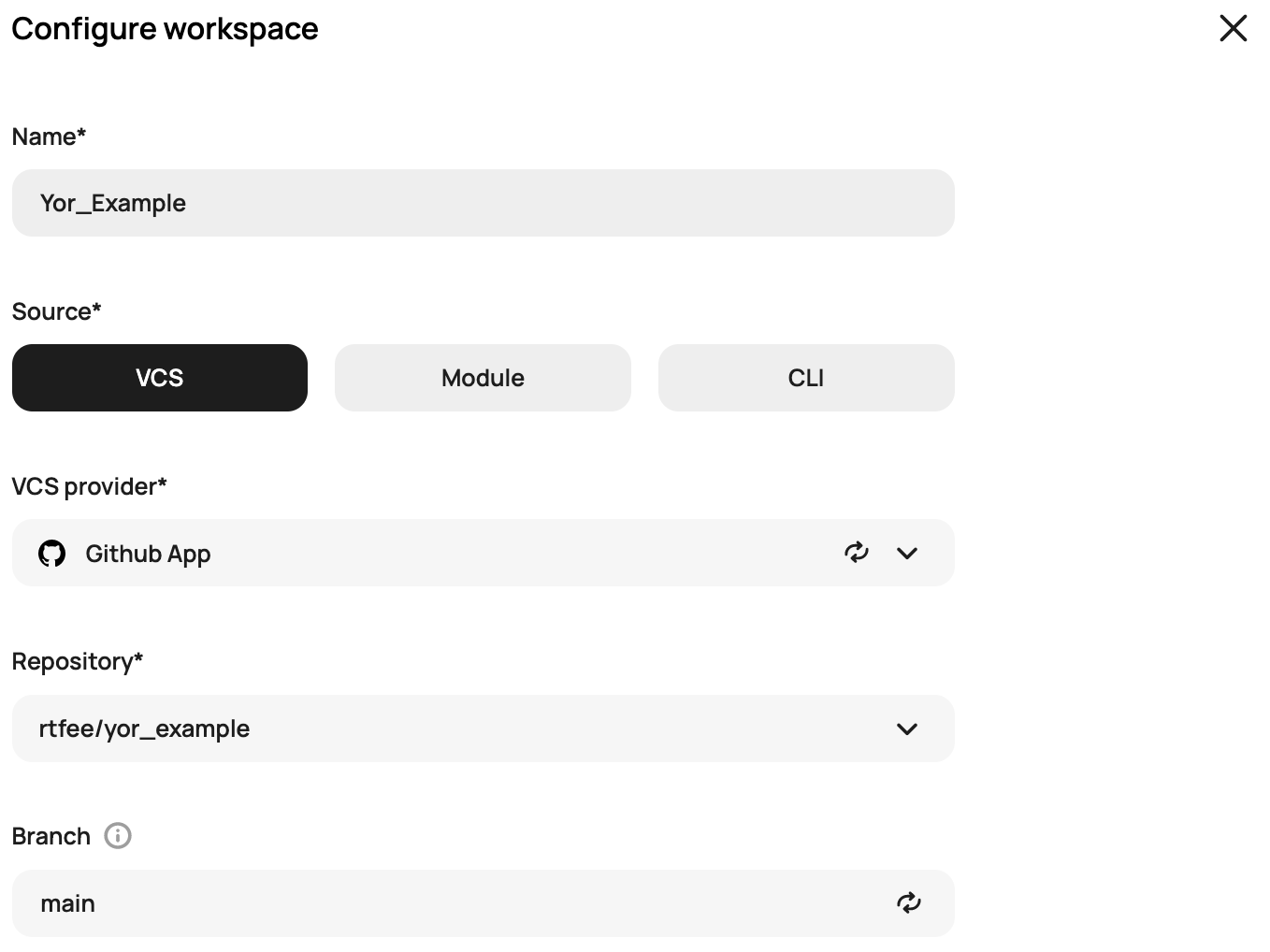
Next, log into Scalr and create a workspace. In this example we'll set a VCS provider as the source and link to the repository with the code that was just created:
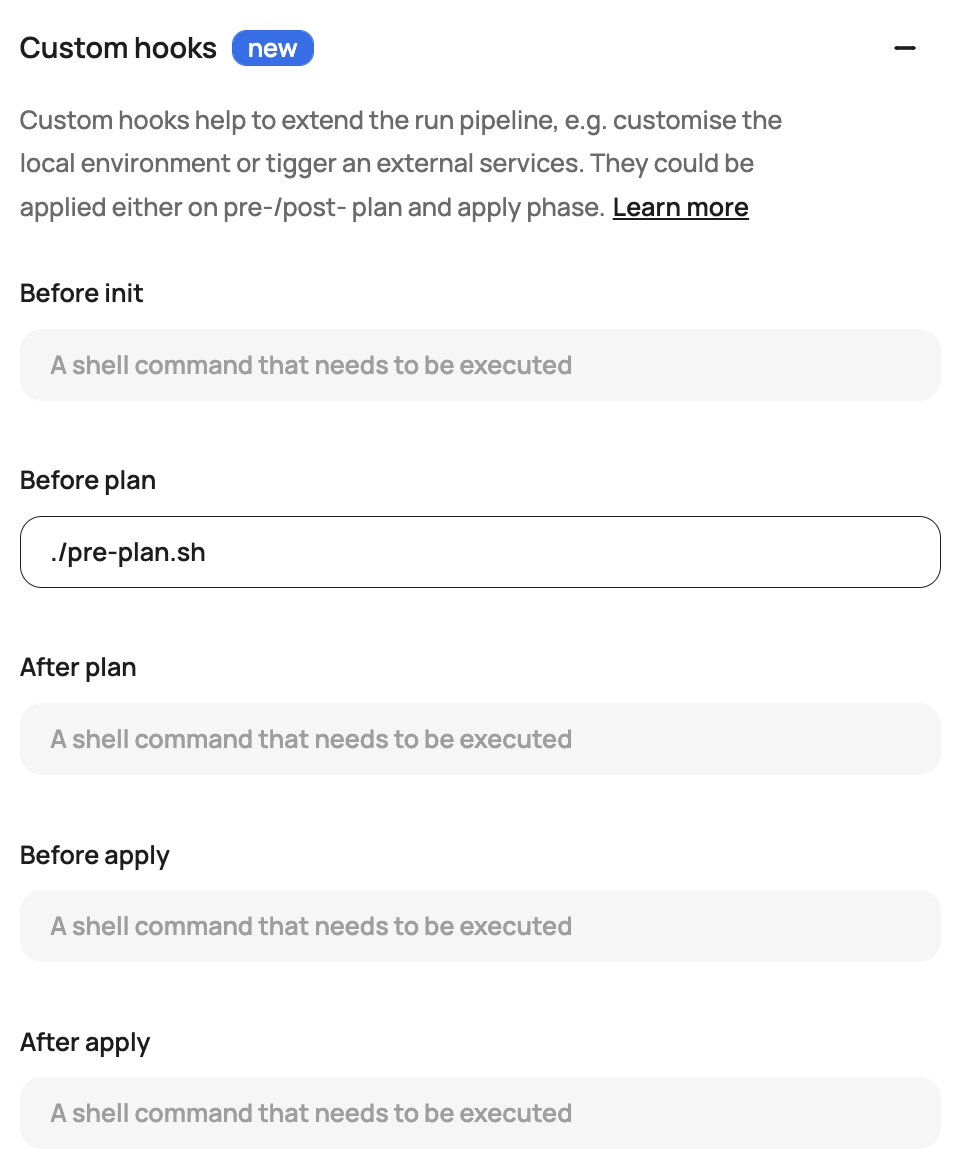
Drop down custom hooks and add pre-plan.sh to the before plan hook:
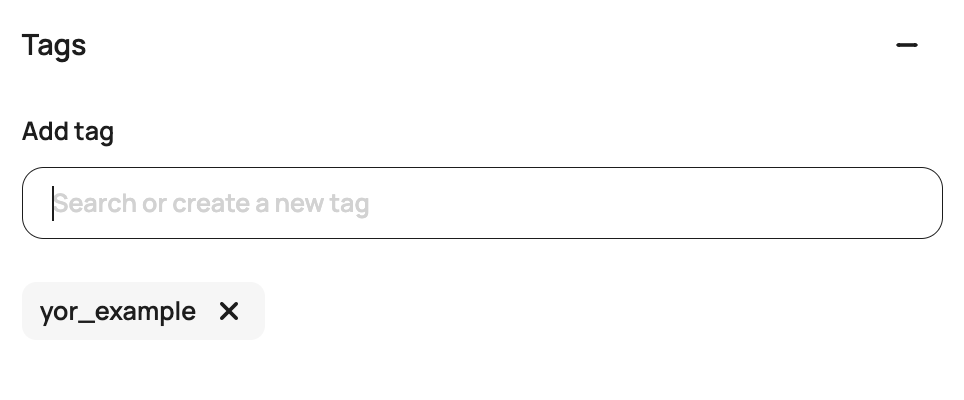
Add some sample workspace tags. This can only be done in the new beta UI (add /app2 to your URL https://<account>.scalr.io/app2/) or through the Scalr Terraform provider.
Click create workspace.
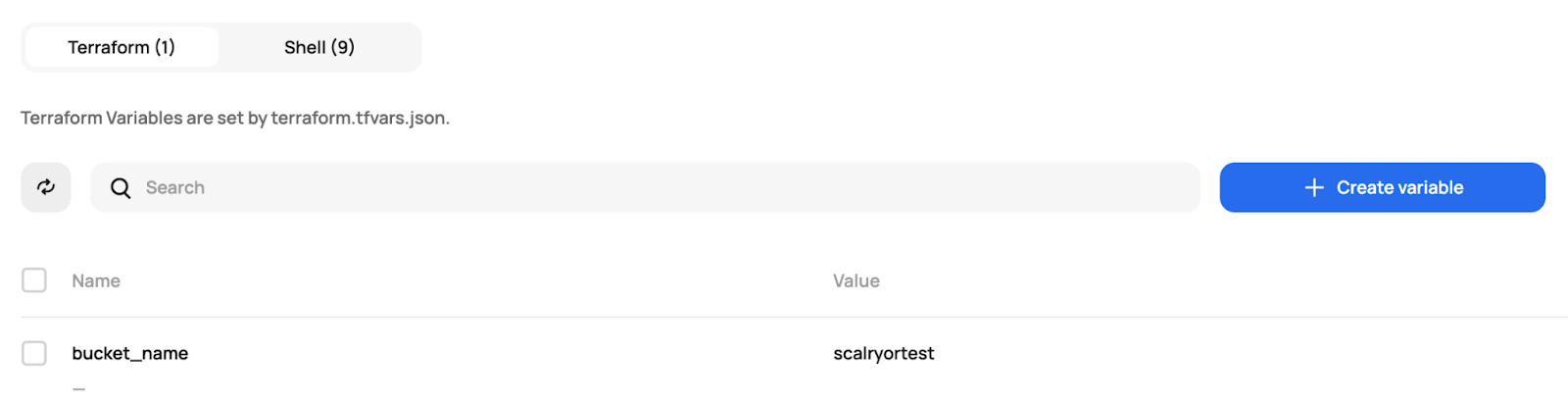
If you're using the main.tf and variables.tf from the example, you'll need to set some variables in Scalr:
Execute the Run
Now all you have to do is execute the run:
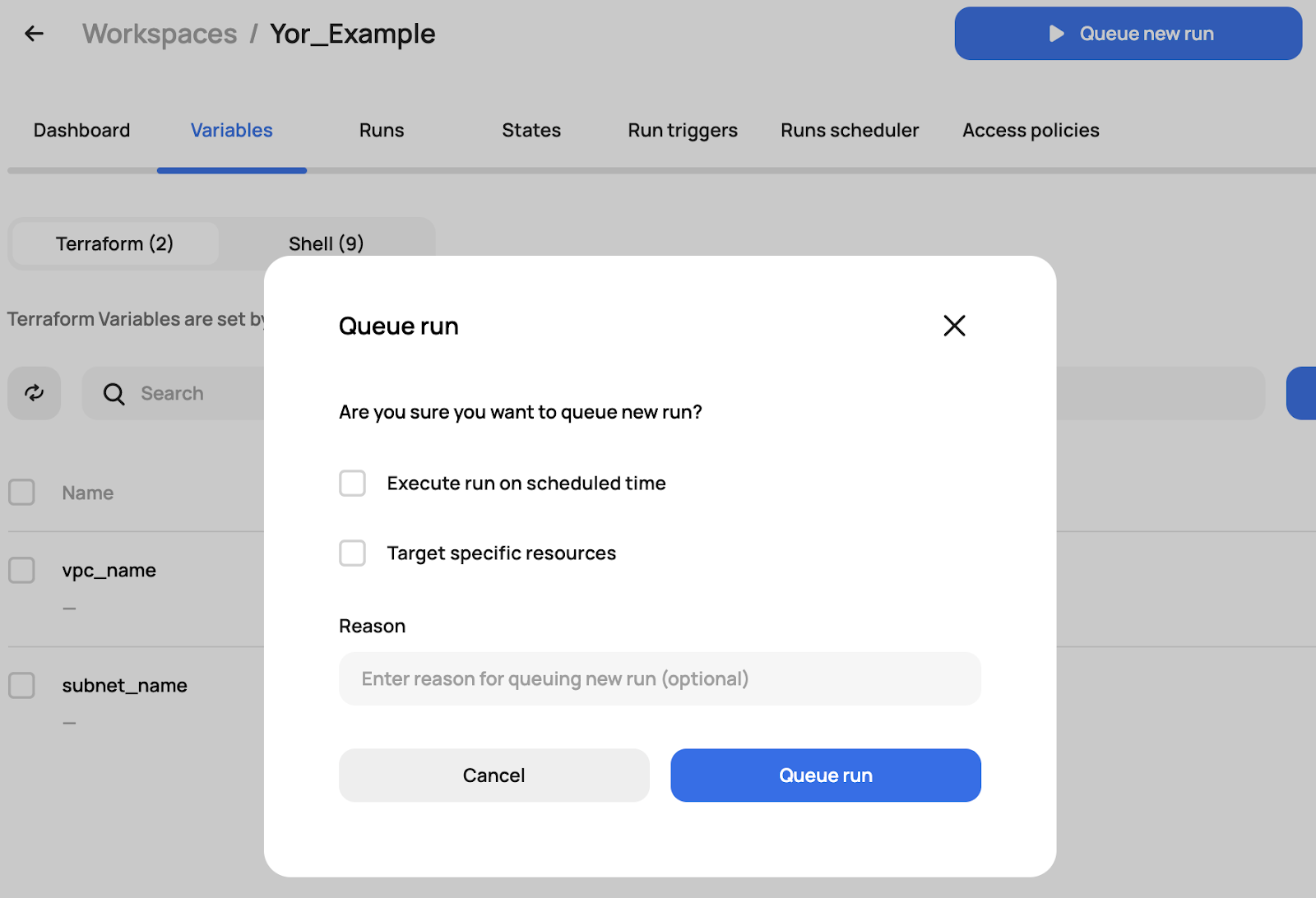
During the run, you'll see that it first executes the pre-plan.sh
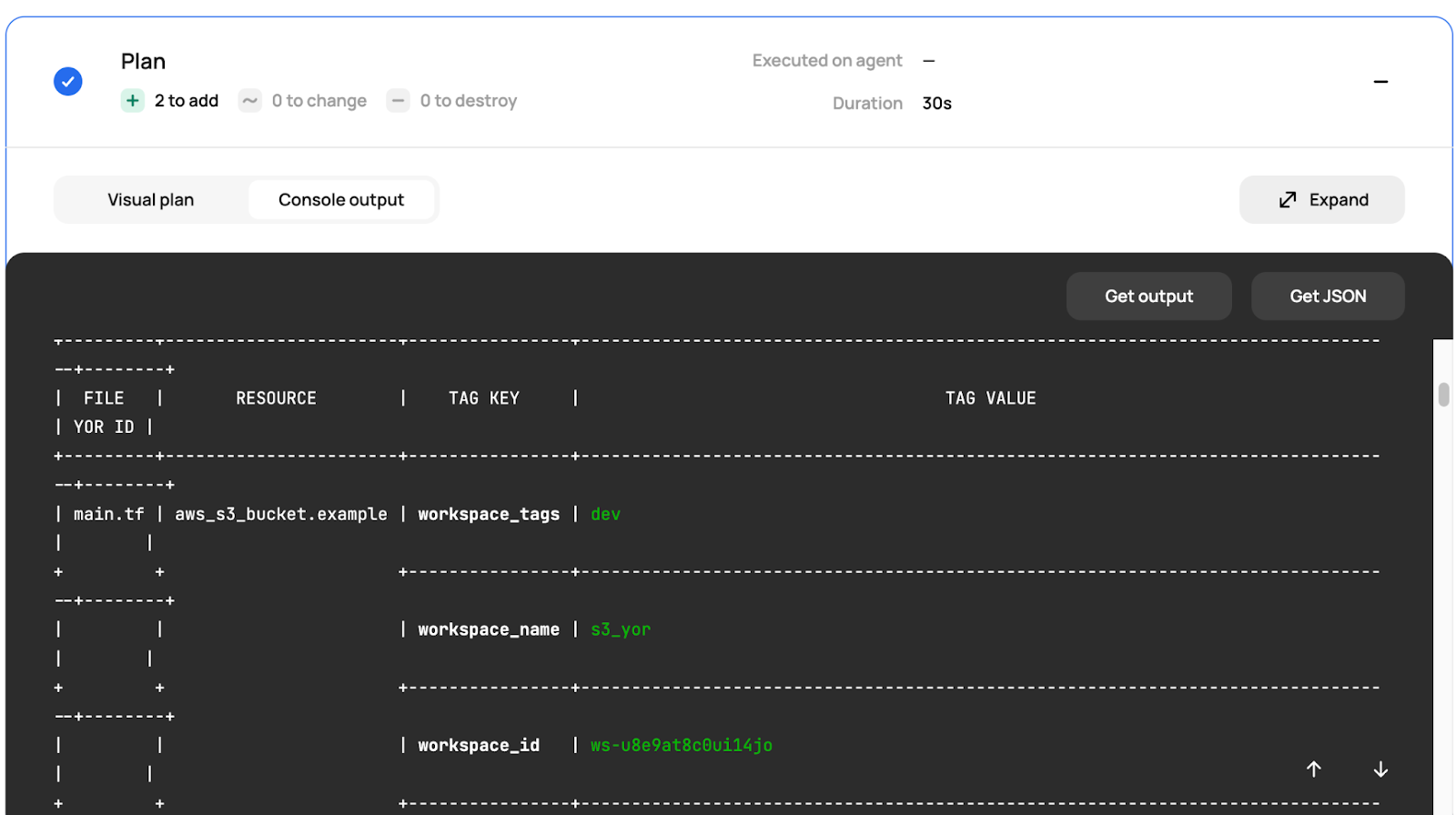
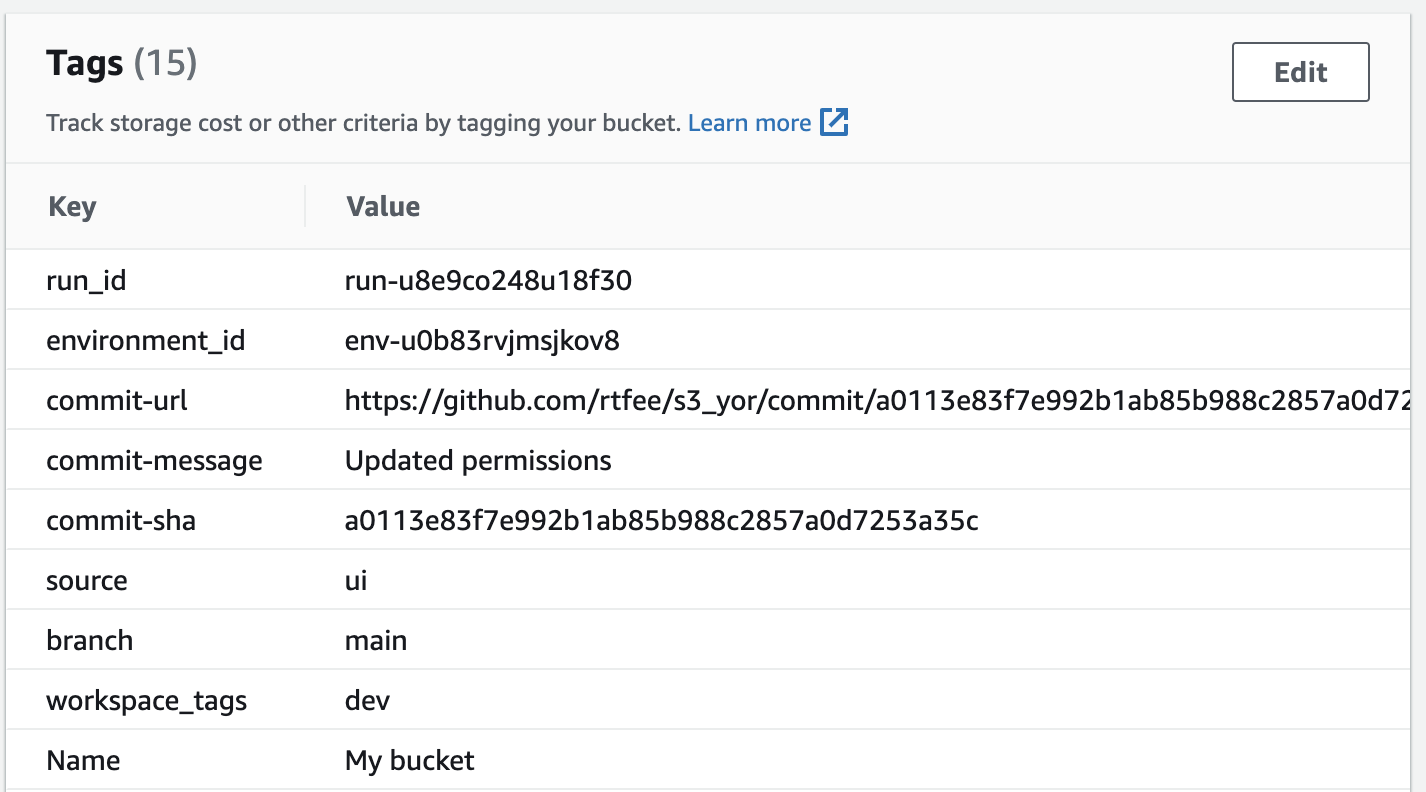
Then the run goes through the rest of the pipeline resulting in an apply and the resources being tagged properly in AWS:
Those few steps plug Yor into the pipeline with Scalr custom hooks and automate Terraform tagging. Yor is quick to get running, and the same custom-hook approach works for plenty of other integrations. You get a customized workflow without building a DIY pipeline to host it, and custom hooks are included on every Scalr plan.
About the author

director of platform engineering at Scalr
Ryan Fee is the director of platform engineering at Scalr, with over 15 years of experience improving infrastructure experiences at companies large and small.
Part of this guide
15 sheets
IaC Security: Securing Your Terraform and OpenTofu Infrastructure
- Terraform Module Supply Chain Attacks: Tag Mutation, Pwn Requests, and How to Pin Safely
- Malicious Terraform Providers: Supply Chain Risks and How to Verify What You Install
- Terraform Supply Chain Attacks: Risks, Real Incidents, and How to Defend Against Them
- Terraform Wiz: How to Scan, Secure, and Enforce Policy on Your IaC
- Secrets in Terraform State: Why They Leak, and the Fix
- Bring Your Own Key (BYOK): Customer-Managed Encryption for Terraform Platforms
- Getting Started with Terraform Vulnerability Scanning
- Streamlining AWS IAM Role Creation with Terraform: A Practical Guide
- Using Checkov with Terraform - Integrations, Features, Examples
- Bridgecrew Terraform: Pricing, Use Cases, Best Practices & Alternatives
- A Guide to Terraform Audit Logs
- How to Use Snyk with Terraform: Securing Your Infrastructure as Code
- Automating Terraform Security in Scalr Deployments with Regula