

Article · part of a guide
Setting up Scalr & Azure DevOps Part 1 - Picking a Workflow
Learn how to use Scalr with Azure DevOps Part 1

Key takeaways
- This first post of a three-part series on integrating Scalr with Azure DevOps focuses on stage one, picking a workflow.
- The two ways to get started are connecting Azure DevOps as a VCS provider for GitOps automation, or using the Terraform CLI within an Azure DevOps pipeline.
- Connecting Azure DevOps as a VCS provider involves registering an OAuth app in Azure with code read and status scopes, then pasting the app ID and client secret into Scalr.
- To use the Terraform CLI, you authenticate with 'terraform login <account-name>.scalr.io', create a workspace, and run 'terraform init', with runs executing in the Scalr backend.
This was written by Jack Roper, a guest blogger.
Getting started with Scalr and Azure DevOps takes 3 stages. This series of 3 posts walks through each one step by step.
This first post covers stage 1, picking a workflow.
Post 2 covers how to add Azure credentials and link them to an environment.
Post 3 covers how to execute your Terraform code and create a workspace, both using PR automation and by plugging the CLI into Azure DevOps. There's a third way to create a workspace using the module registry as well, but it still uses the VCS connection.
What is Scalr?
Scalr is Terraform Automation and Collaboration (TACO) software. It supports pull request automation, the native Terraform CLI, or module-driven workflows. The way it scales for organizations of any size is a hierarchical model that centralizes admin operations like RBAC, policy control through OPA, operational views, and a private module registry. That gives you controlled decentralization: developers can run their own Terraform workflows inside environments without stepping on each other.
Also from https://docs.scalr.io/docs:
Scalr is a remote operations backend for Terraform. What does this mean in basic terms? It executes Terraform operations and stores state, regardless of the workflow, in Scalr itself allowing for easy collaboration across your organization. That means you can easily onboard an existing GitOps or native Terraform CLI based workflows into Scalr with little to no modification to your actual code.
Getting Started
The 2 ways to get started with Scalr depending on your workflow are:
- Adding the Version Control System (VCS) provider, in this case, Azure DevOps.
- Using the Terraform CLI in the Azure DevOps pipeline.
Authenticate to Scalr with Azure DevOps
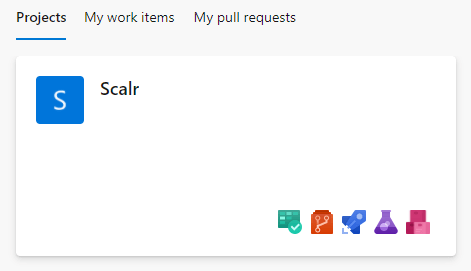
First, choose the project in Azure DevOps you want to link with Scalr. I've set up a test one:
Inside my Project, I have a repo called Scalr with some basic terraform files. When you apply the configuration, it creates a given number of Azure AD Groups.
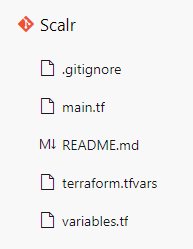
main.tf
provider "azurerm" {
  features {}
}

terraform {
  required_providers {
    azurerm = {
      source  = "hashicorp/azurerm"
      version = ">=2.95.0"
    }
    azuread = {
      source  = "hashicorp/azuread"
      version = ">=2.17.0"
    }
  }
  backend "azurerm" {
    // resource_group_name  = "tf-rg"
    // storage_account_name = "jacktfstatesa"
    // container_name       = "terraform"
    // key                  = "adgroups.tfstate"
  }
}

resource "azuread_group" "ad_group" {
  count = 3
  display_name = var.ad_group_names[count.index]
  security_enabled = false
  mail_enabled = false
}
variables.tf
variable ad_group_names {
    type = list(string)
    description = "List of all the AD Group names"
}
terraform.tfvars
ad_group_names = ["Group1", "Group2", "Group3"]Setup the Azure DevOps integration using the web interface
Scalr can integrate with several VCS providers to automate your GitOps workflow. The steps below set it up with our Azure DevOps repo.
When you first log in to your Scalr account, you'll see this screen:
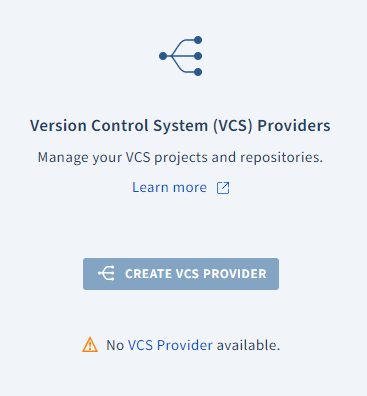
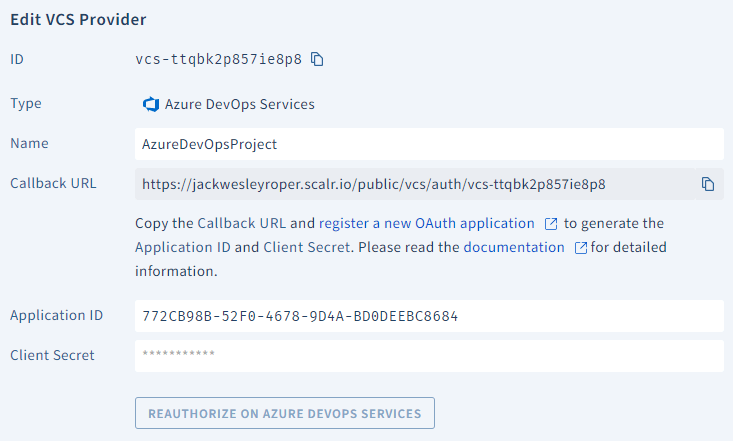
Clicking on 'create VCS provider' and then 'Azure' presents the following options:
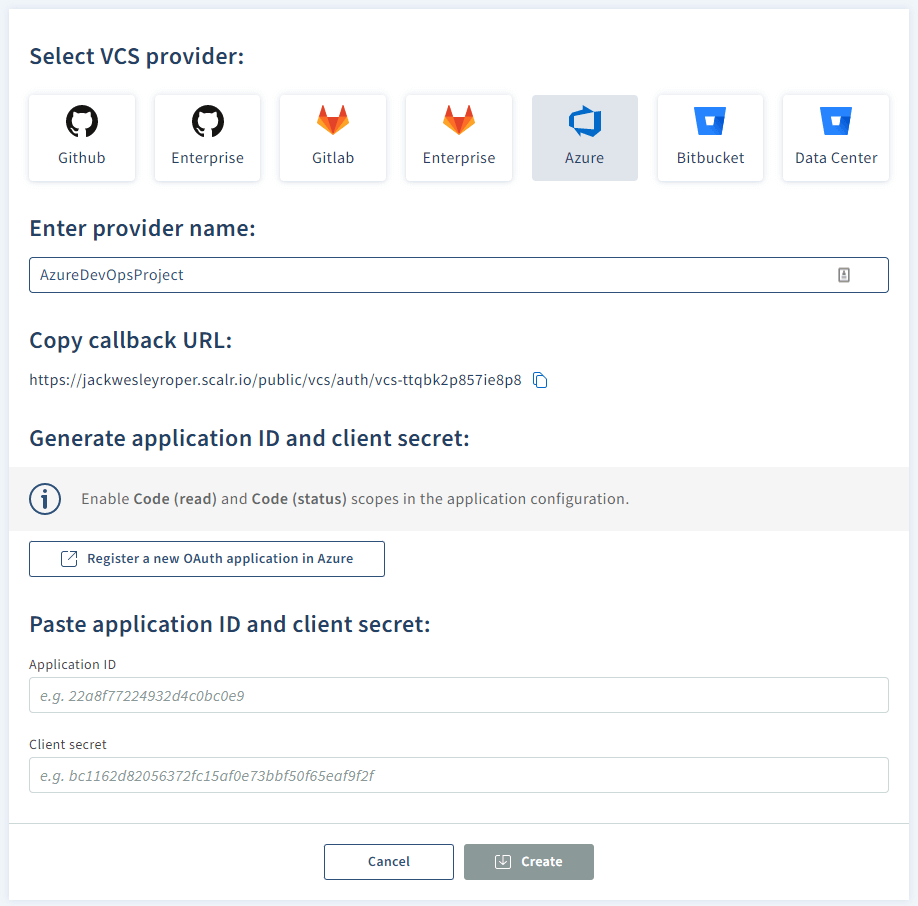
- Enter your provider name (e.g. AzureDevOpsProject)
- Hit the 'Register a new OAuth application in Azure' button, which takes you to register an App in Azure DevOps: https://aex.dev.azure.com/app/register

- Copy the callback URL and paste it into the Authorization callback URL in the Azure DevOps page

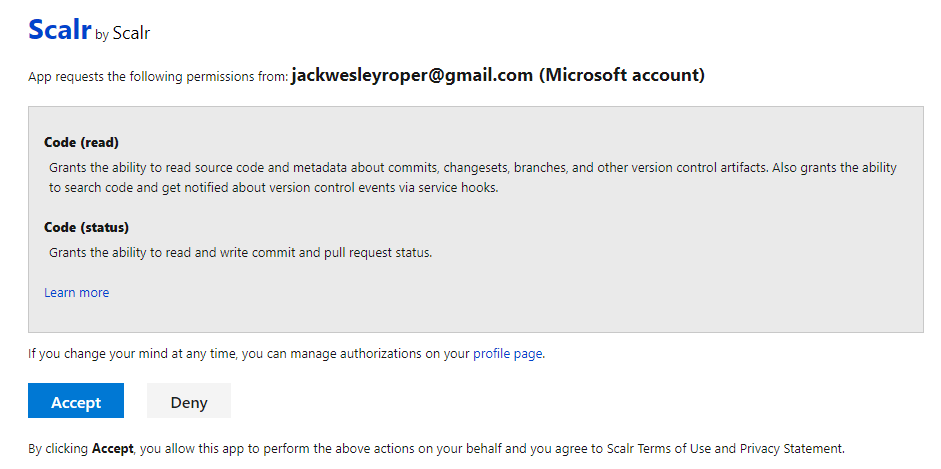
- Under authorized scopes, tick code (read) and code (status).
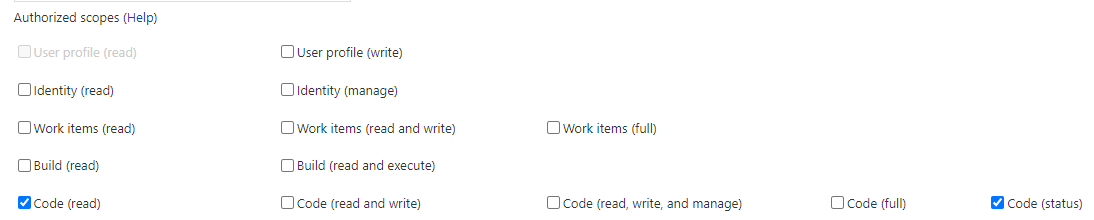
- Fill in the company name, Application Name, and Application website fields, then hit 'create application'. Your application settings will be presented:
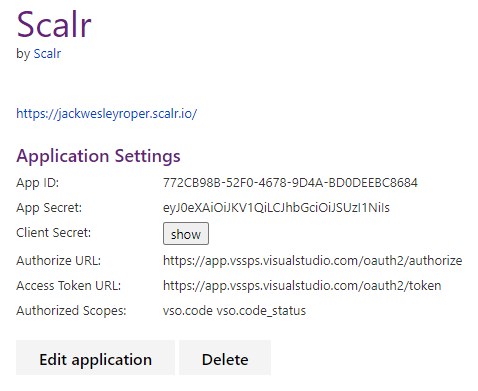
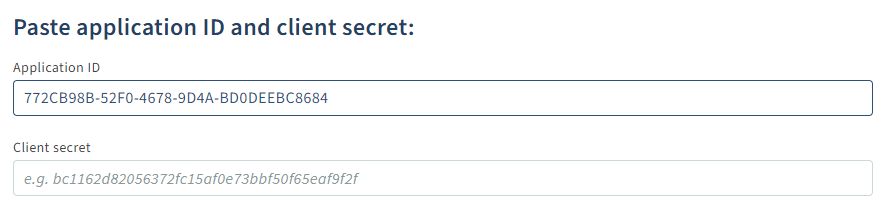
- Back in Scalr, paste your app ID and client secret and press 'create':
- Hit accept:
- Scalr now shows that Azure DevOps is connected.

Authenticate to Scalr with the Terraform CLI
If an existing workflow already exists that utilizes the native Terraform CLI or you just want the flexibility to use it, you can continue to use the Terraform CLI as it is fully supported in Scalr. Scalr will execute the runs in a container in the Scalr backend, but the logs and output will still be sent back to your console. To utilize Scalr as a remote backend there are a few simple steps:
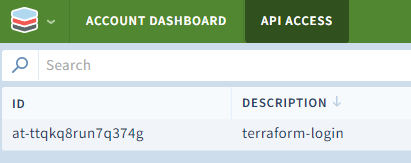
- Obtain an API token by running
terraform login <account-name>.scalr.io - Create a workspace
- Execute
terraform init
terraform login jackwesleyroper.scalr.io
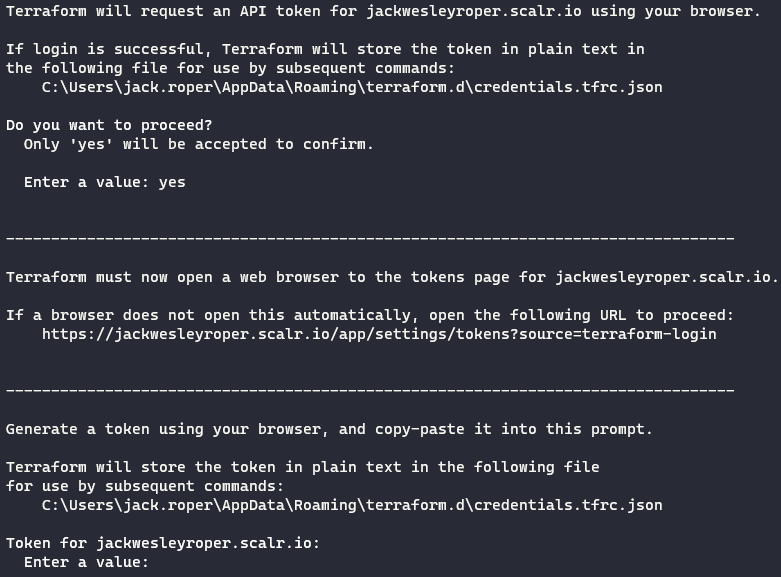
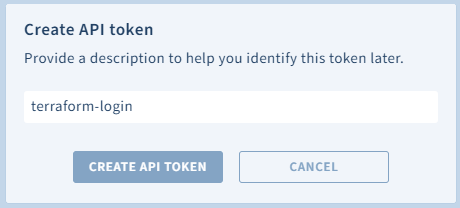
Press 'Create API Token', then copy the resulting ID and Token.
The token should be displayed in Scalr.
Paste the token back into the command window:

The Scalr Terraform Provider
The Scalr Terraform provider can also manage the components inside Scalr, so you can automate creating workspaces, variables, VCS providers, and a lot more.
Summary
We connected our VCS provider, Azure DevOps, to Scalr, and we walked through authenticating to Scalr with the Terraform CLI.
Part 2 in the series looks at how to add Azure credentials and link them to an environment.
Cheers! 🍻
About the author

DevOps engineer
Jack Roper is a DevOps engineer and technical writer specializing in Terraform and cloud infrastructure.
Part of this guide
25 sheets
CI/CD and GitOps for Terraform & OpenTofu
- Migrating GitHub Actions from an S3 Backend to Scalr
- tofu test and terraform test: Testing OpenTofu and Terraform Modules
- Custom Hooks for Terraform and OpenTofu: Pre-Plan, Post-Apply, and the Hooks Registry
- Integrating Terraform with Backstage
- The No-Nonsense Guide to ArgoCD
- Top 10 Continuous Delivery Tools
- Top 10 GitOps Tools: A Comprehensive Guide
- Everything you need to know about using Terraform or OpenTofu with Slack
- Using Terraform with GitLab
- Key DevOps Metrics You Should Be Tracking
- Terraform and OpenTofu with Dependabot
- Terraform Notifications in Microsoft Teams
- The Complete Guide to DevOps Monitoring Tools: Choosing the Right Solution for Your Infrastructure
- Top Jenkins Alternatives & Specialized IaC Tools
- Why You Should Use Dependabot with Terraform and OpenTofu
- Mastering Terraform at Scale: A Developer's Guide to Reliable Infrastructure
- Integrating Terraform Events w/ AWS EventBridge
- How to use the Azure DevOps Terraform Provider
- Deploying your infrastructure with Scalr and GitHub Actions
- Terraform Configuration Ingestion
- Setting up Scalr & Azure DevOps Part 2 - Add Azure credentials
- Setting up Scalr & Azure DevOps Part 3 - Execute Your Terraform Code and Create a Workspace
- Terraform Cost Estimation in 2021: The Definitive Guide