

Article · part of a guide
Scalr VSCode Extension for Terraform & OpenTofu
Use the Scalr VSCode extension to browse workspaces, check runs, and run plans without leaving your editor.

Key takeaways
- The Scalr VSCode extension reduces context switching by letting developers view workspaces, run results, and run Terraform and OpenTofu plans without opening the Scalr UI.
- Key features include listing and filtering workspaces by environment, viewing run history and results, running plan and apply, and streaming Terraform logs directly into VSCode.
- Authentication requires only your Scalr account name and a token; you don't append '.scalr.io' to the account name.
- Once authenticated, the extension imports all workspaces you have access to, with status icons showing whether the last run succeeded, failed, or hasn't run.
- The extension was released as a beta, and the HashiCorp Terraform VSCode extension remains useful for autocompletion, syntax validation, and module navigation.
Visual Studio Code (VSCode) is a free, open-source code editor from Microsoft, and it handles plenty of languages used in infrastructure as code, including Terraform and OpenTofu. Part of what makes it useful is the plugin ecosystem. Most IaC developers already know the Terraform plugin. This post covers Scalr's new VSCode extension for working with Terraform and OpenTofu.
With it, you can update your Terraform code, browse workspaces, and check run results without leaving VSCode for the Scalr UI.
The Scalr VSCode Extension
We recently released the beta version of the Scalr VSCode extension to cut down on the context switching that developers using Terraform and Scalr deal with every day. It can:
- List all workspaces and filter them by environment
- Show all Terraform runs within a workspace and the run results
- Run Terraform plan and apply from VSCode
- Stream Terraform logs directly back into VSCode for active Terraform runs
Pulling run results into VSCode means less time spent logging into the Scalr UI. We try to meet developers where they already work, so now you can edit your Terraform code, test it, and read the results you need in the same editor.
If you still need to log into the UI for more information, each workspace has an icon next to it, which will log you directly into that workspace in Scalr.
Using the Extension
To use the extension, first download it from the VSCode marketplace.
Once the extension is installed, you can authenticate to Scalr by providing your account name and a token. Only the account name is needed; don't add ".scalr.io" to it.
Once authenticated, the extension automatically imports all workspaces you have access to, and you can filter them by environment and workspace ID:
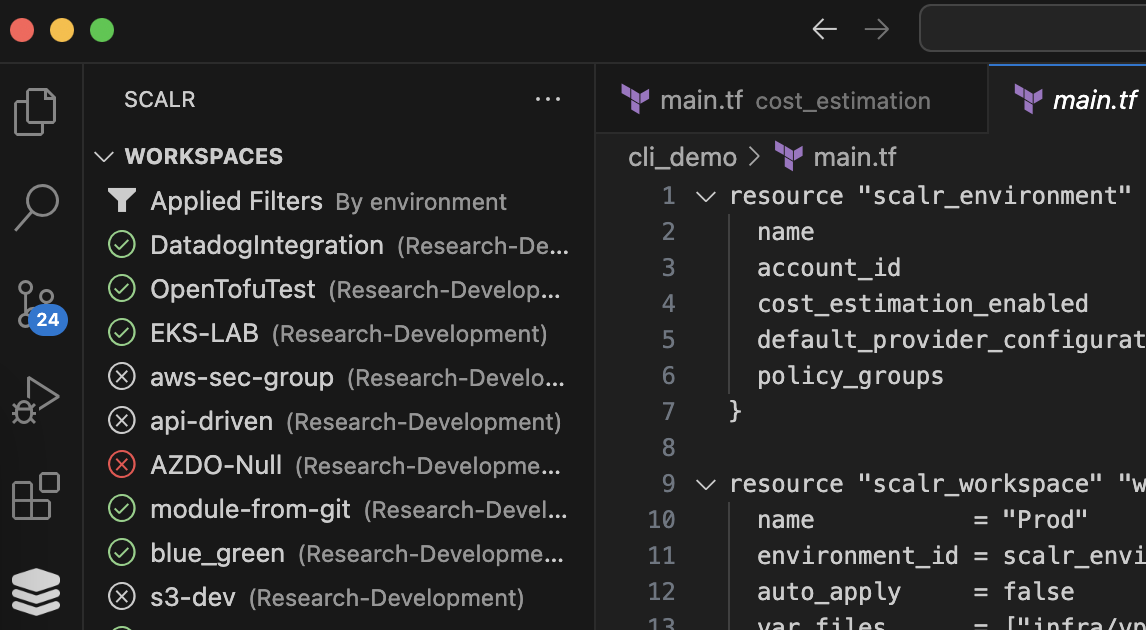
Workspaces download in VSCode
The icons to the left of the workspace name show the current status of the workspace: whether the last run succeeded, or whether any run has been executed at all.
After clicking on a workspace, you can also see all of the run history for the workspace as well as the run outputs:
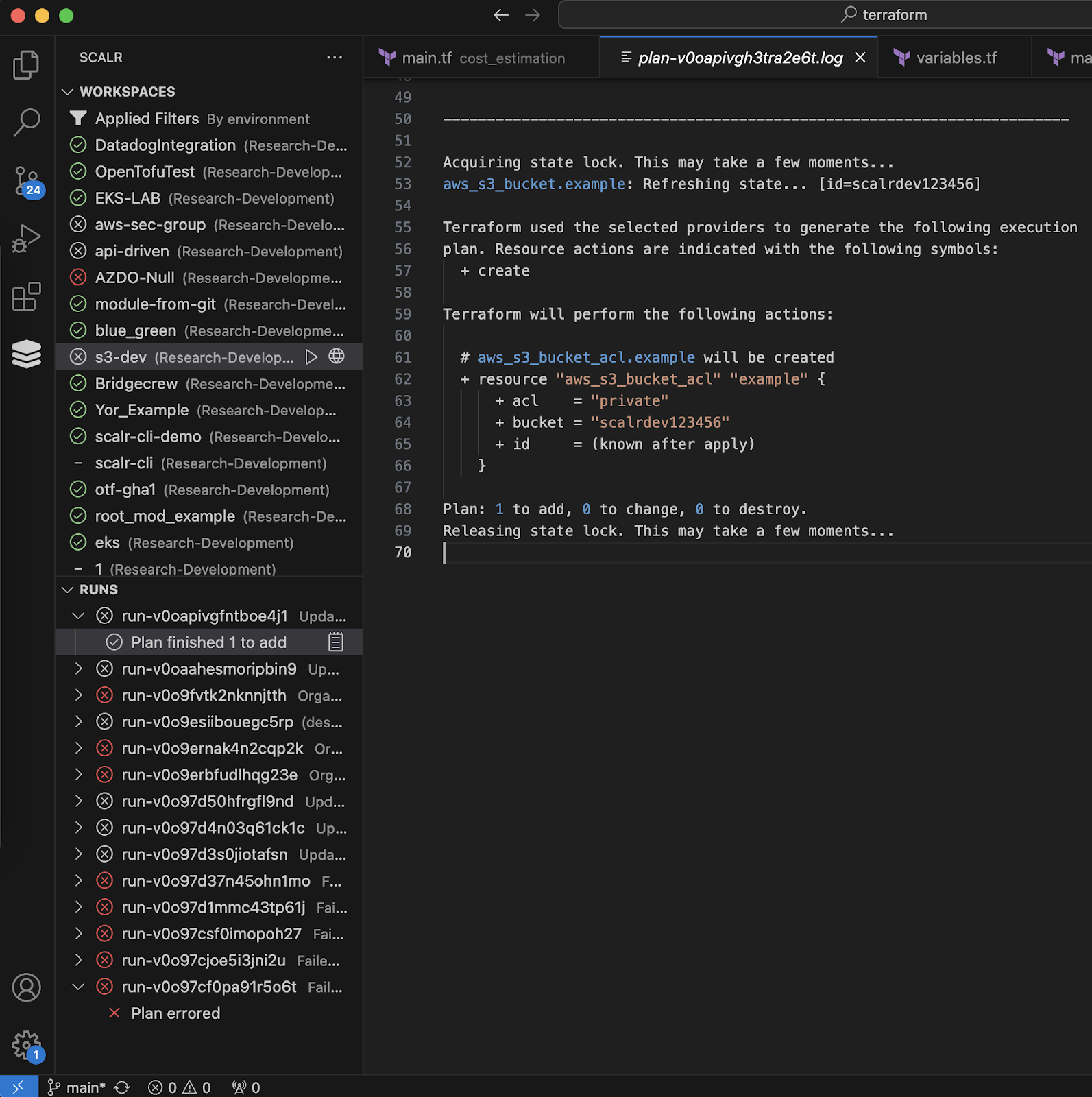
Plan history in VSCode
Actions, such as terraform plan, terraform apply, terraform refresh, and terraform destroy can be taken directly from VSCode by clicking on the "play" button next to the workspace name:
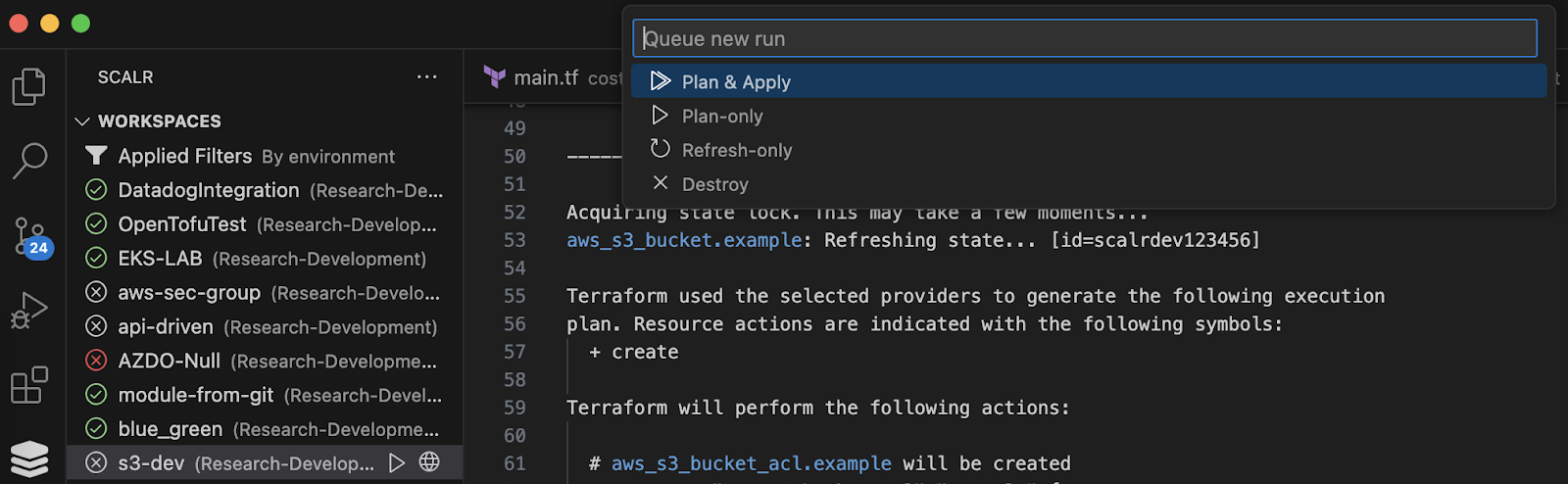
Actions available in VSCode
Once an action has started, the Terraform log output will stream directly back into the VSCode extension.
What's Next for the Scalr VSCode Extension?
We want to keep working with the community on a VSCode extension that improves the developer experience for Scalr, Terraform, and OpenTofu users. Please report issues and raise feature requests in our GitHub repository.
Other Helpful Terraform VSCode Extensions
If you haven't used it yet, the HashiCorp Terraform extension is worth having alongside Scalr's. It speeds up writing configuration files by auto-completing providers, resource names, and data sources. Syntax validation runs in the editor, so you catch errors in your Terraform files sooner, and the syntax highlighting picks out modules, providers, and conditional expressions. Its module explorer lists the Terraform modules used in the configuration you're working on, which makes the code easier to navigate. For local development, the extension also runs terraform init, terraform plan, and terraform apply without leaving the editor.
Other Scalr Features to Improve the Developer Experience
- See how and why Scalr developed pull request comments in a way that gives the developers all of the information they need without making it too noisy.
- Want to continue to use an existing workflow in GitHub actions but use Scalr as the backend? Check out our supported Github action here.
- Use the Scalr CLI to interact with Scalr without having to learn the full API.
About the author

director of platform engineering at Scalr
Ryan Fee is the director of platform engineering at Scalr, with over 15 years of experience improving infrastructure experiences at companies large and small.
Part of this guide
15 sheets
What is OpenTofu?
- What Is an OpenTofu Management Platform?
- An Overview of Scalr's CI/CD Capabilities for Terraform and OpenTofu
- Debugging opentofu apply Failures
- The Terraform & OpenTofu Terralith
- New Feature: Terraform & OpenTofu Ephemeral Workspaces
- Understanding Terraform & OpenTofu Workspaces
- OpenTofu Language Guide
- API Driven Workflows for Terraform and OpenTofu
- OpenTofu Runs are Free in Scalr
- 10 OpenTofu Commands
- Finding a Home for OpenTofu: Unpacking The Decision to Join The Linux Foundation
- Announcing OpenTF
- Is Terraform Still Open Source?