

Article · part of a guide
Terraform Resource Dependencies Explained
Terraform can declare dependencies between resources, and even data sources. Here's how implicit and explicit dependencies work.

Key takeaways
- Terraform dependencies come in two forms: implicit, where a resource references another resource or data source, and explicit, declared with depends_on.
- Implicit dependencies form automatically when one resource references another's attributes, and Terraform builds them into the resource graph to control creation order.
- Replacing references with hard-coded values removes implicit dependencies, causing Terraform to create resources at the same time and fail when one depends on another not yet created.
- The depends_on block lets engineers explicitly declare dependencies between resources or data sources for technical or business reasons.
- Dependencies ensure resources are created in the correct order, which is a core part of Terraform's power as an infrastructure-as-code tool.
Terraform lets you declare dependencies between resources, and even between data sources. There are two kinds:
- Implicit - where a resource references another resource/data source
- Explicit - where an engineer explicitly calls out a dependency between two resources/data sources
Either way, a dependency stops Terraform from creating a resource before the thing it needs already exists. Below is an example of each.
How Do Implicit Dependencies Work in Terraform?
The example below creates three resources that depend on each other: a Resource Group, a Virtual Network, and a Subnet. In the code, each one references the others in some way. The Virtual Network references the Resource Group twice, once for its location and once for its name.
Terraform sees that reference and adds a dependency between those resources in the resource graph.
resource "azurerm_resource_group" "this" {
  name     = "rg-implicit-dependency"
  location = "Australia East"
}

resource "azurerm_virtual_network" "this" {
  name                = "vn-implicit-dependency"
  location            = azurerm_resource_group.this.location
  resource_group_name = azurerm_resource_group.this.name

  address_space = ["10.0.0.0/24"]
}

resource "azurerm_subnet" "this" {
  name                 = "sn-implicit-dependency"
  resource_group_name  = azurerm_resource_group.this.name
  virtual_network_name = azurerm_virtual_network.this.name

  address_prefixes = ["10.0.0.0/28"]
}
The diagram below is the output of the terraform graph command piped into https://github.com/pcasteran/terraform-graph-beautifier. Now you can see those references between each resource.
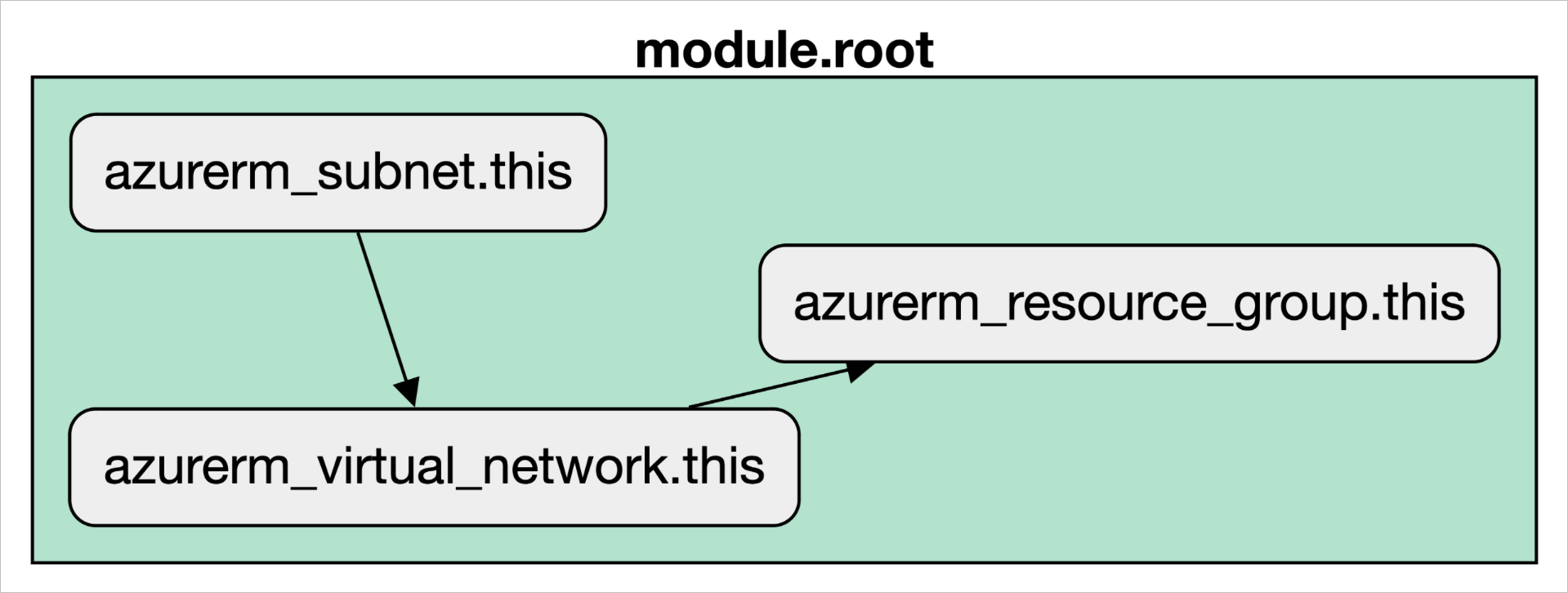
Output of the terraform graph
To prove the point, let's change the code so it uses hard-coded values instead of references. The code now looks like this:
resource "azurerm_resource_group" "this" {
  name     = "rg-implicit-dependency"
  location = "Australia East"
}

resource "azurerm_virtual_network" "this" {
  name                = "vn-implicit-dependency"
  location            = "Australia East"
  resource_group_name = "rg-implicit-dependency"

  address_space = ["10.0.0.0/24"]
}

resource "azurerm_subnet" "this" {
  name                 = "sn-implicit-dependency"
  resource_group_name  = "rg-implicit-dependency"
  virtual_network_name = "vn-implicit-dependency"

  address_prefixes = ["10.0.0.0/28"]
}
If we run the terraform graph command again we get a completely different result! As you can see below, we no longer have those dependencies marked by arrows in the resource graph.
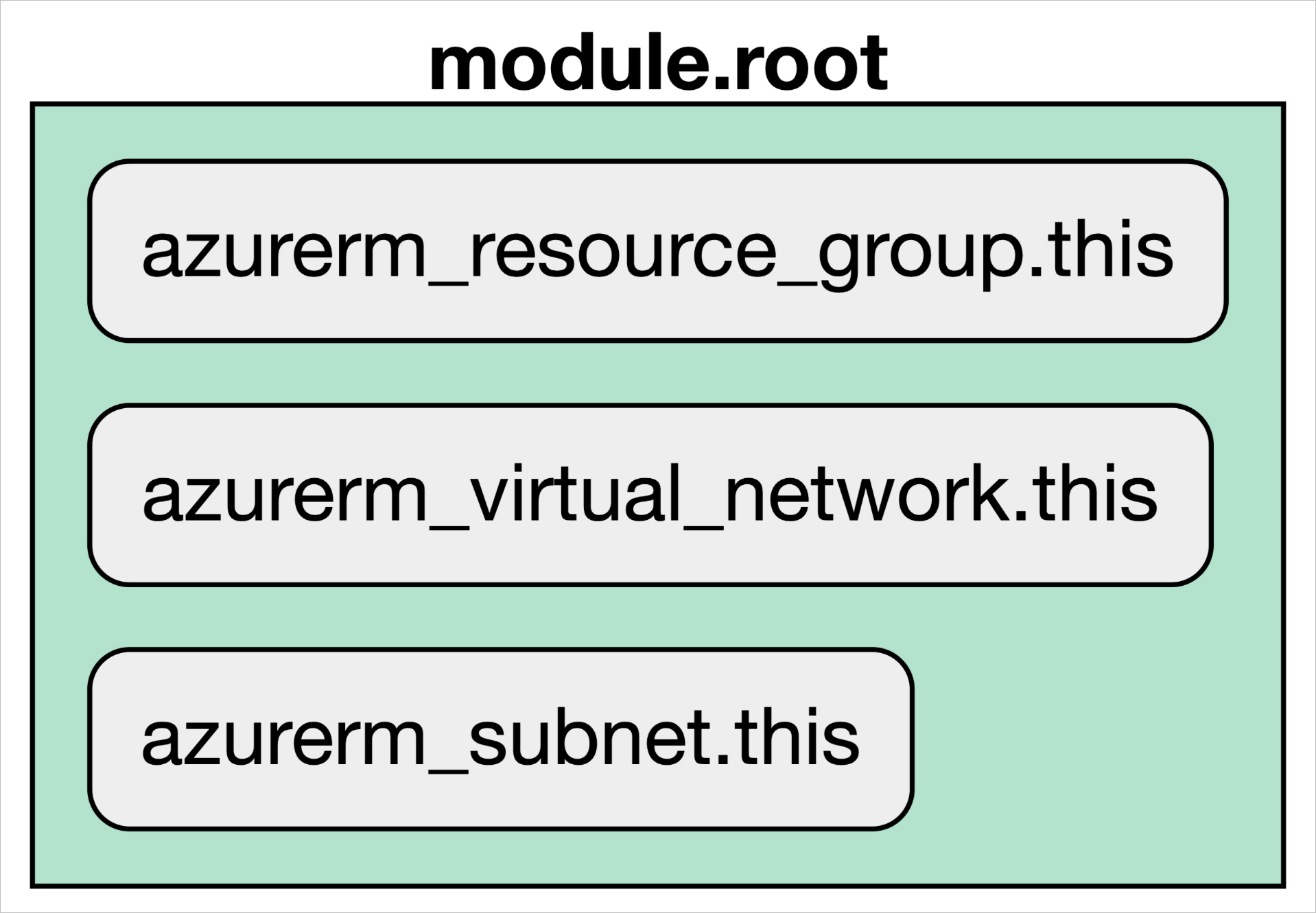
Resources without dependencies
With this configuration Terraform will try to create all three resources at the same time. You can limit that with the parallelism command line option for apply, but it'll still error out. The example below shows that the Virtual Network can't find the Resource Group we're referencing.
╷
│ Error: creating/updating Virtual Network: (Name "vn-implicit-dependency" / Resource Group "rg-implicit-dependency"): network.VirtualNetworksClient#CreateOrUpdate: Failure sending request: StatusCode=404 -- Original Error: Code="ResourceGroupNotFound" Message="Resource group 'rg-implicit-dependency' could not be found."
│
│   with azurerm_virtual_network.this,
│   on main.tf line 10, in resource "azurerm_virtual_network" "this":
│   10: resource "azurerm_virtual_network" "this" {
│
How Do You Declare Explicit Dependencies with depends_on?
Now for explicit dependencies. We'll reuse the example from above, which is broken because it has no dependencies in place, and fix it with explicit ones.
resource "azurerm_resource_group" "this" {
  name     = "rg-explicit-dependency"
  location = "Australia East"
}

resource "azurerm_virtual_network" "this" {
  name                = "vn-explicit-dependency"
  location            = "Australia East"
  resource_group_name = "rg-explicit-dependency"

  address_space = ["10.0.0.0/24"]

  depends_on = [
    azurerm_resource_group.this
  ]
}

resource "azurerm_subnet" "this" {
  name                 = "sn-explicit-dependency"
  resource_group_name  = "rg-explicit-dependency"
  virtual_network_name = "vn-explicit-dependency"

  address_prefixes = ["10.0.0.0/28"]

  depends_on = [
    azurerm_resource_group.this,
    azurerm_virtual_network.this
  ]
}
Each resource now has a new block called depends_on. It lets us, as engineers, call out explicit dependencies between resources or data sources. Instead of references, the example uses the literal names of the Resource Group and Virtual Network. In a real setup these would more likely be input variables passed in. This also helps when two services depend on each other for a business reason rather than a technical one.
The below screenshot shows what our graph will look like when we use the depends_on. (I promise it's not copy paste from above)
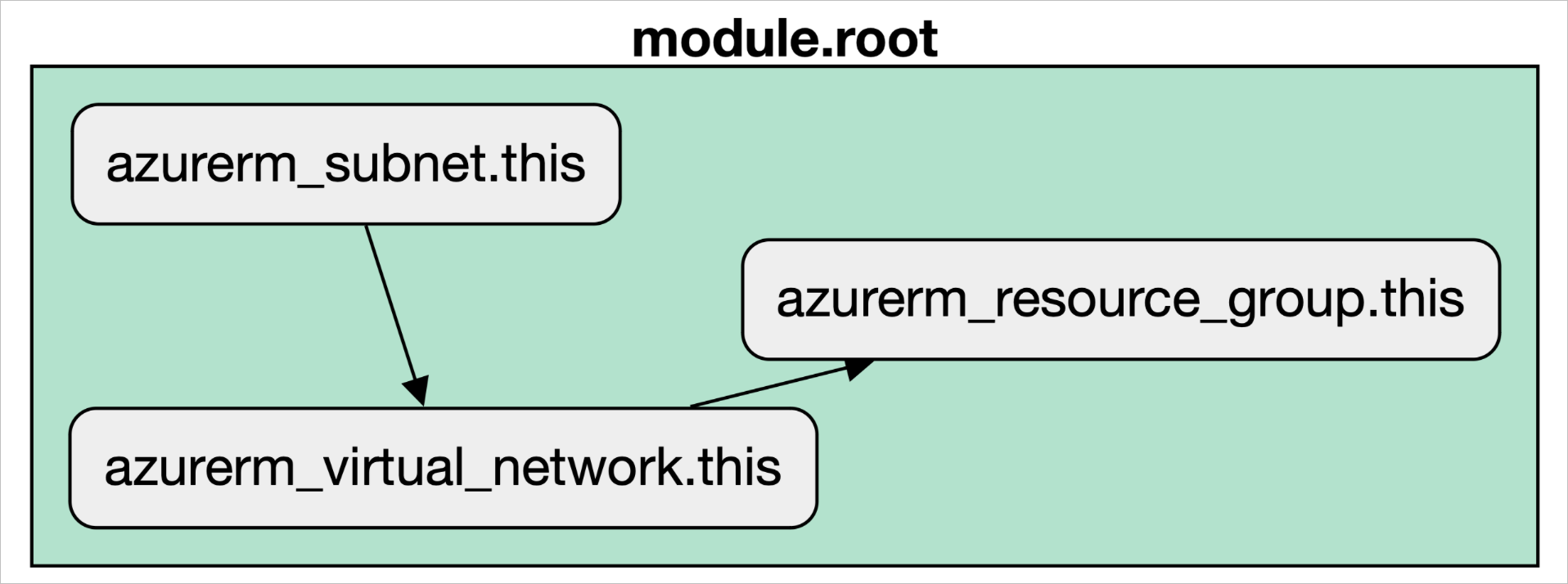
Why Do Resource Dependencies Matter in Terraform?
Implicit dependencies come from referencing one resource or data source inside another, and explicit ones come from the depends_on block. Either way, Terraform creates resources in the right order, whether the reason is technical or a business constraint. Without either, as the hard-coded example showed, Terraform tries to create everything at once and the apply fails.
About the author

solutions engineer at Scalr
Brendan Thompson is a solutions engineer at Scalr, specializing in Terraform and cloud infrastructure.
Part of this guide
9 sheets
The Developer's Guide to HCL
- Terraform moved blocks: refactoring without pain
- Terraform Outputs: How to with Examples
- Understanding the Terraform ignore_changes Lifecycle Block
- A Concise Guide to terraform_data Resource
- How to Use terraform chdir
- Advanced Terraform Workflows with terraform_data
- The Three Stages of Terraform's Lifecycle Meta Argument