

Article · part of a guide
The Three Stages of Terraform's Lifecycle Meta Argument
Customize the general lifecycle for Terraform resources.

Key takeaways
- Every Terraform-managed resource has a three-stage lifecycle: Apply (Create), Update, and Destroy, which the lifecycle meta-argument lets you customize.
- create_before_destroy provisions a new resource instance before destroying the old one, avoiding downtime during in-place replacements.
- prevent_destroy blocks Terraform from destroying a resource, and ignore_changes tells Terraform to disregard changes to specified fields managed by external systems.
- replace_triggered_by, added in Terraform v1.2, replaces a resource whenever another referenced resource changes.
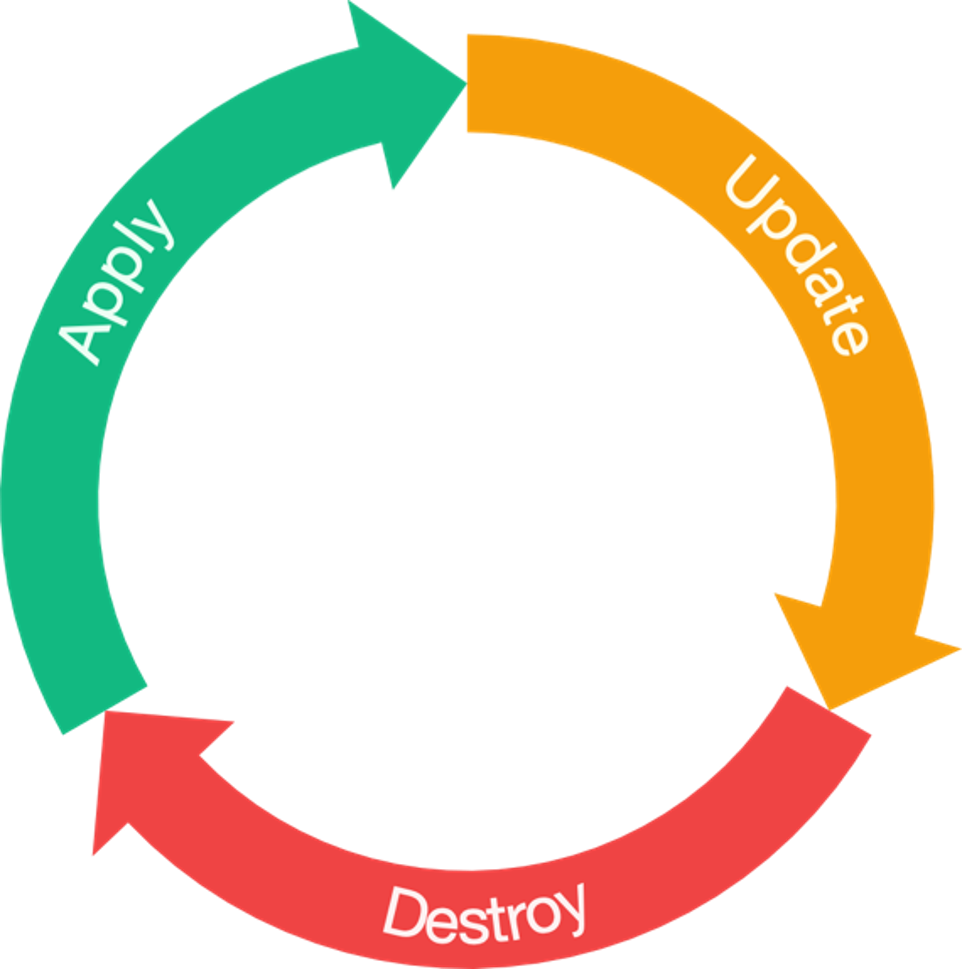
Every resource that Terraform manages has a lifecycle, and that lifecycle has three stages: Apply (Create), Update, and Destroy. Apply is where Terraform actually creates the resource. Update is when you change an existing resource, which might be a small edit or a full recreate. Destroy is where the resource gets removed from the environment. Sometimes you want more control over these stages than the defaults give you, and that's what the lifecycle meta-argument is for.
The diagram below shows the three stages at work.
What can we control?
You can control the lifecycle a bit further than those three default stages. Terraform gives you these options inside the lifecycle meta-argument:
create_before_destroy: when an in-place update has to occur Terraform will create the new instance prior to destroying the oldprevent_destroy: do not allow the destroy flow to actually destruct the resourceignore_changes: ignore any changes on specified fields or an entire objectreplace_triggered_byprecondition: check something before performing the action on the resourcepostcondition: validate something after performing an action on the resource
We'll go through most of these in more detail below. For the *condition options, see this post.
Create Before Destroy
The create_before_destroy option is really handy when the new instance of the resource has to be there before you destroy the old one. Say a public IP needs to be recreated but you don't want the service to go down. You'd make sure the new address is created before the old one gets destroyed.
Using the Scratch provider we can mock out an example of this:
resource "scratch_string" "this" {
  in = "create_before_destroy"

  lifecycle {
    create_before_destroy = true
  }
}
If this resource ever has to be replaced in place, Terraform will now create the new instance first.
Prevent Destroy
prevent_destroy is another bool option you can switch on, and you'd use it to make sure Terraform never destroys a particular resource. Any plan that would destroy it, including terraform destroy, fails with an error, and nothing is removed from state. The protection lives in the resource block, so deleting the block removes it. To make Terraform forget a resource without deleting it, use a removed block with destroy = false (Terraform 1.7+). This is handy when not all your resources are managed by Terraform, or when you don't want anyone to delete a particular resource by accident.
Here's an example.
resource "azurerm_resource_group" "this" {
  name     = "rg-prod"
  location = "australiasoutheast"

  lifecycle {
    prevent_destroy = true
  }
}
Here we're creating a resource group, and we've told Terraform we want to prevent its destruction through the lifecycle meta-argument. Let's say we only manage some of the resources in the resource group (RG) through Terraform and the rest through something else. Without prevent_destroy, when we eventually ran a destroy those resources created outside Terraform would get destroyed too. With prevent_destroy we now have to be more deliberate about destroying the RG. We'd either remove it manually or commit a change that drops the lifecycle attribute.
I find prevent_destroy is a favourite of security folks because it adds an extra level of assurance around destructive operations, especially on resource types with a big blast area like a resource group.
Ignore Changes
Now we come to one of the more commonly used options, and in my opinion the most dangerous: ignore_changes. You might want ignore_changes when some outside process is going to modify your resources. That could be a tag or tag value getting changed by Azure policy, or the number of instances of a resource changing because of a scaling event. Both of those are good reasons to use ignore_changes. Here's a basic example:
resource "scratch_block" "this" {
  in {
    string = "Meow"
    number = 42
    bool = true
  }

  lifecycle {
    ignore_changes = [
      in
    ]
  }
}
In the above scratch_block we are ignoring any changes to the in block, and we cannot ignore a specific property on that block as the block is actually represented as a set which does not have an index or referenceable value. The values provided here must be static, you cannot pass in a variable or a splat. The only exception is the use of the special all keyword in place of a list which will then ignore all attributes on the resource.
ignore_changes gets dangerous when you start ignoring entire resources, because then changes you make to the code won't touch the resource. That means you're only managing two stages of the resource, Apply and Destroy, and every other change has to be handled by an external system.
Lots of organisations use tags to manage or attribute cost on cloud resources, so ignoring changes to particular tags or the tags property can be really valuable. It lets an external system manage the tags for you without Terraform overwriting the changes. When you use ignore_changes, my advice is to be as specific as you possibly can about the property you want to ignore.
Replace Triggered By
replace_triggered_by is a very new addition to the language, only arriving with Terraform v1.2, and it's a powerful argument. It replaces a particular resource based on another resource. Here's an example:
resource "scratch_bool" "this" {
  in = false
}

resource "scratch_string" "this" {
  in = "create_before_destroy"

  lifecycle {
    replace_triggered_by = [
      scratch_bool.this
    ]
  }
}
Here we have two resources, scratch_bool.this and scratch_string.this, and we're tying a replace to scratch_bool.this. So if we updated scratch_bool.this.in to true, the entire scratch_string.this resource would be replaced!
This lets us create really tight dependencies between resources that might not otherwise be related in our Terraform code. Be careful with it though, because whenever the referenced resource changes, your resource gets replaced.
Final Thoughts
Lifecycle settings give you a lot of control, but they carry risk. Whenever you make further changes to a resource, check how its lifecycle settings will affect what happens.
I'm curious to see what else HashiCorp adds in this area.
You can follow Brendan @BrendanLiamT on Twitter.
Frequently asked questions
What is the lifecycle meta-argument in Terraform?
Every Terraform-managed resource goes through three stages: Apply (Create), Update, and Destroy. The lifecycle meta-argument lets you customize how Terraform handles those stages, with options like create_before_destroy, prevent_destroy, ignore_changes, replace_triggered_by, precondition, and postcondition.
When should you use create_before_destroy in Terraform?
Use create_before_destroy when the new instance of a resource has to exist before the old one is destroyed. For example, if a public IP needs to be recreated but you don't want the service to go down, this option makes Terraform create the new address before destroying the old one during an in-place replacement.
Why is ignore_changes considered dangerous in Terraform?
ignore_changes tells Terraform to disregard changes to specified fields, which is useful when an external system like Azure policy or autoscaling modifies your resources. It gets dangerous when you ignore entire resources, because code changes then stop touching the resource and you're only managing the Apply and Destroy stages. Be as specific as possible about which property to ignore.
What does prevent_destroy do in Terraform?
prevent_destroy makes Terraform reject, with an error, any plan that would destroy a particular resource, including terraform destroy. It doesn't remove anything from state, and the protection ends once you delete the resource block from configuration. It's useful when only some resources in a scope are managed by Terraform, or to keep anyone from accidentally deleting a high-blast-radius resource like a resource group.
About the author

solutions engineer at Scalr
Brendan Thompson is a solutions engineer at Scalr, specializing in Terraform and cloud infrastructure.
Part of this guide
9 sheets
The Developer's Guide to HCL
- Terraform moved blocks: refactoring without pain
- Terraform Outputs: How to with Examples
- Understanding the Terraform ignore_changes Lifecycle Block
- A Concise Guide to terraform_data Resource
- How to Use terraform chdir
- Advanced Terraform Workflows with terraform_data
- Terraform Resource Dependencies Explained