

Guide · 5 articles branch off this one
Terraform Cloud Migration: A Step-by-Step Execution Guide
Compare Terraform self-hosting routes: TFE, Spacelift, Scalr. See setup demands, feature gaps, costs, and which platform fits your infra needs.

Key takeaways
- HashiCorp's legacy HCP Terraform free tier reaches end-of-life on March 31, 2026, and RUM pricing grows with every managed resource: at Standard's $0.47 starting rate, roughly $470/month at 1,000 managed resources and ~$4,700/month at 10,000.
- Self-hosted Terraform Enterprise and self-hosted Spacelift give maximum control but carry weeks-to-months setup and very high operational overhead; Scalr's hybrid model keeps execution in your network via self-hosted agents with a SaaS control plane.
- State files are the most critical migration asset: back up every workspace with terraform state pull before touching backends, and verify with terraform plan that the new backend shows no unexpected changes.
- Scalr's terraform-scalr-migrate-tfc module automates migrating TFC organizations, workspaces, variables, and state files; manual per-workspace migration via terraform state push remains an option for selective moves.
- Self-hosted agents are not zero-ops: corporate proxies, private image registries, and agent lifecycle (drain mode for blue/green replacement) are the most common sources of friction in Scalr's support queue.
- Per-run pricing (Scalr: 50 free runs/month, $99/month Business for 100 prepaid runs) scales with activity, while concurrency-slot pricing forces capacity planning onto the buyer and throttles parallel runs during incidents.
See how TV4 migrated 1,000 workspaces and 50,000 resources and Ably eliminated run queue bottlenecks by switching away from TFC.
Teams leaving HCP Terraform or Terraform Enterprise land on one of three paths. Scalr's hybrid model (SaaS control plane, self-hosted agents) fits most of them: the workflow carries over, execution stays in your network, and there's no platform to operate. Fully self-hosted Terraform Enterprise or Spacelift fits when the control plane itself must live inside your perimeter and you have the team to run it. An open-source stack (Atlantis or your CI plus a cloud state backend and OPA) fits when zero license cost matters more than governance features. The end of the legacy HCP Terraform free tier on March 31, 2026 is what put the question on most teams' calendars; this guide covers the whole migration, from the decision to post-cutover validation, whichever path you take.
Part 1: Why Migrate Off Terraform Cloud/Enterprise?
HCP Terraform Changes and Free Tier Discontinuation
On December 15, 2025, HashiCorp announced the end-of-life for the legacy HCP Terraform Free plan, effective March 31, 2026. It followed a string of pricing and product changes before and after IBM's acquisition of HashiCorp closed in February 2025:
Key Timeline:
- June 2023: Resources Under Management (RUM) pricing introduced; Free tier expanded to 500 resources
- August 2023: Terraform license shifts to Business Source License (BSL); OpenTofu fork announced
- April 2024: IBM announces $6.4 billion acquisition of HashiCorp
- February 27, 2025: Acquisition closes; HashiCorp becomes part of IBM Software
- December 10, 2025: CDKTF deprecation announced
- December 15, 2025: Free tier EOL announced via email
Why Migrate: Common Drivers
Cost Concerns
The Resources Under Management (RUM) pricing model charges per resource per hour, so costs are often high and hard to predict:
| Managed Resources | Monthly Cost (Standard) | Annual Cost |
|---|---|---|
| 1,000 | ~$470 | ~$5,640 |
| 5,000 | ~$2,350 | ~$28,200 |
| 10,000 | ~$4,700 | ~$56,400 |
Every security group rule, IAM policy, and S3 lifecycle configuration counts as a resource. Real-world resource counts are typically 30-50% higher than initially expected.
Workflow Rigidity and Limitations
- Lack of Native Dependency Workflows: Complex dependency management between workspaces requires external tooling
- Limited Control Over Runner Phases: Restricted ability to inject custom logic at specific Terraform run lifecycle points
- Run Task Limitations: Pricing tier restrictions limit comprehensive automation efforts
- Feature Tier Gating: Specific capabilities locked behind higher-priced tiers
Desire for Greater Control
- Vendor Lock-in Concerns: Long-term reliance on a single vendor's ecosystem
- Customization Constraints: Prescriptive platform limits tailoring to internal standards
- Business Source License Uncertainty: BSL concerns prompt consideration of fully open-source alternatives like OpenTofu
Specific Business Requirements
- Integration Challenges: Integrating with new security and monitoring tools as your stack changes
- Scalability Bottlenecks: Performance limits in high-demand scenarios
- Compliance Requirements: Stringent governance requirements difficult to implement within platform constraints
Part 2: Planning Your Migration
Pre-Migration Assessment
Before migrating, audit your current TFC/TFE setup:
Inventory Existing Infrastructure
- Identify All Workspaces: List every workspace with its:
- Purpose and environment (e.g., networking-prod, app-staging-eu)
- Primary owners or teams responsible
- Document VCS Repositories: For each workspace linked to VCS:
- Specific repository URL
- Branch(es) used for deployments
- Working directory within repository (if non-root)
- Record Terraform Versions: Document version discrepancies that impact migration
- Map Variables and Variable Sets: Document all Terraform and environment variables with scope and sensitivity
- Identify Run Triggers and Notifications: Note how runs are triggered and configured notifications
State File Audit and Backup
This is the most critical preparatory step. State files are your source of truth.
Backup Methods:
- TFC/TFE API: Script downloading state file versions
- terraform state pull: Individual workspaces using
terraform state pull > workspace_name.tfstate - Secure Storage: Store backups in protected S3 buckets with versioning, artifact repositories, or equivalent
Additional Considerations:
- Verify deployed infrastructure aligns with state (run
terraform planto check drift) - Understand state file size and complexity
- Resolve significant drift before migration
Part 3: Core Migration Steps
Step 1: Final State Backup and Freeze Changes
- Perform one final backup of each workspace state file
- Implement temporary freeze on infrastructure changes for affected workspaces
- Communicate freeze clearly to relevant teams to minimize state drift
Step 2: Prepare Your New Backend
Choose and set up your target backend:
AWS S3:
- Create S3 bucket with versioning enabled
- Enable server-side encryption
- Create DynamoDB table for state locking
- Configure appropriate IAM permissions
Azure Blob Storage:
- Create Azure Storage Account with Blob Container
- Enable versioning and configure access controls
- Azure Blob Storage provides native state locking
Google Cloud Storage (GCS):
- Create GCS bucket with versioning enabled
- Configure encryption and native locking
Step 3: Update Terraform Backend Configuration
Modify your Terraform configuration to point to the new backend.
If migrating from TFC using cloud block:
# Remove:
# terraform {
#   cloud {
#     organization = "your-tfc-org"
#     workspaces {
#       name = "your-workspace-name"
#     }
#   }
# }

# Add:
terraform {
  backend "s3" {
    bucket         = "your-new-s3-bucket-name"
    key            = "path/to/your/terraform.tfstate"
    region         = "your-aws-region"
    dynamodb_table = "your-dynamodb-lock-table-name"
    encrypt        = true
  }
}
For Azure Blob Storage:
terraform {
  backend "azurerm" {
    resource_group_name  = "your-resource-group"
    storage_account_name = "yourstorageaccountname"
    container_name       = "your-container-name"
    key                  = "path/to/your/terraform.tfstate"
  }
}
For Google Cloud Storage:
terraform {
  backend "gcs" {
    bucket = "your-new-gcs-bucket-name"
    prefix = "path/to/your/terraform.tfstate"
  }
}
Step 4: Initialize New Backend and Migrate State
# Navigate to Terraform configuration directory
cd /path/to/terraform

# Initialize new backend
terraform init

# If automatic migration is offered, review carefully and confirm
# If manual control preferred (recommended for critical workloads):
terraform init -migrate-state

# Push backed-up state to new backend
terraform state push downloaded_workspace.tfstate
Verification:
# Run plan to verify successful migration
terraform plan
# Should show "No changes" or only intentional changes
# Any unexpected destructions indicate migration issues
Step 5: Manage Variables and Environment Configuration
Variables previously in TFC/TFE UI now require new management:
Options:
.tfvarsfiles (non-sensitive, committed to VCS)- Environment variables in CI/CD system
- Secrets management solutions (Vault, AWS Secrets Manager, Azure Key Vault)
- TACO platform variable management
Step 6: Test Thoroughly
- Run
terraform planto verify backend connectivity and state interpretation - Apply small, non-critical changes to confirm apply process works
- Validate variable interpolation and secret injection
Step 7: Update CI/CD Pipelines
If using CI/CD pipelines with TFC/TFE API integration:
- Update pipelines to execute Terraform CLI directly
- Configure to use new backend
- Implement variable management strategy
Step 8: Decommission Old TFC/TFE Workspaces
Once confident in migration:
- Keep old workspaces read-only for initial period
- Ensure all state data backed up before deletion
- Gradually transition away from TFC/TFE
Part 4: VCS Reconfiguration
Reconnecting Version Control Systems
After backend migration, reconfigure VCS integration:
- Disconnect from TFC/TFE: Remove TFC/TFE webhooks and integrations from VCS provider
- Verify Repository Access: Ensure new platform can authenticate and access repositories
- Update Working Directories: Confirm paths to Terraform configurations are correct
- Test VCS Integration: Push test changes to verify integration works
- Configure Branch Rules: Set up appropriate branch protection and approval requirements
If your repositories live on an on-prem Git server reached through a VCS agent pool, test module publishing separately from workspace runs. A team in this setup had workspace plans working while module publishing failed with Failed to synchronize a module. The Git operation failed to complete via the VCS agent pool proxy…, and the console showed the agent as "not used," two signals pointing in opposite directions. A manual full re-sync pulled the module versions through. Workspace runs exercising the VCS connection successfully don't prove module sync works; verify both paths before declaring the integration done.
GitOps Workflow Considerations
If implementing GitOps patterns:
- Define merge-before-apply vs. apply-before-merge strategies
- Configure PR comment interactions if supported
- Set up automatic run triggers on branch pushes
- Implement approval workflows aligned with branch protection rules
Part 5: CI/CD Pipeline Updates
Implementing Terraform Automation
Depending on chosen platform, update CI/CD workflows:
GitHub Actions Example
name: Terraform Plan and Apply

on:
  pull_request:
    paths:
      - 'terraform/**'
  push:
    branches:
      - main
    paths:
      - 'terraform/**'

jobs:
  terraform:
    runs-on: ubuntu-latest
    steps:
      - uses: actions/checkout@v3

      - uses: hashicorp/setup-terraform@v2
        with:
          terraform_version: 1.6.0

      - name: Terraform Init
        run: terraform init
        working-directory: terraform
        env:
          AWS_ACCESS_KEY_ID: ${{ secrets.AWS_ACCESS_KEY_ID }}
          AWS_SECRET_ACCESS_KEY: ${{ secrets.AWS_SECRET_ACCESS_KEY }}

      - name: Terraform Plan
        run: terraform plan -out=tfplan
        working-directory: terraform
        env:
          AWS_ACCESS_KEY_ID: ${{ secrets.AWS_ACCESS_KEY_ID }}
          AWS_SECRET_ACCESS_KEY: ${{ secrets.AWS_SECRET_ACCESS_KEY }}

      - name: Terraform Apply
        if: github.ref == 'refs/heads/main'
        run: terraform apply -auto-approve tfplan
        working-directory: terraform
        env:
          AWS_ACCESS_KEY_ID: ${{ secrets.AWS_ACCESS_KEY_ID }}
          AWS_SECRET_ACCESS_KEY: ${{ secrets.AWS_SECRET_ACCESS_KEY }}
Alternative Platforms
- GitLab CI: Use
.gitlab-ci.ymlwith Terraform runner configurations - Jenkins: Implement declarative or scripted pipelines for Terraform workflows
- Terraform Automation Platforms: Use platform-native CI/CD orchestration
Part 6: Variables and Secrets Migration
Exporting Variables from TFC/TFE
Use the TFC/TFE API to export variables:
#!/bin/bash
# Export TFC workspace variables
curl -s -H "Authorization: Bearer $TFC_API_TOKEN" \
  "https://app.terraform.io/api/v2/workspaces/$WORKSPACE_ID/vars" | \
  jq '.data[] | {key, value, sensitive, hcl}'
Managing Secrets Post-Migration
Never commit secrets to VCS. Implement secure secret management:
AWS Secrets Manager:
aws secretsmanager create-secret \
  --name terraform/prod/db-password \
  --secret-string 'password-value'
HashiCorp Vault:
vault kv put secret/terraform/prod/db-password value=password-valueGitHub Encrypted Secrets:
gh secret set TF_VAR_db_password --body 'password-value'Variable Hierarchies
Implement variable scoping appropriate to your platform:
- Global variables: Applied across all workspaces
- Environment-specific variables: Shared across workspaces within environment
- Workspace-specific variables: Unique to individual workspace
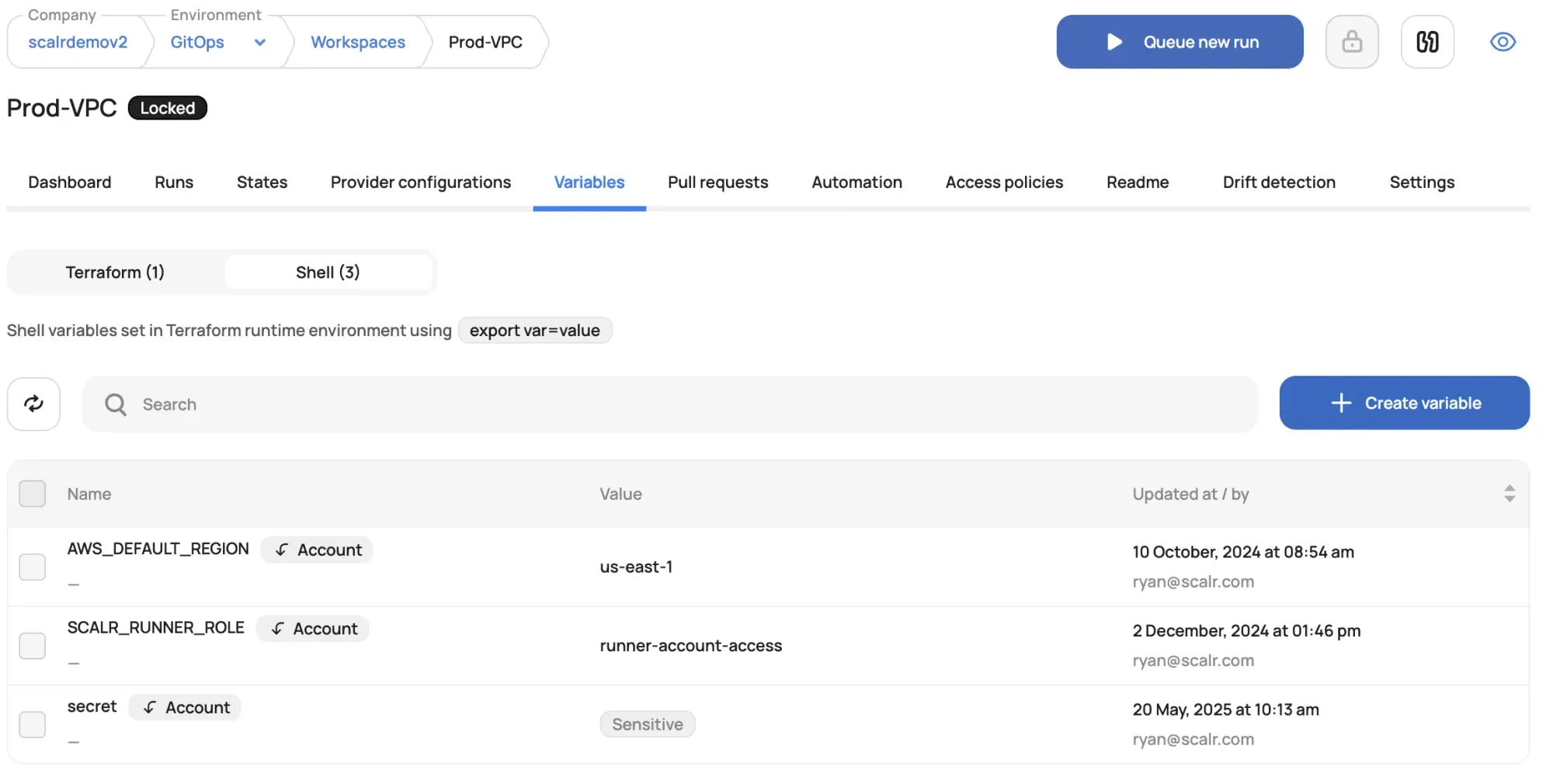
- Sensitive variables: Marked as sensitive, values masked in logs and UI
Part 7: Self-Hosted vs. Cloud Platforms Comparison
Self-Hosted Terraform Options
Terraform Enterprise (TFE)
A fully self-managed Terraform platform inside your own infrastructure. You get maximum control over data, security, and execution, and it supports air-gapped deployments for regulated environments. The cost is that installation, upgrades, and day-to-day operation are entirely yours, and the setup isn't small.
Spacelift - Self-Hosted Version
A fully self-hosted deployment inside your AWS account. It keeps everything within your AWS perimeter and avoids a third-party SaaS control plane, but it carries the same operational burden as TFE, and its feature release cadence differs from the SaaS version.
Scalr - Hybrid SaaS with Self-Hosted Agents
A SaaS control plane with self-hosted run and VCS agents. Execution and VCS access stay inside your network without the operational cost of running the whole platform; the trade is that the control plane is vendor-managed and its availability is Scalr's to keep.
Self-hosted agents carry far less burden than a full self-hosted platform, but they are not zero operations, and the failure modes are specific. A team we worked with at Scalr ran agents in Kubernetes controller mode on GKE behind a mandatory corporate proxy. The agent registered with the control plane fine, then crash-looped: every call to the in-cluster Kubernetes API came back with OSError('Tunnel connection failed: 403 Forbidden') and Cannot connect to the Kubernetes API ... Max retries exceeded with url: /version/ (ProxyError). Their no_proxy looked correct. It listed the API server IP and the RFC1918 CIDR ranges. But the agent resolves the API server as kubernetes.default.svc, a hostname, and urllib3 does not CIDR-match no_proxy entries, so the hostname matched nothing in the list and the request fell through to the corporate proxy, which refused to tunnel to an internal address. The fix was a one-line proxy exclusion (kubernetes.default.svc and the cluster-local suffixes in no_proxy), found after time spent auditing RBAC and IAM permissions that were never the problem. If you run agents behind a proxy, exclude in-cluster hostnames by name, not by CIDR.
Private registries are the other recurring source of agent friction in Scalr's support queue. One SRE team mirroring runner images into a private Azure Container Registry had every run time out with The task container wasn't acquired by the agent worker… within 300 seconds; the task pods sat in ImagePullBackOff trying to pull <acr>/scalr/runner:0.2.0, a tag they had never defined, let alone mirrored. The workspace's Terraform version (1.8.8) wasn't pinned at the level the agent reads, so the agent fell back to a default image tag that didn't exist in their mirror. Hardcoding SCALR_AGENT_CONTAINER_TASK_IMAGE fixed it instantly, with the trade-off that runner version management now lives on the agent instead of the platform. A second team building custom images hit the inverse problem: they rebuilt a custom runner image under the same tag, and because task pods use imagePullPolicy: IfNotPresent, nodes kept serving the stale cached image. The choice is between always-pull (more registry load) and a unique tag suffix per build (more pipeline work). Mutable tags and IfNotPresent don't mix.
If you're scoping an agent rollout on EKS, the questions enterprises ask us on day one are consistent: a custom runner image carrying their own CA certificates, separate node pools for controller pods versus task pods, VCS connections routed through the agent pool, and EFS volumes for run caches. All four are configuration rather than custom engineering, but they belong in the rollout plan, not discovered mid-migration.
Cloud Platform Options
Scalr (SaaS)
Key Features:
- Per-run pricing model: Free plan includes 50 runs/month; Business plan is $99/month for 100 prepaid runs with overage at $0.99/run; Enterprise is volume-priced (see the pricing page)
- Built-in drift detection
- Full GitOps support with Atlantis-style commands
- Run concurrency: five concurrent runs by default on new accounts as of September 2026, raised free of charge on request, plus five per self-hosted agent (see concurrency FAQ)
- OpenTofu native support
Cost Model: No resource limits; scales with activity, not infrastructure size
Spacelift (SaaS)
Key Features:
- Concurrency-based pricing (free plan available; entry paid tier $20,000/year)
- Multi-IaC support (Terraform, OpenTofu, Pulumi, CloudFormation)
- Stack dependencies for complex orchestration
- Built-in drift detection and remediation
Cost Model: Unlimited deployments; cost based on parallelism
Concurrency-based pricing: structural trade-offs. Spacelift's pricing metric is parallel run slots: the bill scales with the number of slots purchased. The structural problems compared with usage-based, per-run pricing: the customer is always paying the wrong amount (too few slots queues engineers during releases, too many rents idle capacity, no setting is correct); capacity planning is offloaded to the buyer (forecasting peaks, monitoring utilization, engaging procurement to purchase additional slots as needs increase); it fails hardest exactly when you need it most, with the slot cap throttling parallel fixes during incident response and additional slots requiring procurement under pressure; and slot jumps are discontinuous, where one more slot can push the customer into the next bracket and a much larger bill. Usage-based, per-run pricing scales smoothly with one more run costing one more run, with no slot to mis-provision.
env0
Key Features:
- Deployment-based model
- Built-in cost visibility
- TTL environments for automatic cleanup
- Flexible approval workflows
Cost Model: As of August 2026, paid tiers are quote-only and billed per successful apply or per environment; the free tier allows 250 runs a month across up to 30 active environments, with unlimited users.
Comparison Matrix
| Feature | Self-Hosted TFE | Spacelift Self-Hosted | Scalr (Hybrid) | Cloud Platforms |
|---|---|---|---|---|
| Control | Maximum | Very High | High | Medium-High |
| Operational Overhead | Very High | Very High | Medium | Low |
| Setup Time | Weeks-Months | Weeks-Months | Days | Hours-Days |
| Cost Model | License + Operations | License + Operations | SaaS + Operations | SaaS |
| Vendor Lock-in | Lowest | Low | Medium | Medium |
| Built-in Governance | Extensive | Extensive | Extensive | Varies |
For a capability-by-capability view across the three managed platforms (Spacelift, Scalr, and Terraform Cloud):
Part 8: Step-by-Step Migration to Scalr
Scalr provides a migration module that automates most of the move, and its remote backend works as a drop-in replacement for TFC workflows.
Pre-Migration Checklist
- All state files backed up externally
- VCS access token ready
- Cloud provider credentials prepared
- Team members notified of migration timeline
- Temporary freeze on infrastructure changes implemented
Migration Method 1: Automated Migration Module
Scalr provides a Terraform module that automates migration of most objects:
# Clone migration module
git clone https://github.com/Scalr/terraform-scalr-migrate-tfc
cd terraform-scalr-migrate-tfc

# Make the migration script executable
chmod +x migrate.sh

# Run migration script (see the repo README for the full flag reference)
./migrate.sh \
  --tfc-token "$TFC_API_TOKEN" \
  --tfc-organization "$TFC_ORG" \
  --scalr-hostname "$SCALR_ACCOUNT.scalr.io" \
  --scalr-token "$SCALR_API_TOKEN"
Automatically Migrates:
- TFC organization → Scalr account (TFC workspaces become Scalr workspaces inside Scalr environments)
- Workspaces → Scalr workspaces
- Workspace variables → Terraform and shell variables
- State files
Migration Method 2: Terraform CLI (Manual per-workspace)
For selective migration or greater control:
# Step 1: Pull state from Terraform Cloud
terraform state pull > terraform.state

# Step 2: Get Scalr API token
terraform login account-name.scalr.io

# Step 3: Update Terraform backend configuration
# Modify your terraform block:
terraform {
  backend "remote" {
    hostname = "account-name.scalr.io"
    organization = "scalr-environment-name"

    workspaces {
      name = "workspace-name"
    }
  }
}

# Step 4: Initialize Scalr as backend
terraform init

# Step 5: Push state to Scalr
terraform state push terraform.state
Post-Migration Validation in Scalr
- Verify Workspace State: Confirm all workspaces populated with correct state
- Test Run Execution: Execute test run against non-critical infrastructure
- Validate Variables: Confirm all variables migrated correctly
- Check VCS Integration: Verify repository connections working
- Review Access Controls: Confirm RBAC configured appropriately
- Monitor Runs: Track first production runs for any issues
Part 9: Migrating to Other Platforms
Migration to Spacelift
Prerequisites:
- Spacelift account created
- AWS credentials configured in Spacelift
- VCS repository connected
Steps:
- Export state from TFC:
terraform state pull > terraform.state - Create Spacelift Stack with S3 backend configuration
- Import state:
aws s3 cp terraform.state s3://spacelift-backend-bucket/ - Configure VCS repository connection in Stack
- Test run execution
Differences to Note:
- Stacks vs. Workspaces model (may require restructuring)
- Different run lifecycle and approval workflows
- Policy attachment differs from TFC run tasks
Migration to env0
Prerequisites:
- env0 organization created
- VCS provider connected
- Cloud provider template configured
Steps:
- Create environment corresponding to TFC workspace
- Configure deployment source to your VCS repository
- Import state using env0's import tool
- Configure variables matching TFC setup
- Test deployment execution
Differences to Note:
- Deployment-based model vs. workspace
- TTL capabilities for temporary infrastructure
- Cost visibility integrated by default
Migration to Open-Source Stack (Atlantis + Cloud Storage)
Architecture:
- Version Control: GitHub/GitLab (unchanged)
- State Storage: AWS S3 + DynamoDB or equivalent
- Policy as Code: OPA/Checkov
- Secrets Management: Vault or cloud-native solutions
- CI/CD: Atlantis (GitHub/GitLab PR automation)
Implementation Steps:
- Deploy Atlantis (Kubernetes recommended):
# values.yaml for Helm
atlantis:
  enabled: true
  repoConfig:
    - id: /.*github.com\/.*/
      vcs: github
      checkout:
mode: branch- Configure Terraform Backend:
terraform {
  backend "s3" {
    bucket         = "atlantis-state"
    key            = "environments/${ENVIRONMENT}/${COMPONENT}/terraform.tfstate"
    region         = "us-east-1"
    dynamodb_table = "terraform-locks"
    encrypt        = true
  }
}- Implement OPA Policies:
# policy/main.rego
deny[msg] {
    resource := input.resource_changes[_]
    resource.type == "aws_security_group_rule"
    resource.change.actions[_] == "create"
    rule := resource.change.after
    rule.cidr_blocks[_] == "0.0.0.0/0"
    msg := sprintf("Security group rule allows unrestricted access: %v", [resource.address])
}- GitHub Actions for Atlantis (alternative to Atlantis container):
# .github/workflows/terraform.yml
- name: Atlantis Plan
  uses: runatlantis/github-action@v1
  with:
    command: 'plan'
Part 10: Post-Migration Validation
Critical Validation Steps
1. State File Verification
# Verify state contents
terraform state list
terraform state show

# Compare resource counts
terraform state list | wc -l
# Should match pre-migration count
2. Infrastructure Drift Detection
# Run plan to check for unintended drift
terraform plan -detailed-exitcode

# Exit code 0: No changes
# Exit code 1: Error
# Exit code 2: Changes detected
3. Variable and Secret Validation
- All Terraform variables accessible and correctly scoped
- Sensitive variables properly masked in logs
- Dynamic credentials or OIDC authentication working
- Secrets injection verified in test runs
4. VCS Integration Testing
- Repository webhooks triggering runs
- Branch protection rules enforced
- PR comments posting correctly (if supported)
- Commit status checks reporting accurately
5. Run Execution Testing
- Trial plan execution succeeds
- Small non-critical apply completes successfully
- Error handling and notifications functioning
- Approval workflows behaving as expected
6. Access Control Validation
- Role-based access controls enforced
- Teams have appropriate permissions
- Sensitive operations require approvals
- Audit logs capturing all activities
7. Backup and Disaster Recovery
- State backups configured in new backend
- Backup versioning enabled
- Restore procedure documented and tested
- Off-site backup copies created
Which path fits your team?
The choice comes down to five things:
Decision Criteria
- Team Expertise: Open-source requires DevOps depth; TACOs require platform-specific knowledge
- Budget Model: SaaS subscriptions vs. operational/engineering costs
- Control Requirements: Customization needs and integration requirements
- Timeline: How quickly do you need to migrate?
- Long-term Vision: Openness to future changes vs. stability
Recommended Paths by Scenario
Speed and Minimal Disruption: Scalr or Spacelift SaaS
- Fastest implementation (days to weeks)
- Automated migration tools
- Drop-in replacement for TFC workflows
Maximum Control and Cost Optimization: Open-Source Stack
- GitHub Actions + S3 backend + OPA policies
- No per-resource charges
- Full customization capability
- Requires more engineering effort
Hybrid Approach: Scalr or Spacelift with Self-Hosted Agents
- Balance of managed platform with execution control
- Private network access without full self-hosting burden
- Good for regulated environments
Plan the agent lifecycle beyond initial setup. A team in a regulated industry replacing EC2-based agents asked for drain mode on day one: stop new runs from landing on an old agent so the instance can be terminated without killing an in-flight apply. They had scripted exactly this against their previous self-hosted install, and blue/green agent replacement falls apart without it. Whatever platform you choose, confirm how it retires an agent gracefully before you automate instance turnover.
Existing GitHub Investment: GitHub Actions-Centric
- Native integration with existing VCS
- Generously priced
- Large ecosystem of integrations
- Less IaC-specific features than TACOs
Final Recommendations
Run a pilot against non-critical workspaces before you commit, keep a record of your current setup so the move is reversible, and get platform engineers and application teams in the room early. The platform choice isn't permanent; if it doesn't fit, you can evaluate again later.
See how Sierra Cedar migrated to Scalr in less than a day from homegrown Terraform tooling.
Frequently asked questions
When does the HCP Terraform free tier end?
HashiCorp announced on December 15, 2025 that the legacy HCP Terraform Free plan reaches end-of-life on March 31, 2026. Teams on the free tier need a migration plan before that date.
What is the difference between self-hosted Terraform Enterprise and Scalr's hybrid model?
Terraform Enterprise is fully self-managed: you own installation, upgrades, and maintenance, including air-gapped deployments. Scalr keeps the control plane as SaaS while run agents and VCS agents execute inside your network, so Terraform runs and private Git access stay behind your firewall with far less operational overhead than running an entire platform.
How do I migrate Terraform state out of Terraform Cloud?
Back up each workspace with terraform state pull, update the backend block to point at the new backend (S3 with DynamoDB locking, Azure Blob, GCS, or a TACO platform's remote backend), run terraform init -migrate-state or terraform state push, then verify with terraform plan that no unexpected changes appear.
Can the migration from Terraform Cloud to Scalr be automated?
Yes. Scalr publishes a migration module (terraform-scalr-migrate-tfc) whose migrate.sh script moves TFC organizations, workspaces, workspace variables, and state files into Scalr automatically. Selective per-workspace migration with terraform state push is also supported.
What goes wrong when running self-hosted Terraform agents in Kubernetes?
The most common failures are environmental: corporate proxies intercepting in-cluster API calls because no_proxy entries list CIDRs while the agent resolves kubernetes.default.svc by hostname, private registries missing the default runner image tag so task pods sit in ImagePullBackOff until a 300-second acquisition timeout, and stale cached images when a tag is rebuilt under imagePullPolicy IfNotPresent.
How does Scalr's per-run pricing compare to concurrency-based pricing?
Scalr's free plan includes 50 runs/month; the Business plan is $99/month for 100 prepaid runs with overage at $0.99/run, and Enterprise is volume-priced. Concurrency-based pricing like Spacelift's (entry paid tier $20,000/year) bills for parallel run slots, which means forecasting peak demand, paying for idle slots, and queueing during incident response when many runs need to execute at once.
About the author

CEO at Scalr
Sebastian Stadil is the CEO of Scalr with 15+ years of DevOps experience. He started with AWS in 2004 and advised early Microsoft Azure and Google Cloud.