New Feature: Self-Hosted Agents
Scalr now has an option to execute runs within your own networks thanks to installable and self-hosted agents.

If you run infrastructure in environments that can't be reached from the public internet, this one is for you. Starting today, Scalr can execute runs inside your own networks using installable, self-hosted agents.
Problem & Pain
By default, Scalr runs Terraform on a pool of shared agents that we maintain. That works fine most of the time. But sometimes, because of security, compliance, or network rules, you need the runs to happen inside a private network that's closed off from the outside, so Terraform can reach the services it needs to call.
Up to now you had two choices, and neither was great: don't use Scalr for those workloads, or deploy Scalr on your own premises and give up the convenience and security of SaaS.
Solution
Self-hosted agents close that gap.
These agents run in pools deployed on your own infrastructure and are fully encrypted. They only need network access back to Scalr to pull jobs and push run results.
Each self-hosted agent can execute up to 5 concurrent runs (a cap we set to avoid overloading the host machine), and your account's overall concurrency scales by +5 for every additional agent you deploy. This is a direct consequence of Scalr's usage-based pricing model: because we charge per run rather than using the concurrency-based pricing used by some alternatives (which sell fixed parallel run slots), you can scale out concurrency simply by deploying more agents, with no per-slot fee.
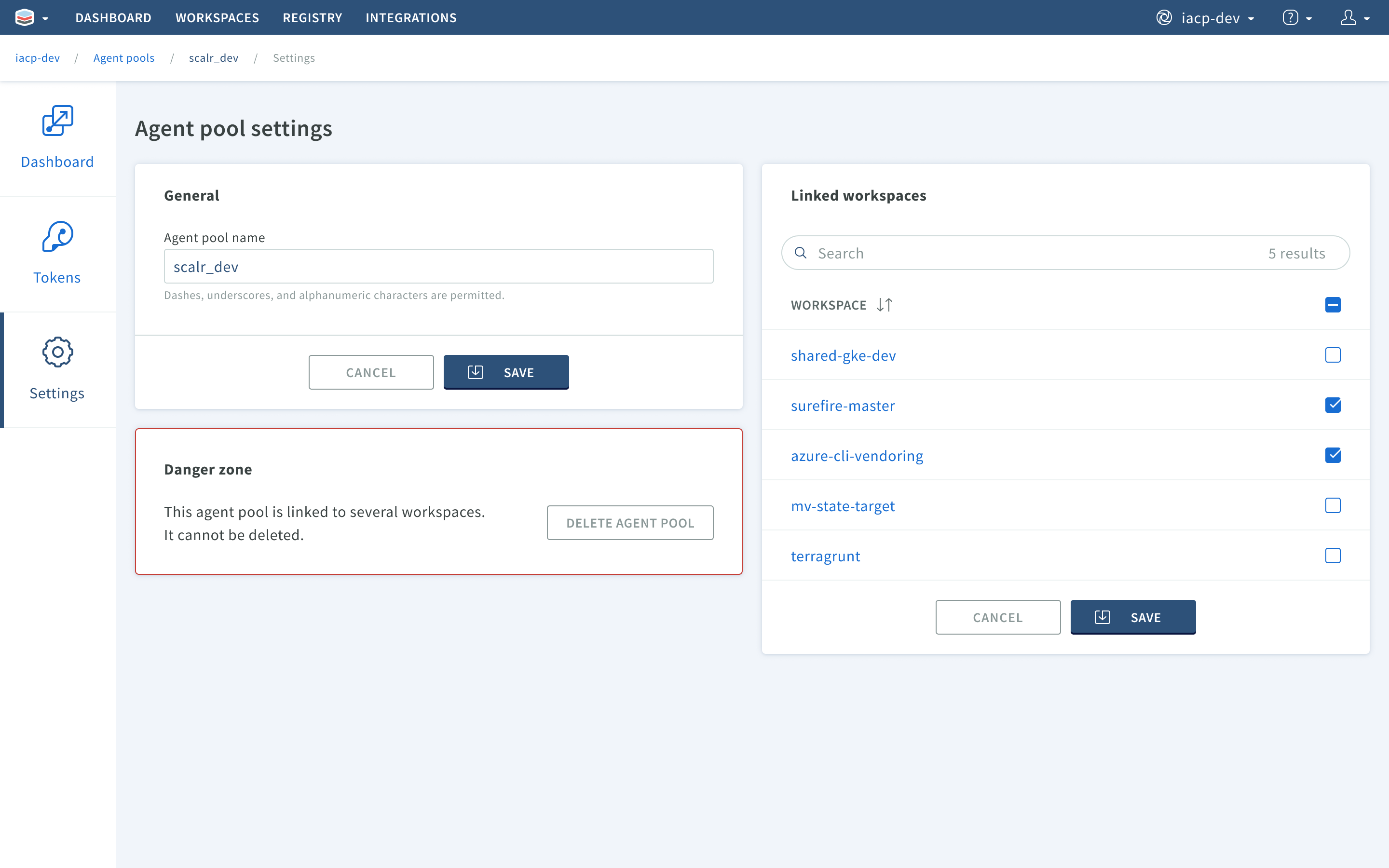
Once a pool of self-hosted agents has been created, workspaces can be configured to use them for runs.
How the Feature Works
The mechanics are straightforward. Instead of Scalr pushing work to the agent, each agent pulls job info from the Scalr service and runs it from inside your network, so it only needs outbound internet access. Each workspace can then be set to use these agents, or default to the Scalr service.
How to Get Started
Self-hosted agents are available on every plan, including Free. Grab the install command from Scalr and deploy one. After that, your workspaces will have the option of using it for run execution.
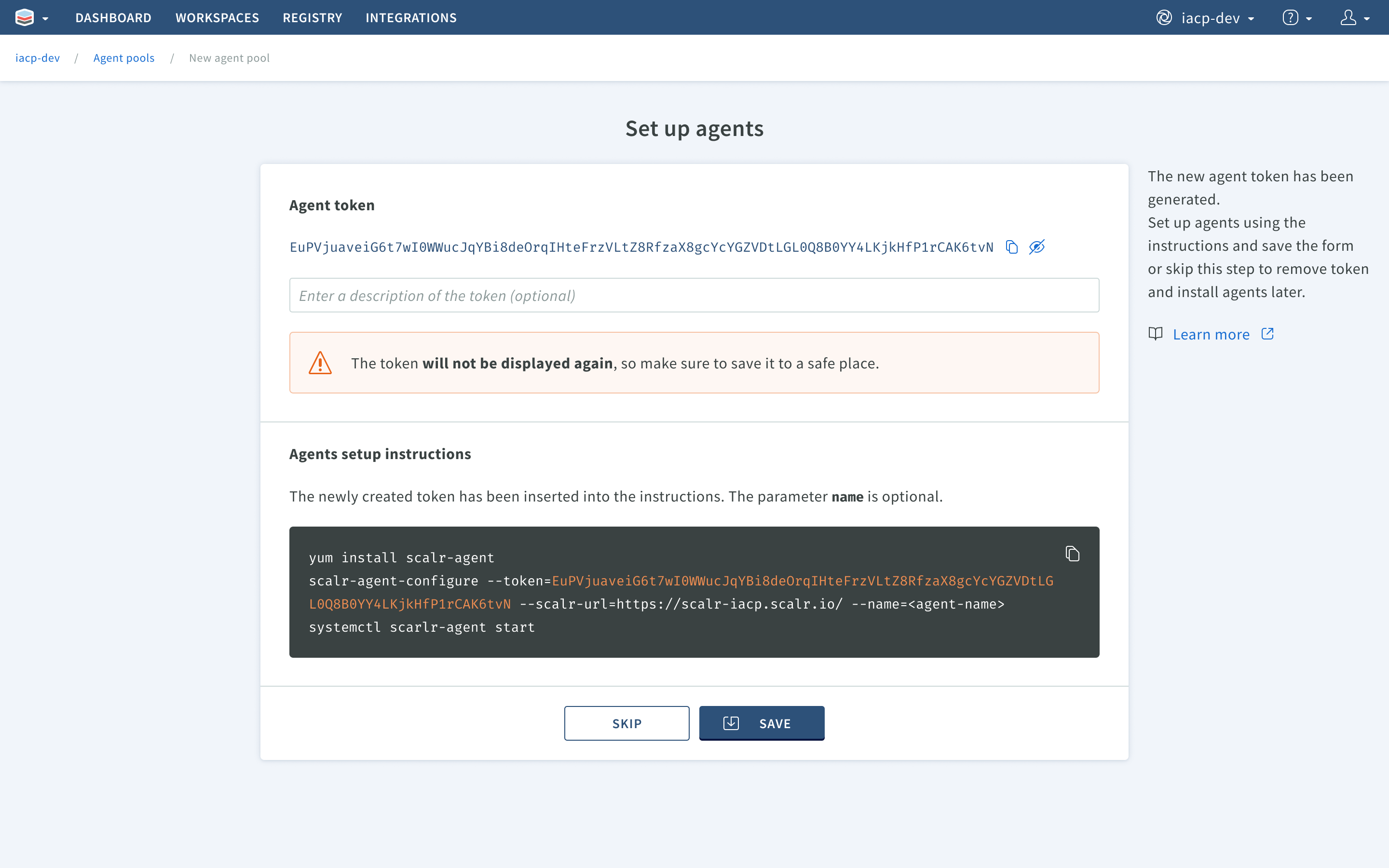
Scalr provides copy-pastable commands to facilitate setup.
We even made a step by step guide for you here.