

Article
Product Updates May 2025: Scalr OIDC, Improved GitOps Flows, and PR Comment Approval
Scalr’s May 2025 update adds OIDC authentication for the Scalr API, streamlined GitOps flows, and PR-comment approvals for Terraform runs.

Features
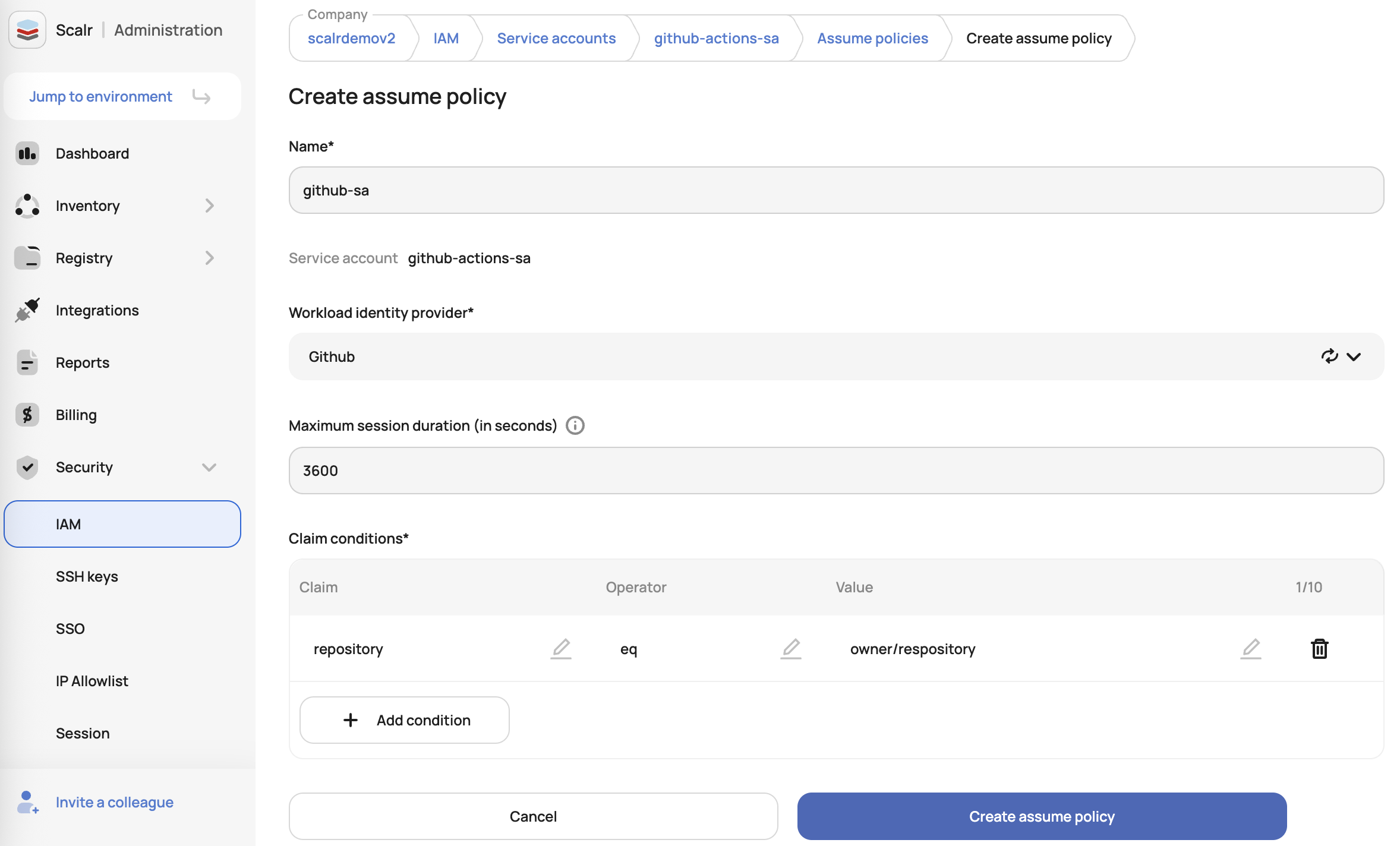
Scalr OIDC Authentication
Scalr now supports OpenID Connect (OIDC), allowing users to authenticate to the Scalr API using ID tokens from providers like GitHub, GitLab, AWS, Azure, and others. You no longer need static personal or service account tokens to call the API. See the docs on this here.
Avoid State Updates by Unmerged PRs
If someone applies from a branch that still has an open pull request, they can overwrite state that should only come from the main branch or a verified PR.
Scalr now uses branch awareness to protect Terraform state from unintended changes. Scalr displays warnings when changes are attempted from branches with unmerged pull requests, and automatically prevents auto-apply operations when the state-generating branch differs from your run's configuration branch. That way, state changes only come from your main workspace branch or properly verified pull requests, and accidental overwrites and conflicts are avoided.
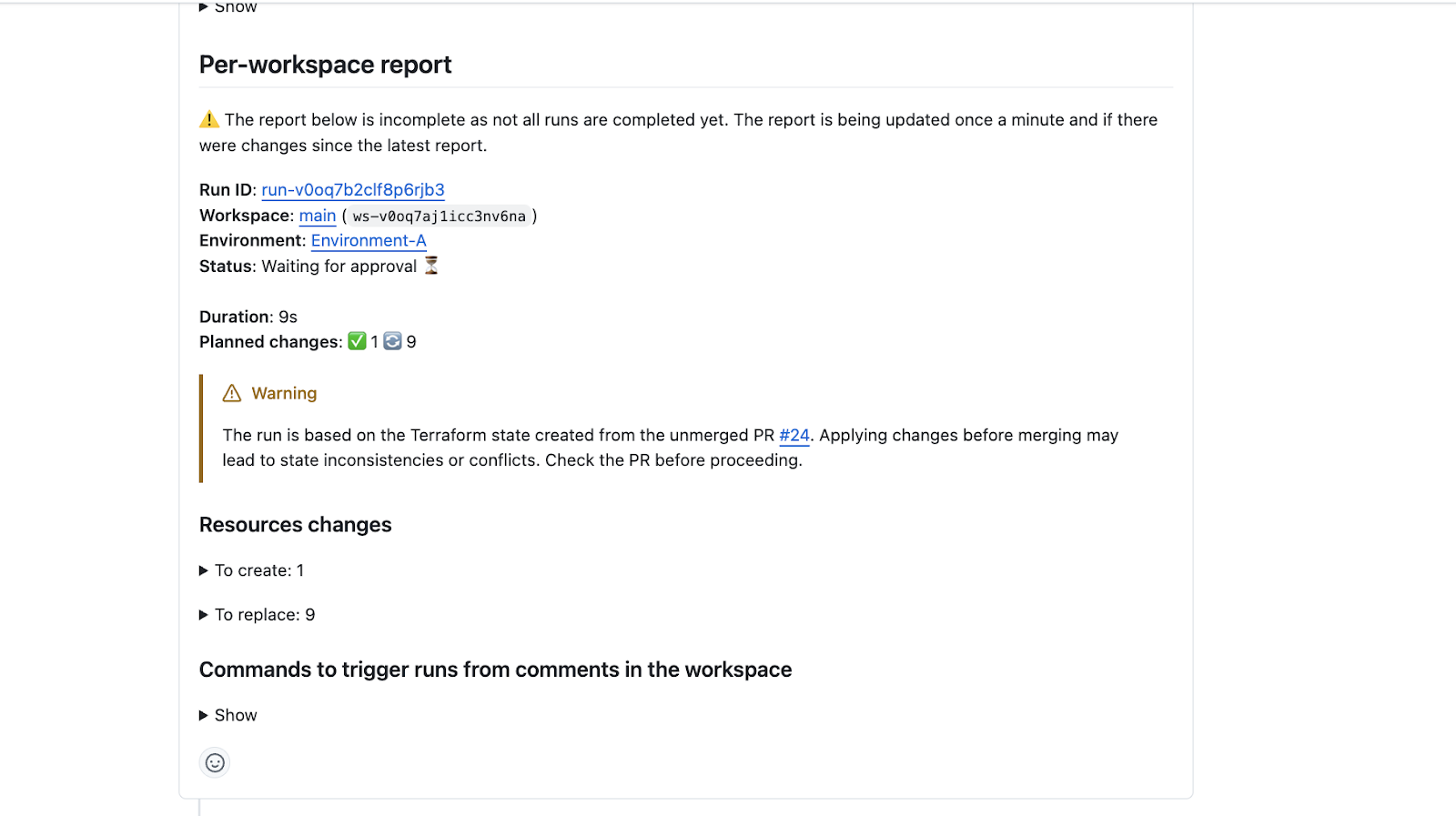
No extra configuration in Scalr is needed to trigger these warnings. This only affects teams that apply before merging.
PR Comment Approvals for Runs
New GitHub and Azure DevOps PR comment commands, /scalr approve and /scalr decline, let you manage run approvals directly from pull requests. They support both bulk and specific workspace approvals, with optional reason documentation using the -reason argument. Users must share the same email address in both the VCS provider and Scalr and have runs:apply permission to use these commands. See more here.
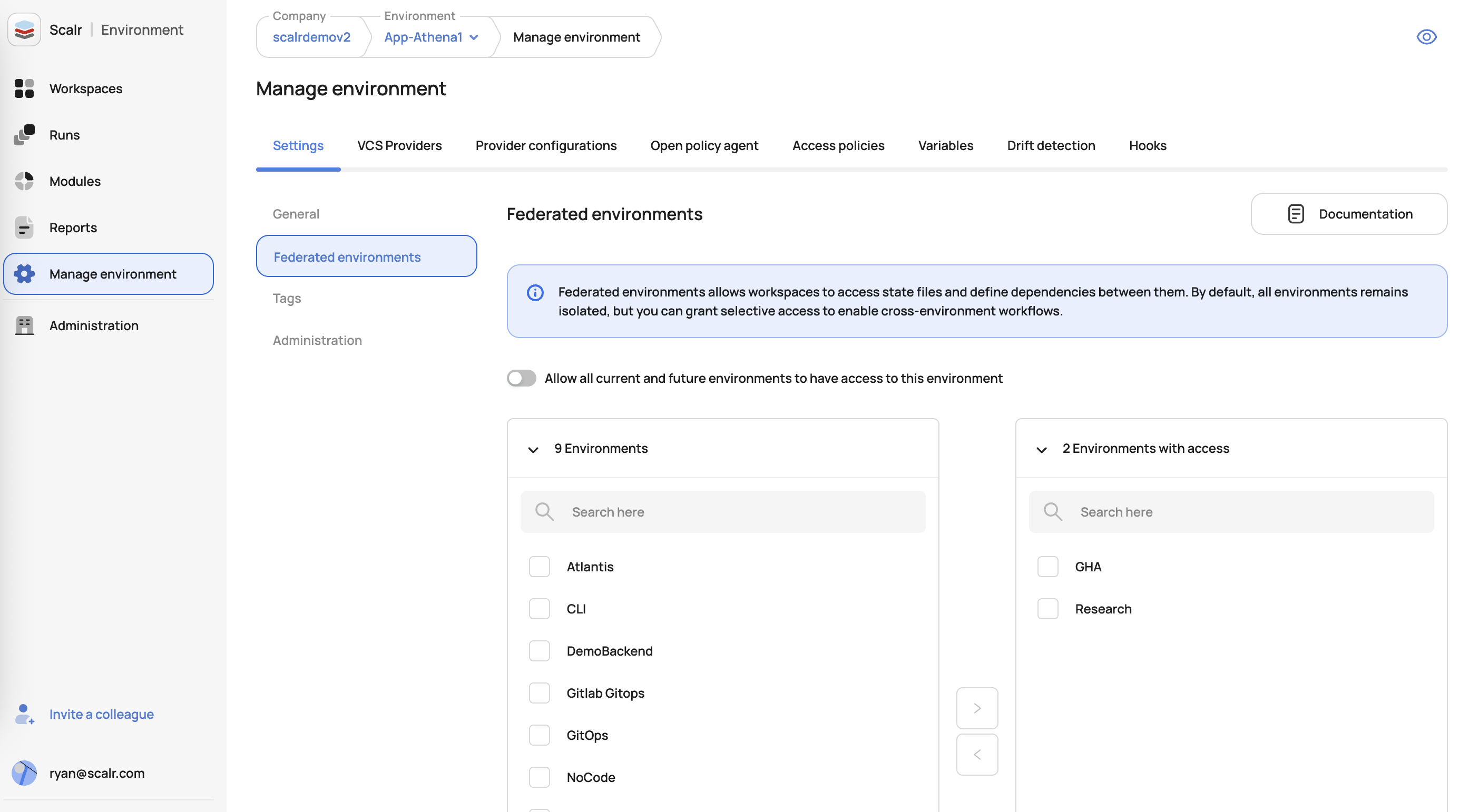
Cross-Environment Run Triggers and State Sharing
Sometimes you need to trigger runs and share state with workspaces in different environments. Federated environment access in Scalr lets users create dependencies between workspaces across different environments. Teams can set up run triggers, where a successful run in one workspace automatically starts runs in dependent workspaces in other environments, and state sharing, where outputs from one workspace are used as inputs in another. Access between environments is granted explicitly, so cross-environment workflows run without removing the security boundaries between them. See the docs on this here.
Improvements
Default Agent Pools
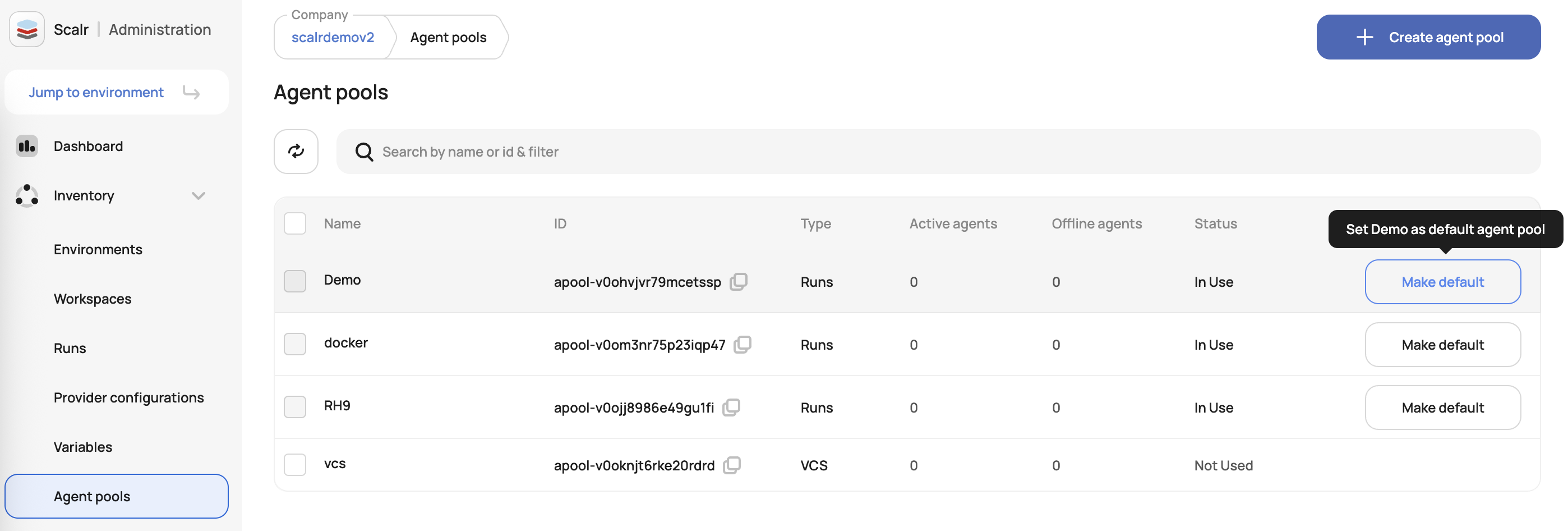
Scalr now allows administrators to set a default agent pool at the account level. When set, all new workspaces will inherit the pool unless overridden at the workspace level. You no longer have to assign an agent pool to each workspace by hand.
Existing workspaces remain unaffected unless explicitly changed. To use this feature, set the default agent pool through the agent pool management UI with the agent-pools:update permission:
Choose a Commit Strategy
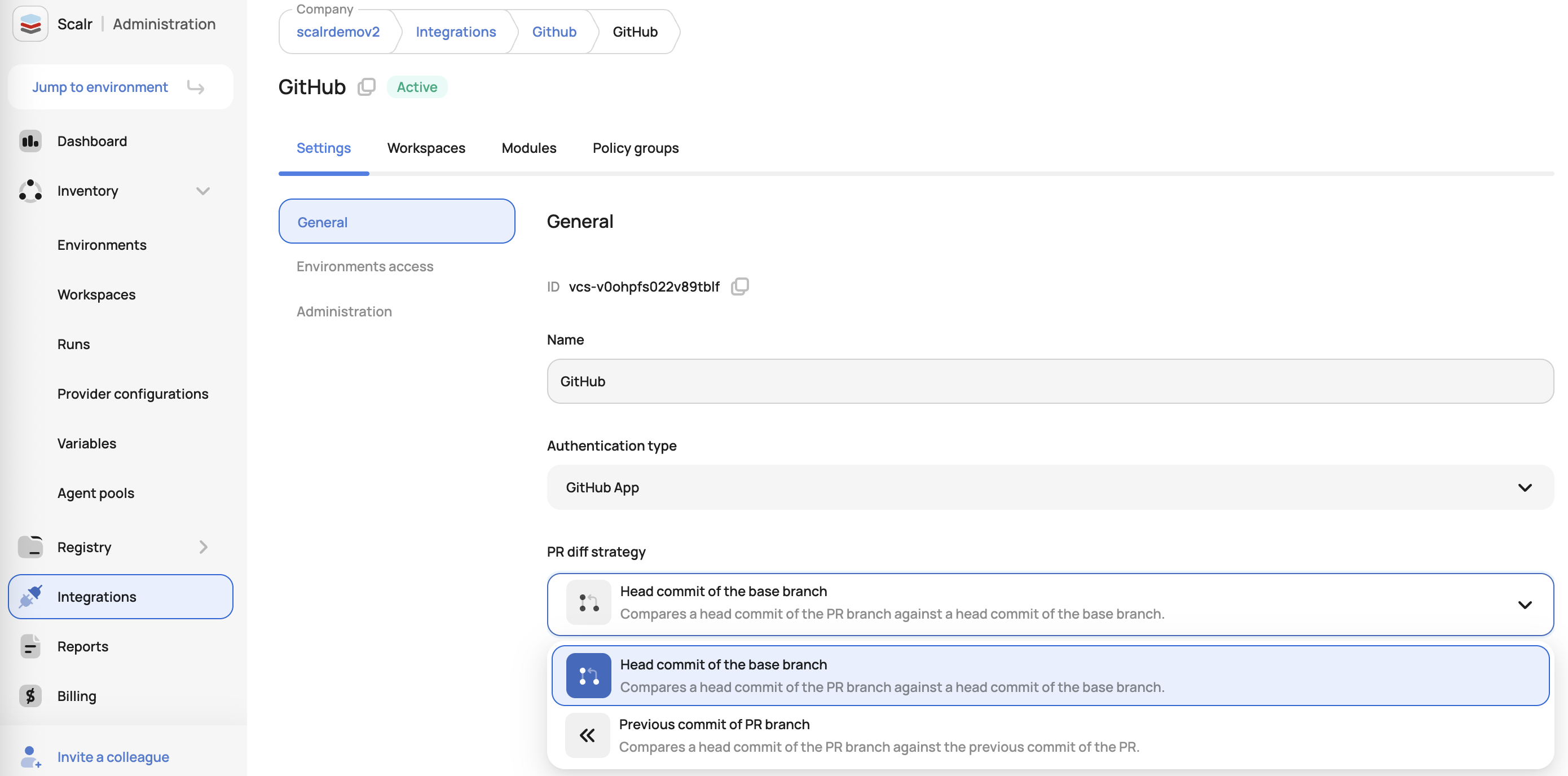
Scalr now allows administrators to select commit strategies in the VCS provider settings to determine when runs should be triggered. The default base commit strategy compares the latest head commit with the base branch commit, while the newly available previous commit strategy compares the latest head commit with the previous head commit.
The choice cuts down on runs triggered by unrelated file changes in pull requests and gives administrators more control over change detection.
Existing setups keep the base commit strategy as the default. Administrators can switch to the previous commit strategy in VCS settings if it suits their workflow better. See the docs here.
Automatic Base Branch Merge Before Run Execution
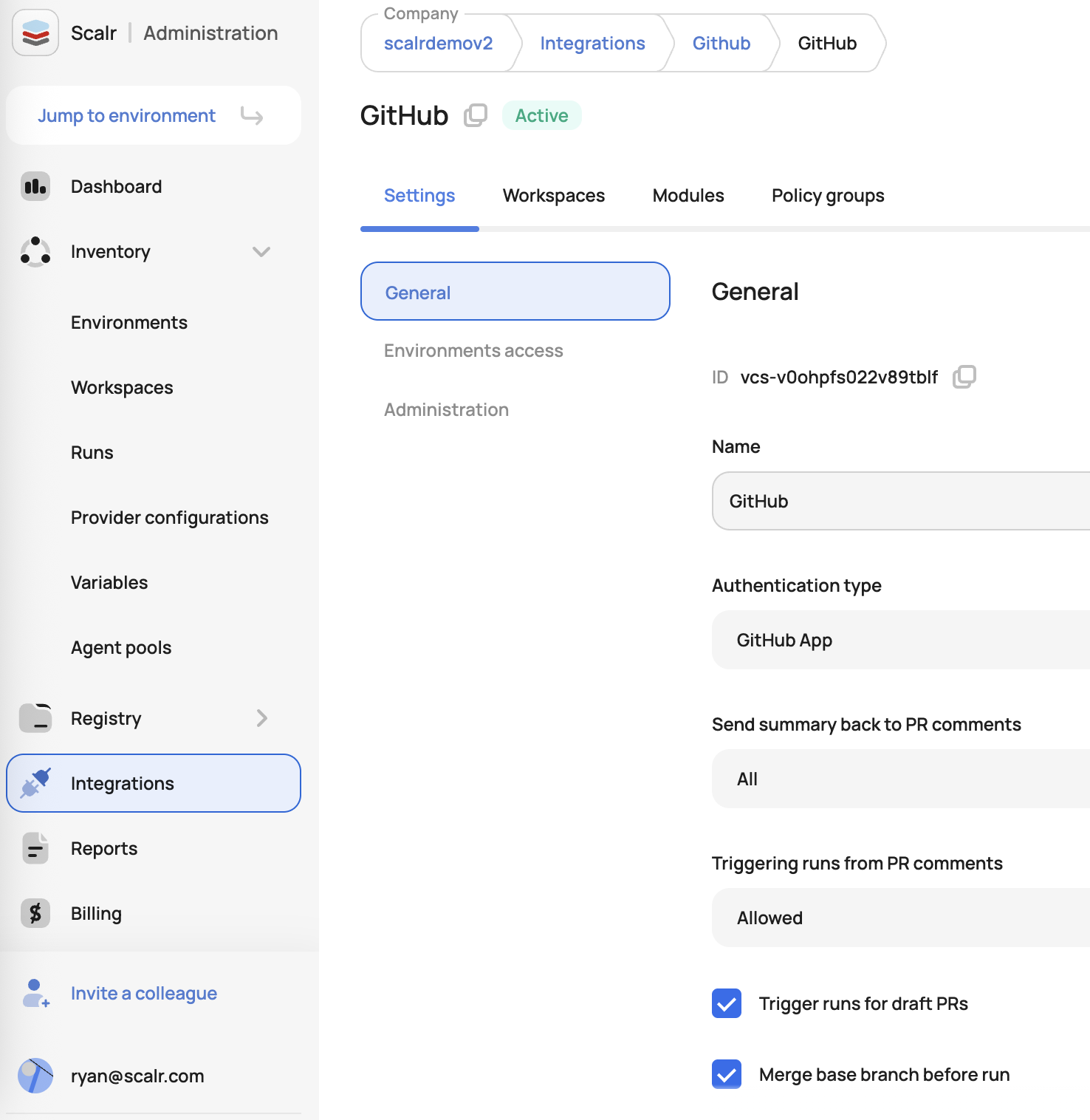
Scalr has introduced a new optional feature for VCS-driven workspaces that automatically merges the base branch into the head branch before triggering a run. Runs then always execute against the latest code in the base branch, which makes their results more accurate and reliable.
Previously, runs could execute against an outdated head branch. That sometimes produced false-positive results, or applies that failed after the merge went through.
To turn it on, enable the auto-merge option when configuring a VCS.
Support for PR Comment Approval on Closed Pull Requests
Scalr now processes "/scalr approve" and "/scalr decline" comments even when pull requests are closed. You don't have to reopen a PR to approve or decline its runs.
This update requires no changes to existing setups and works automatically if pull request comments are enabled.
Improved Access Control for Discarding Runs
Scalr now lets users discard runs in both Apply Approval and Policy Override stages using either the runs:apply or runs:cancel permission. Previously, runs:apply was the only option, so admins now have finer-grained control over who can discard runs.
Existing setups need no configuration changes, and workflows that rely on runs:apply keep working. Teams can start granting the narrower runs:cancel permission instead right away.
Show All Outputs
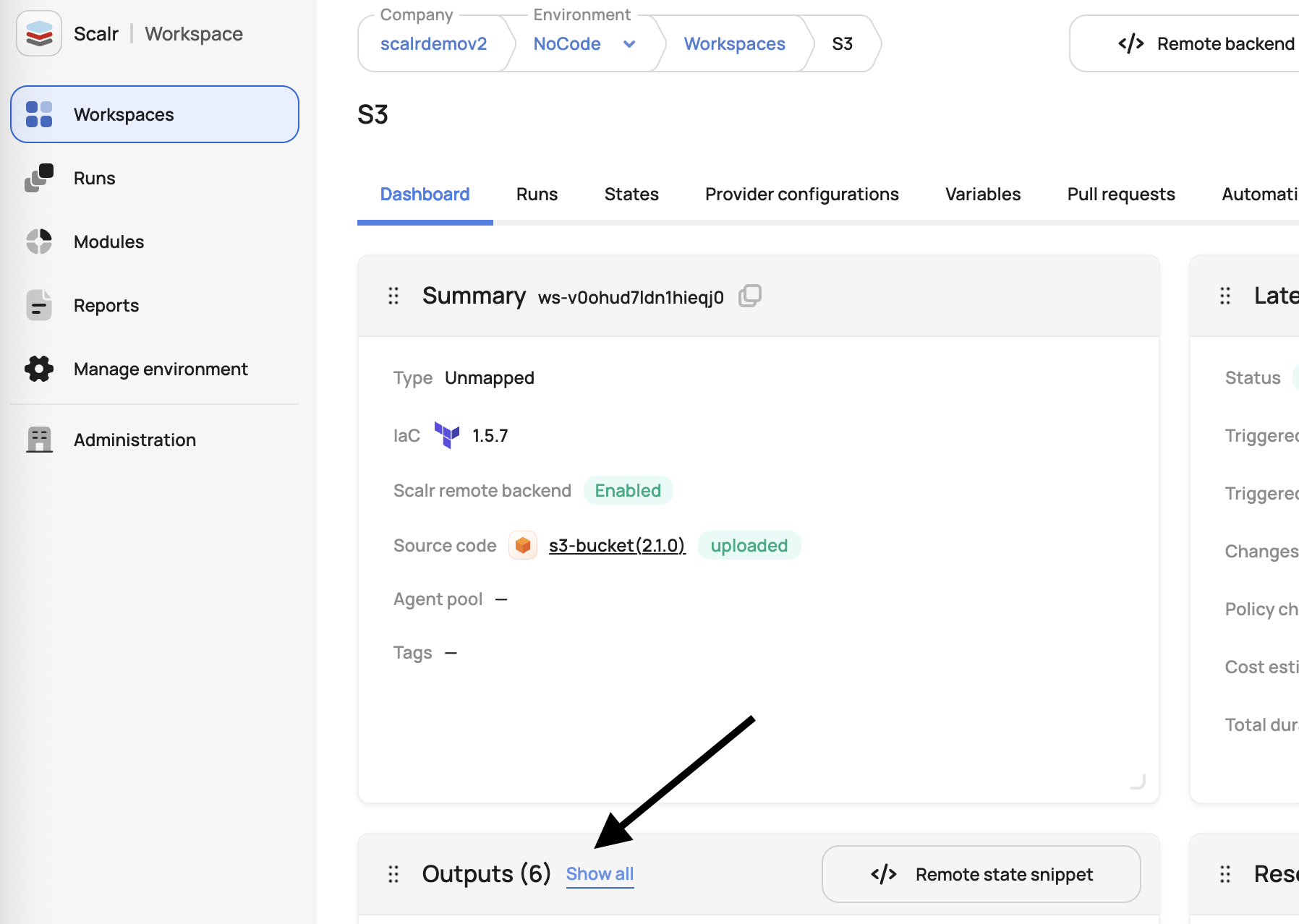
Workspace outputs have a new "Show all" option that opens a modal displaying all workspace outputs, not just those from the latest run. Before, outputs were only visible when navigating to individual runs, and no outputs would appear if the latest run had no output changes.
Slack Notifications for Drift Detection
Scalr now supports Slack notifications for infrastructure drift detection. When drift is detected, you'll receive instant alerts in your configured Slack channel. To enable this feature, navigate to Settings → Integrations → Slack and activate the new "Drift Detected" event. See more here. (May 13th, 2025/8.200.0)
New OPA Input: AzureDevOps Merge Error Attribute
Added a new merge_error attribute to the policy input for Azure DevOps that provides visibility into potential merge blockers. This attribute captures values from the Azure DevOps merge_status field. Teams can use it to catch merge issues before running an apply.
Sample tfrun data:
"pull_request": { "author": "user", "merged_by": null, "merge_error": "blocked"}
See an example policy here.
(May 13th, 2025/8.200.0)
New OPA Input: Github Merge Error Attribute
Added a new merge_error attribute to the policy input for GitHub and GitHub Enterprise integrations that provides visibility into potential merge blockers. This attribute captures values from GitHub's mergeable_state field when it contains 'dirty', 'unknown', 'blocked', or 'behind' statuses, while remaining empty for 'clean', 'unstable', and 'has_hooks' states. Teams can use it to catch merge issues before running an apply.
Sample tfrun data:
"pull_request": { "author": "user", "merged_by": null, "merge_error": "blocked"}
See an example policy here.
Select Storage Profile Per Environment
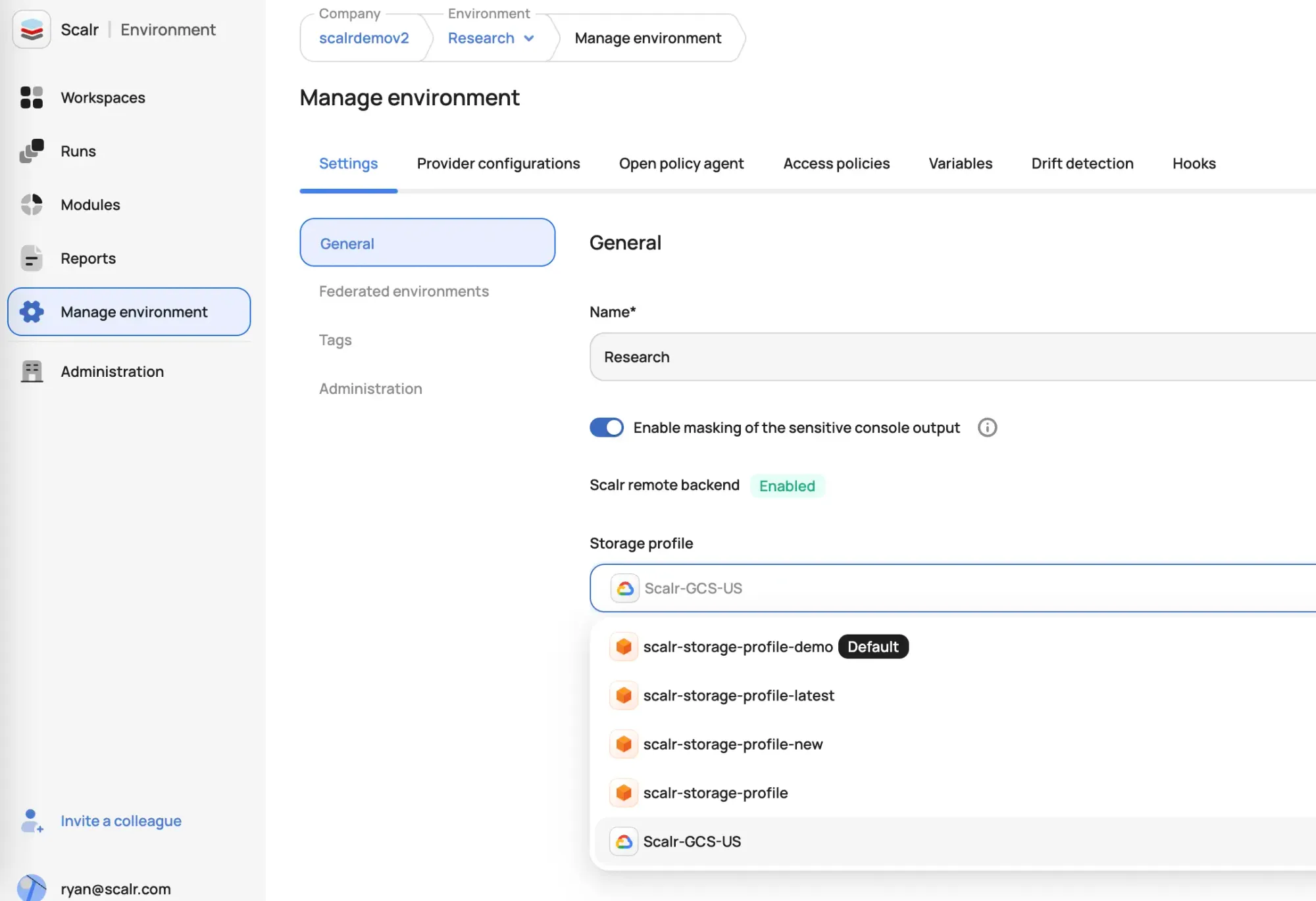
Scalr now allows users to select a storage profile (AWS S3, GCP, or AzureRM) when creating or updating environments via UI, in addition to the existing API support. If no profile is selected, the default account-level profile will be used.
Storage Profiles: Azure
Scalr now supports creating and managing Azure storage profiles, expanding multi-cloud support alongside AWS and GCP. Users with the appropriate permissions can configure Azure-based storage by providing the storage account, container, and OIDC credentials (Tenant ID, Client ID, Audience). Organizations can keep data in their own Azure subscription, which helps meet data residency requirements. See more here.
Download OPA Reports
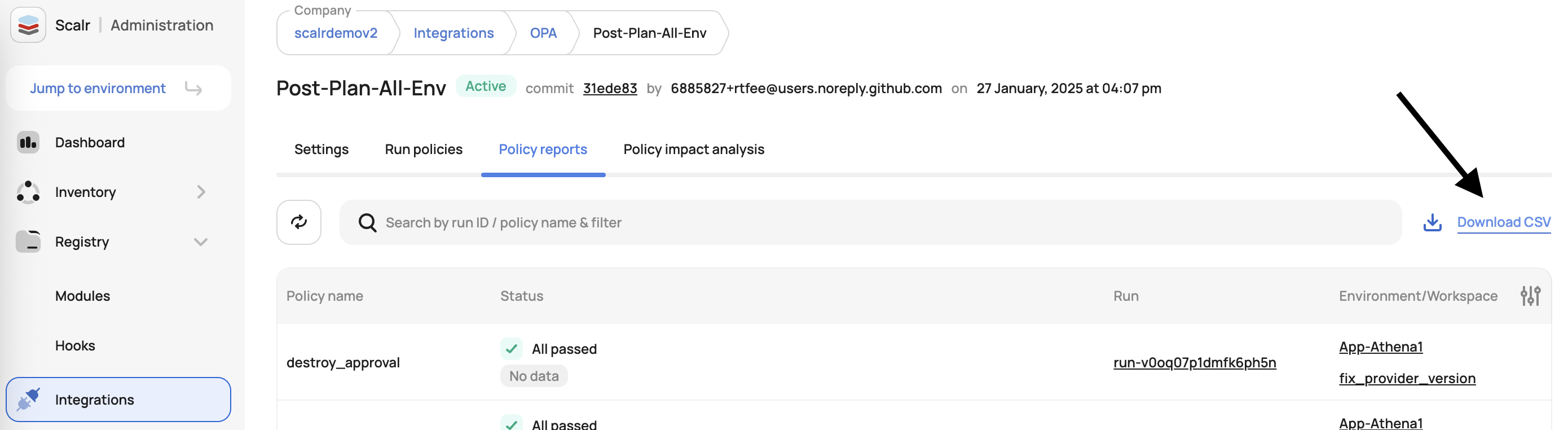
We've added the ability to download Policy reports and Impact analysis of OPA policy groups in CSV format. The export makes it easier to review, share, and audit your policy statuses.
Access this feature through the policy reports or policy impact analysis tabs:
Storage Profiles CRUD Added to the UI
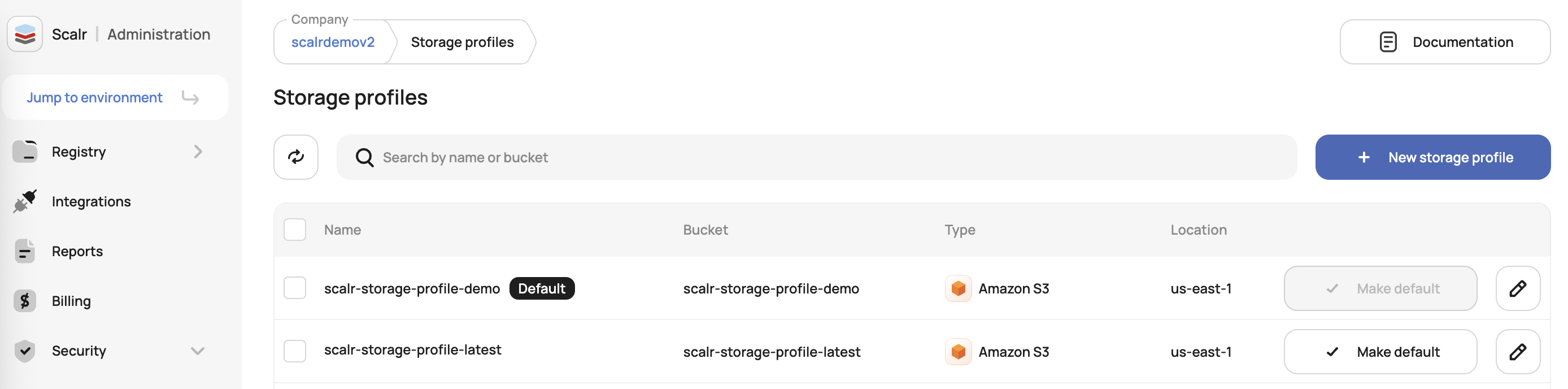
Scalr now supports adding custom AWS S3 and GCP storage profiles via the UI, complementing the previously released Public API. Users with the appropriate permissions can configure storage profiles to align with organizational policies and store Terraform-related data in their buckets. The Scalr GCP profile remains available and cannot be modified or deleted.
Export SCALR_RUN_CONTENT_ROOT environment variable
The SCALR_RUN_CONTENT_ROOT variable is now exported during the run. Use it to reference the absolute path to the root of the workspace code for use in custom scripts or tooling within the run lifecycle.
About the author

director of platform engineering at Scalr
Ryan Fee is the director of platform engineering at Scalr, with over 15 years of experience improving infrastructure experiences at companies large and small.