

Article
Scalr Product Updates - August 2025
Request Terraform apply approvals, new drift reports, set security rules, and more!
New Features
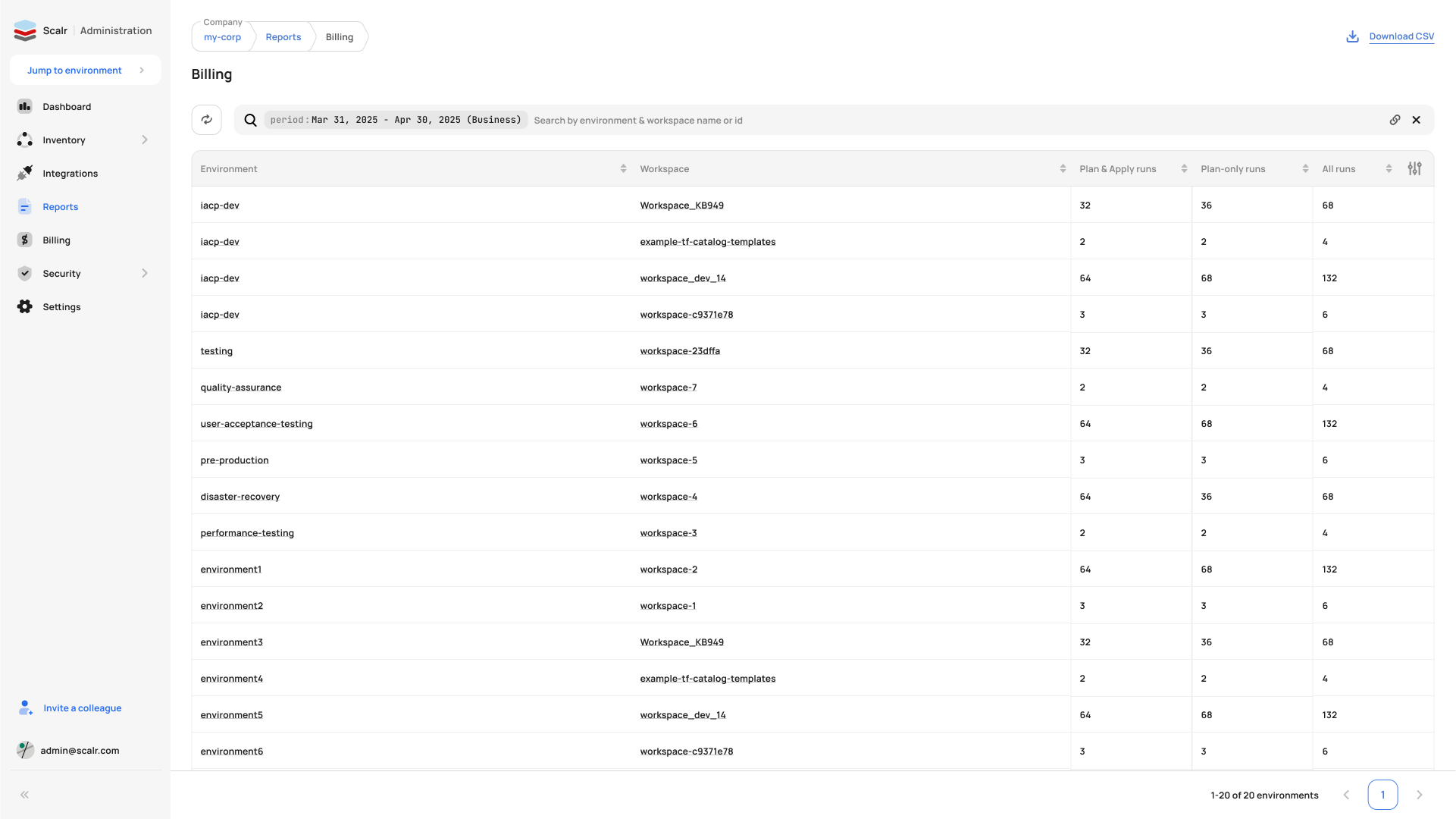
Billing Reports
A new billing report breaks down your paid runs by type (Plan&Apply vs Plan only) and by Environments/Workspaces, with statistics filtered by billing period. Unlike the existing Billing/Usage page that shows only the top 10 items, this report shows the full list, so you can see which environments and workspaces are consuming the most runs. Access it via Reports->Billing, and enable Workspace breakdowns through the Table column customization button if needed. CSV reports can also be downloaded. (August 28th, 2025/2508.26.0)
Request Approvals
You can now ask specific users to review and approve your run when you don't have runs:apply permission, and Scalr notifies them directly. During the Apply approval step, select one or more users with runs:apply permission and click "Request approval" to send them an email with complete run details and a direct approval link. See the docs on this here. (August 21st, 2025/2508.19.0)
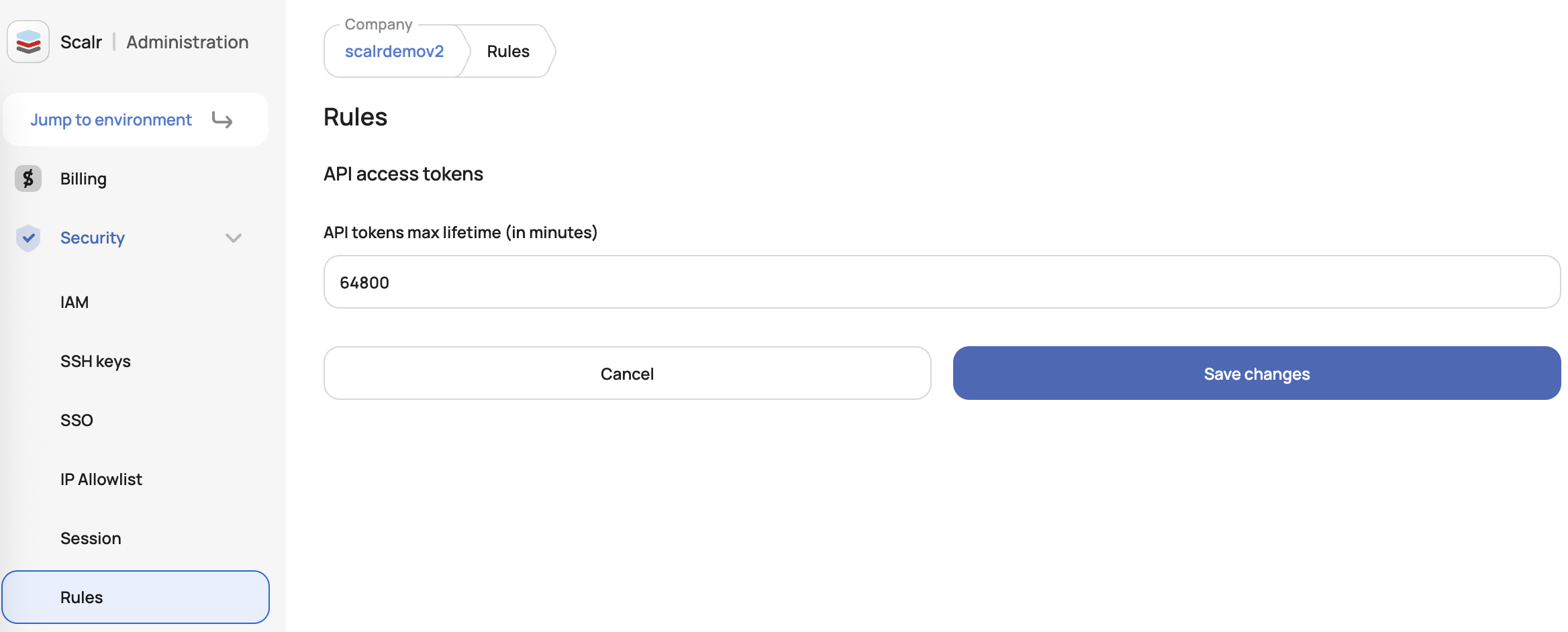
Security Rules - Max Lifetime Token
Account admins can now configure maximum lifetimes for newly created tokens through the new Account Security Rules feature, available in both the UI (Security > Rules) and via API endpoints. The rule applies only to new personal and service account tokens, with a configurable range of 1 minute to 1 year, and doesn't affect existing tokens. (August 15th, 2025/2508.12.1)
Improvements
State Version Events Now in Audit Logs
State version operations (upload, download, rollback) are now recorded in the audit log, so changes to Terraform state are traceable for compliance. (August 28th, 2025/2508.26.0)
Improved Service Accounts View
The service accounts table in IAM has been redesigned with grouped fields, owners displayed, and improved column sorting, so admins can see who owns each account at a glance. The updated layout groups email and description into single cells, displays all owners as tags, and moves the status column forward so account state is easy to see. (August 28th, 2025/2508.26.0)
Scalr Provider Config - Max Token Lifetime
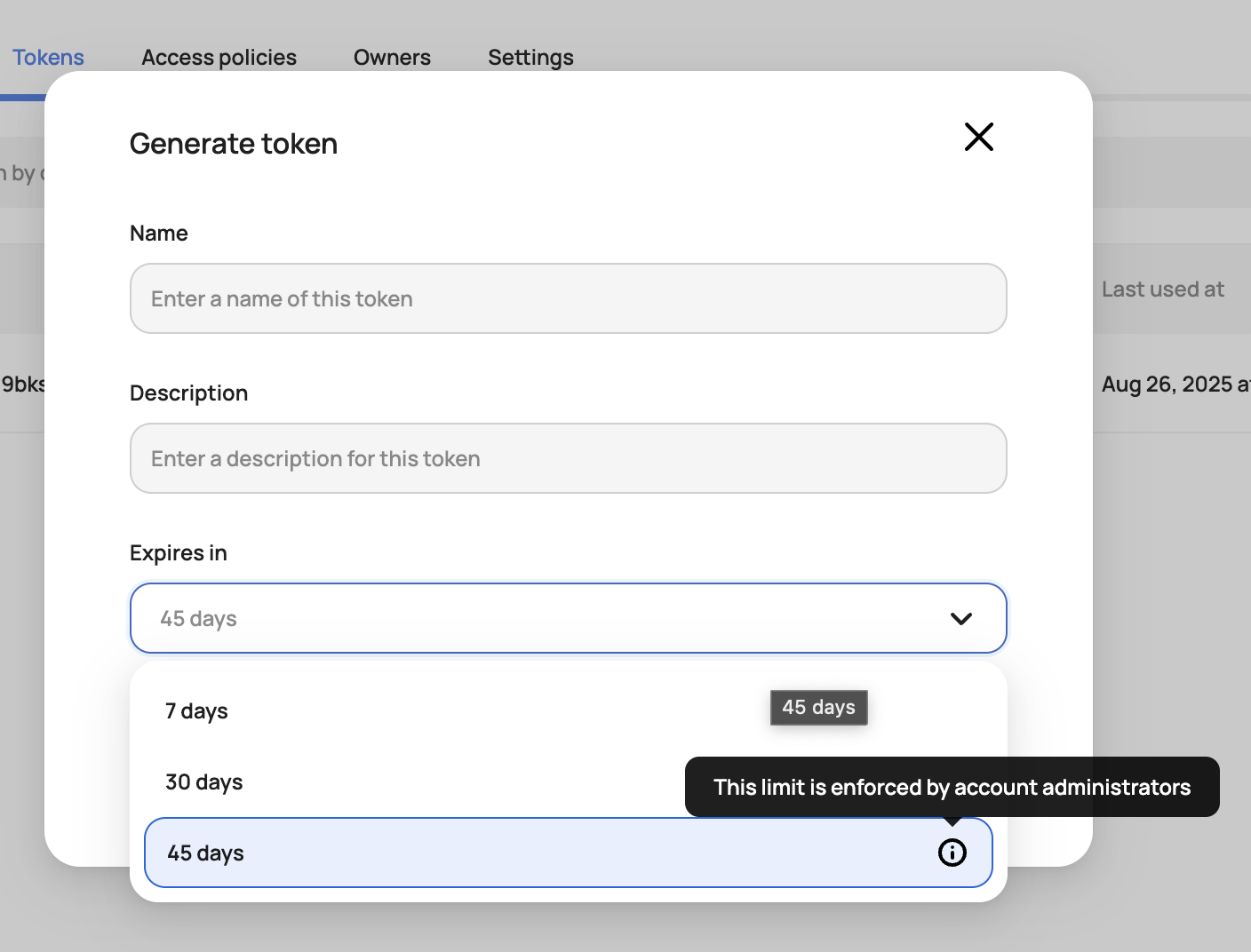
The generate token pop-up for the Scalr provider configuration now respects account-wide max_token_lifetime policies, displaying only valid expiration options to prevent token creation failures. When generating service account tokens, the expires in dropdown will automatically show only the expiration values allowed by your admin-enforced security rules. (August 28th, 2025/2508.26.0)
Improved Users View
We've redesigned the users table in Scalr IAM to show each user's team memberships and activity. It combines Group Email and Full Name in one column, shows team memberships as tags, and automatically highlights stale users (older than 1 month) in red so they're easy to spot in a security review. (August 26th, 2025/2508.22.0)
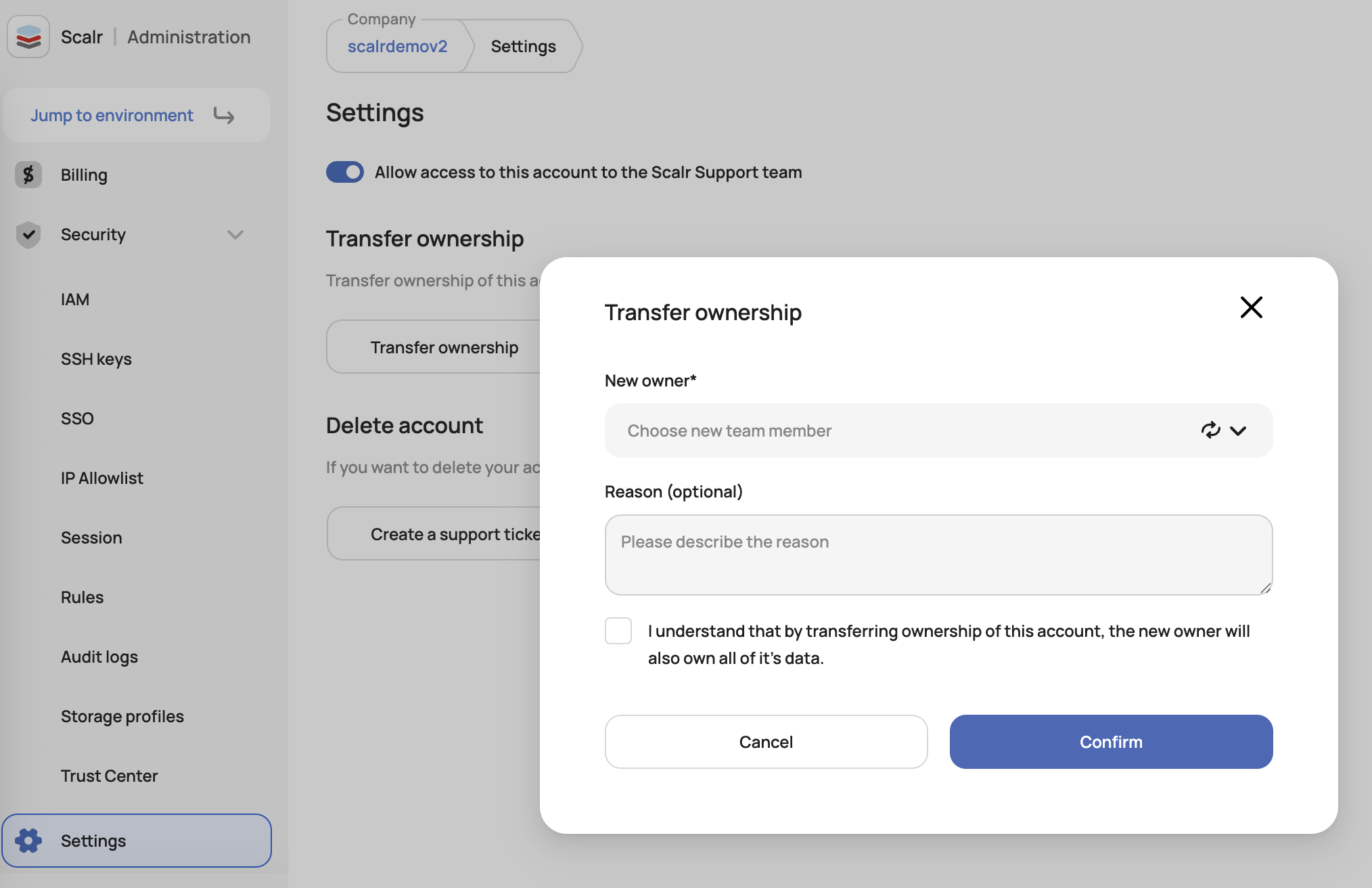
Transfer Account Ownership
Account admins can now transfer ownership of the Scalr account directly through account settings, with only active admin users appearing in the "New owner" dropdown (invited users are excluded). You no longer have to open a support ticket to transfer ownership. (August 26th, 2025/2508.22.0)
Max Token Lifetime Tool Tip
The Generate Token modal now displays an icon and tooltip next to the expiration dropdown when an account-wide max_token_lifetime policy is enforced, clarifying that restricted expiration options are the result of admin policy decisions rather than platform errors. (August 26th, 2025/2508.22.0)
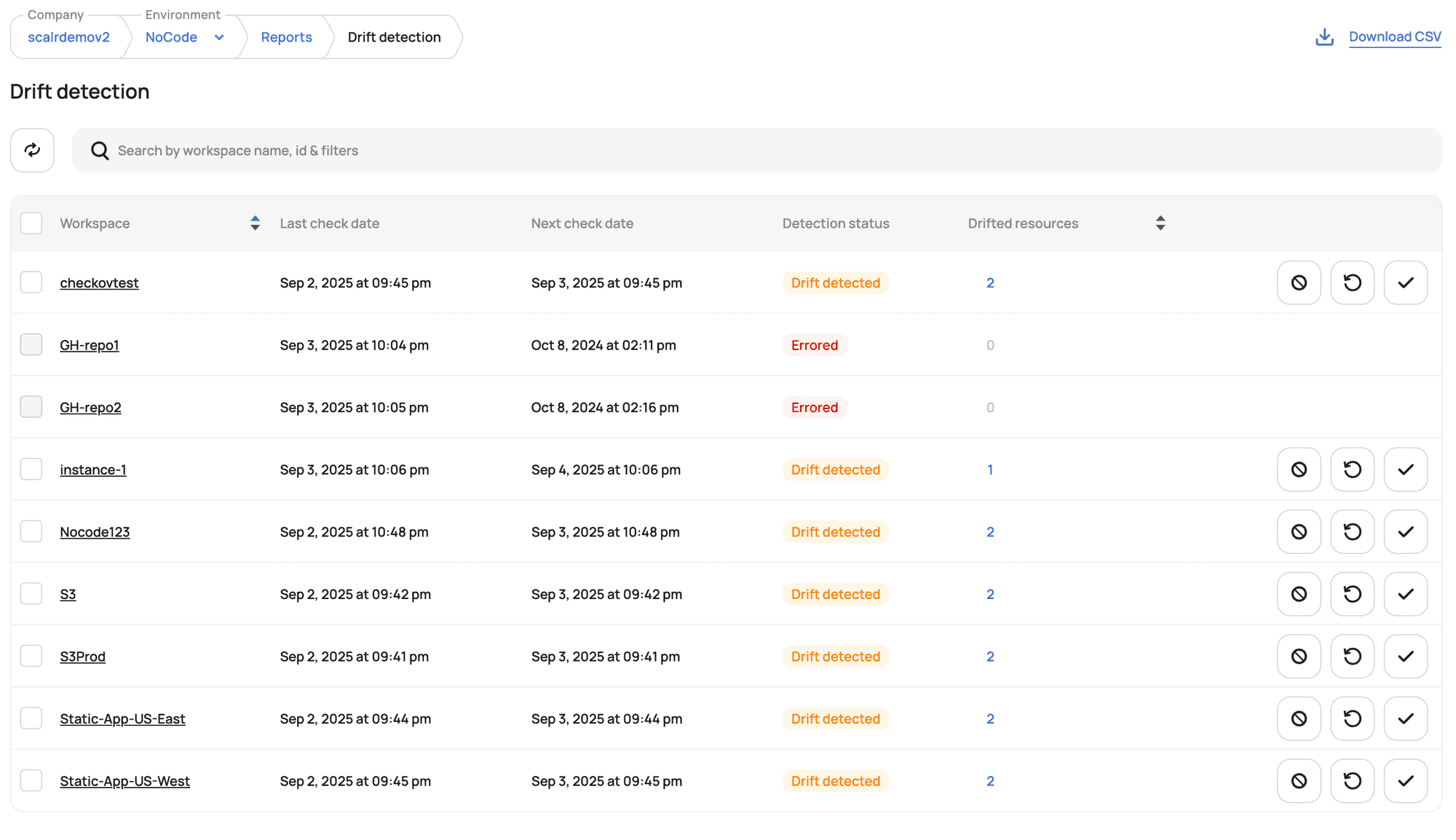
Drifted Workspaces Report
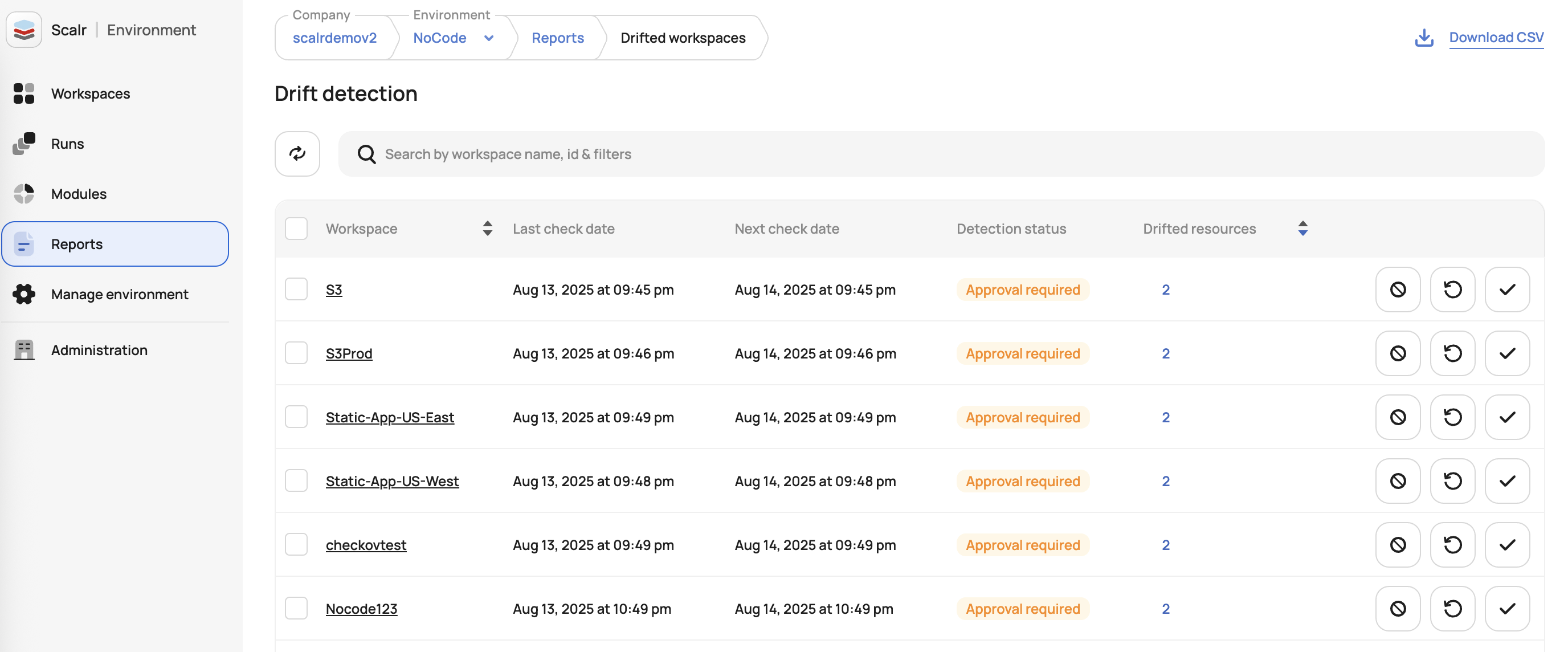
A new "Drifted Workspaces" report at the environment level shows environment administrators every workspace that has been checked for infrastructure drift. The report displays workspace details, including drift status, resource counts, and check dates. It also links directly to workspace-specific drift detection details. (August 14th, 2025/2508.12.0)
Run-Scope Variables & Debug Logging
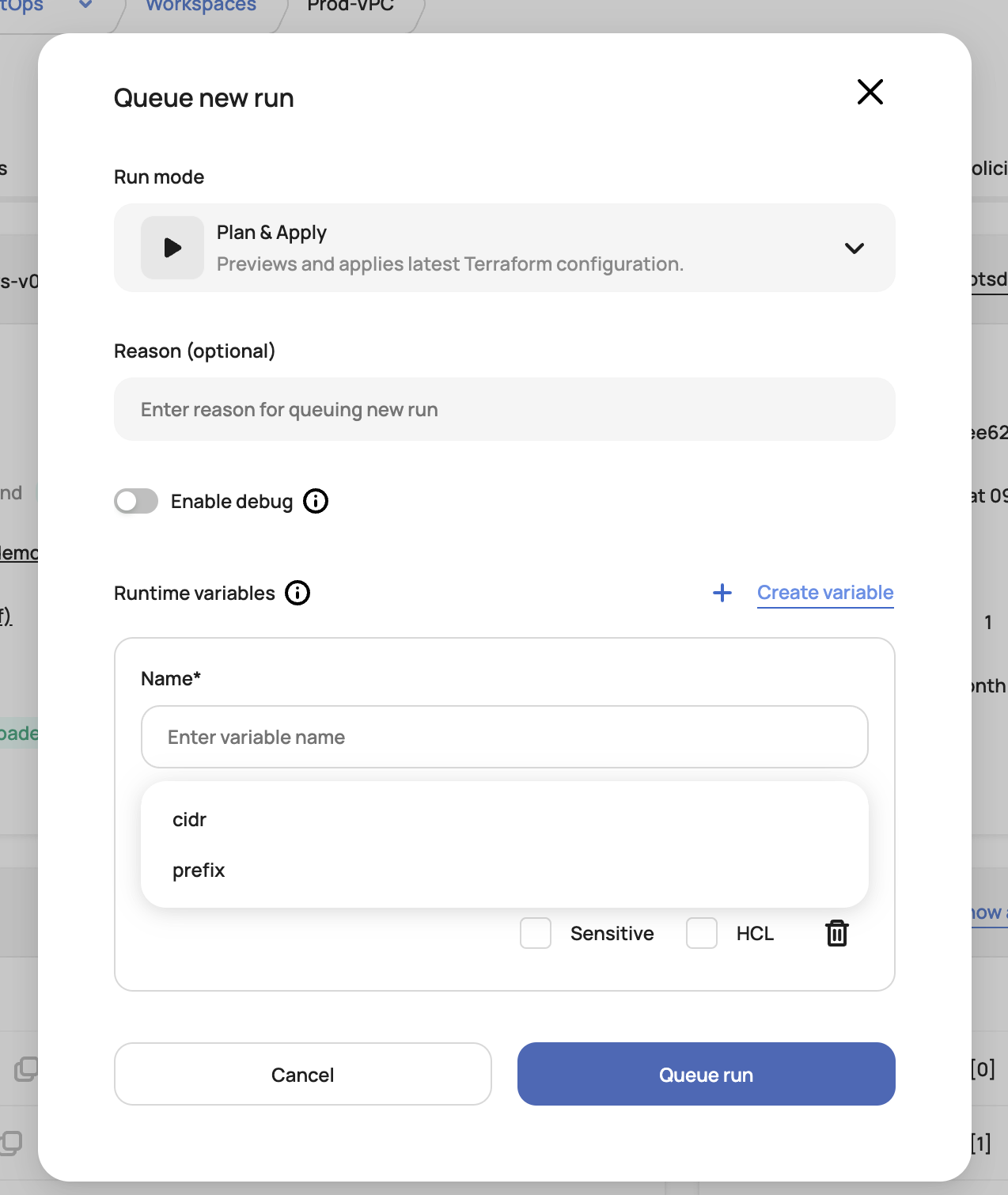
Scalr now supports run-scope variables that let workspace admins define configuration values for individual Terraform/OpenTofu runs. The Queue new run modal includes a dedicated section for temporary variables and a new "Enable debug log level" toggle that automatically sets TF_LOG=TRACE for detailed logging. (August 8th, 2025/2508.5.3)
Module Namespaces Permissions in the UI
The Scalr UI now enforces the updated permission model for module namespaces, so viewing, creating, updating, deleting, and syncing modules are controlled by namespace-specific permissions.
This fixes mismatched access behavior that previously blocked users with valid module-namespaces permissions, makes access control consistent across the platform, and ends the confusion of the transitional permission period.
Setup: Assign users appropriate module-namespaces:* permissions (plus teams:read or environments:read as needed) to manage modules within desired namespaces. Ownership rules apply where applicable. (August 8th, 2025/2508.5.3)
Hooks Registry Hooks Now Shown in the VCS Integration
Admins can now see full usage of the VCS Integration, including workspaces, modules, policy groups, and hooks. (August 12th, 2025/2508.8.0)
Improved Module Namespaces Creation
Previously, there was no ability to edit settings for an empty namespace, forcing users to publish a module before managing settings. A new redirect after creation lets admins configure sharing and ownership immediately.(August 14th, 2025/2508.12.0)
Display Outputs and Resources when Backend is Disabled
The workspace dashboard now displays outputs and resources for all workspaces, including those with a remote backend disabled or an encrypted state. Previously, admins couldn't view infrastructure composition for workspaces without the Scalr remote backend enabled.(August 14th, 2025/2508.12.0)
About the author

director of platform engineering at Scalr
Ryan Fee is the director of platform engineering at Scalr, with over 15 years of experience improving infrastructure experiences at companies large and small.