

Article
Scalr Product Updates - June 2025
Check out the latest features that help platform teams with Terraform and OpenTofu: Scalr AI and Backstage
Note: Full release notes can be found here.
Features
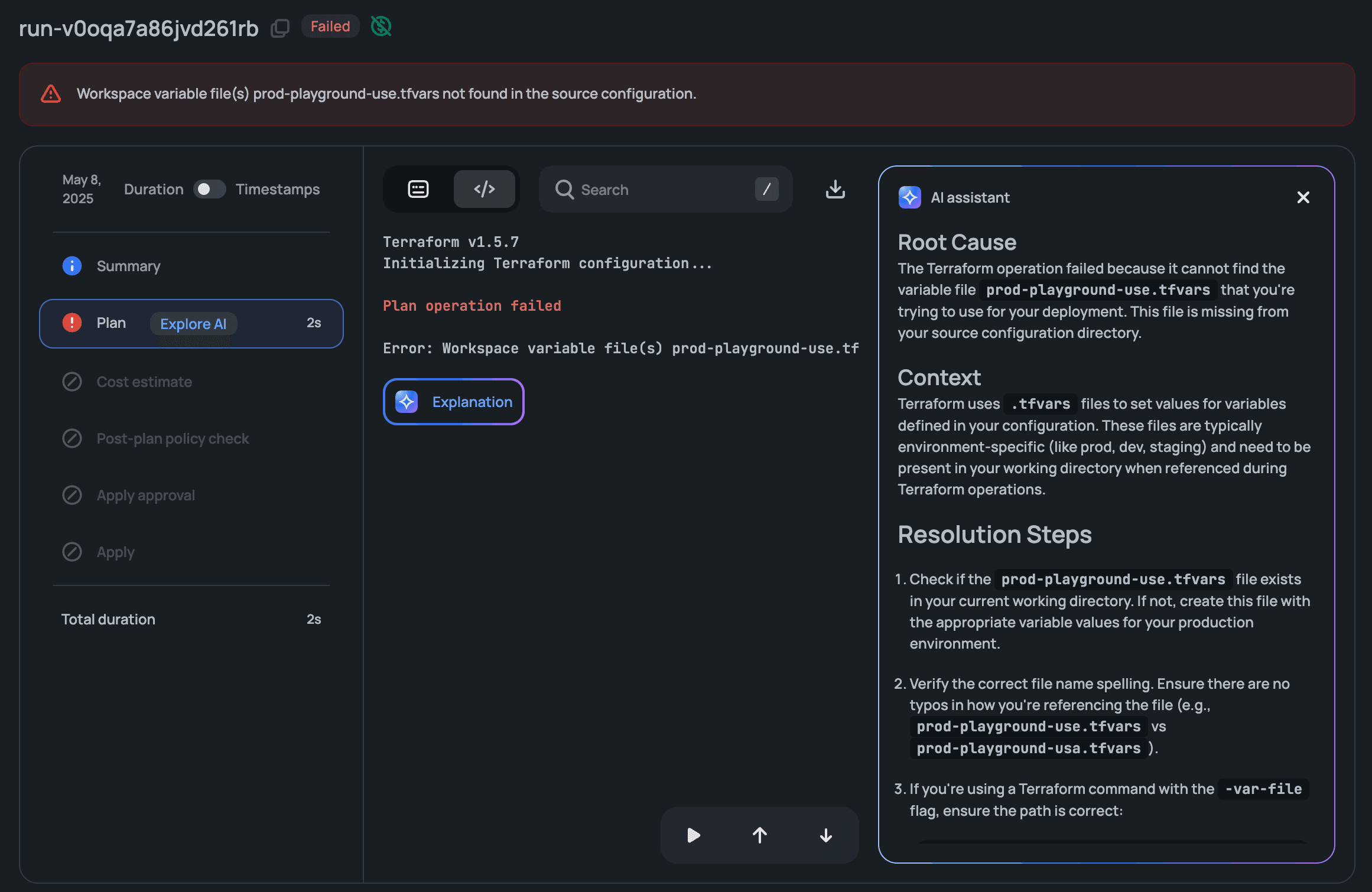
Scalr AI
Scalr AI is now available to help your users with error analysis and approvals. It reviews errored runs to identify root causes and suggest resolution steps, and it writes plan summaries that give approvers context on infrastructure changes. Enable Scalr AI from your account integrations page. See the docs and FAQ on this. This feature is currently considered experimental.
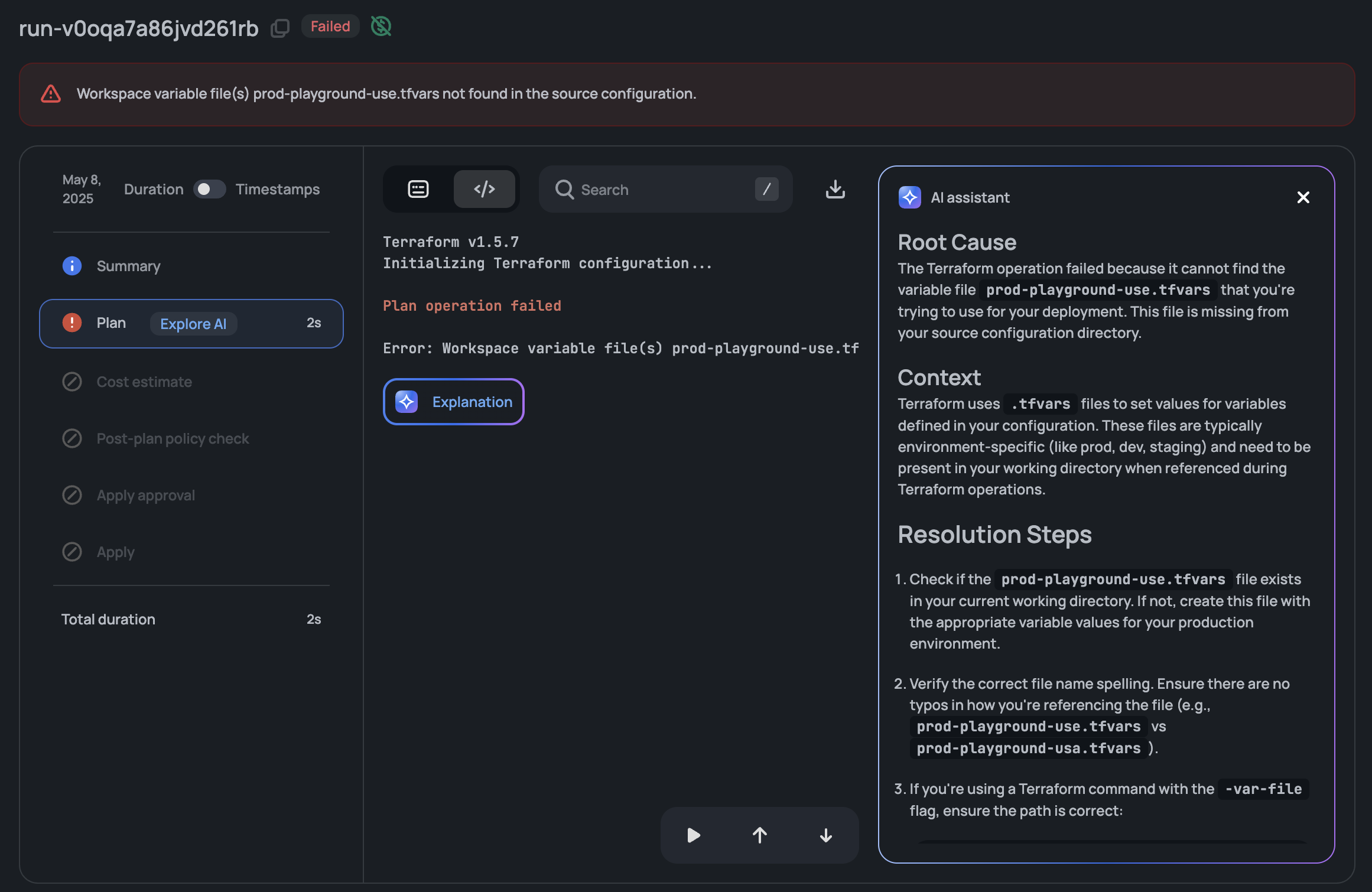
Scalr Backstage Plugin
The new Scalr plugin for Backstage, the open-source developer portal platform, lets teams manage their Terraform infrastructure from Backstage: they can view workspace status and start runs without leaving the portal. The plugin is available to install from the official Backstage catalog. This feature is currently in beta.
Improvements
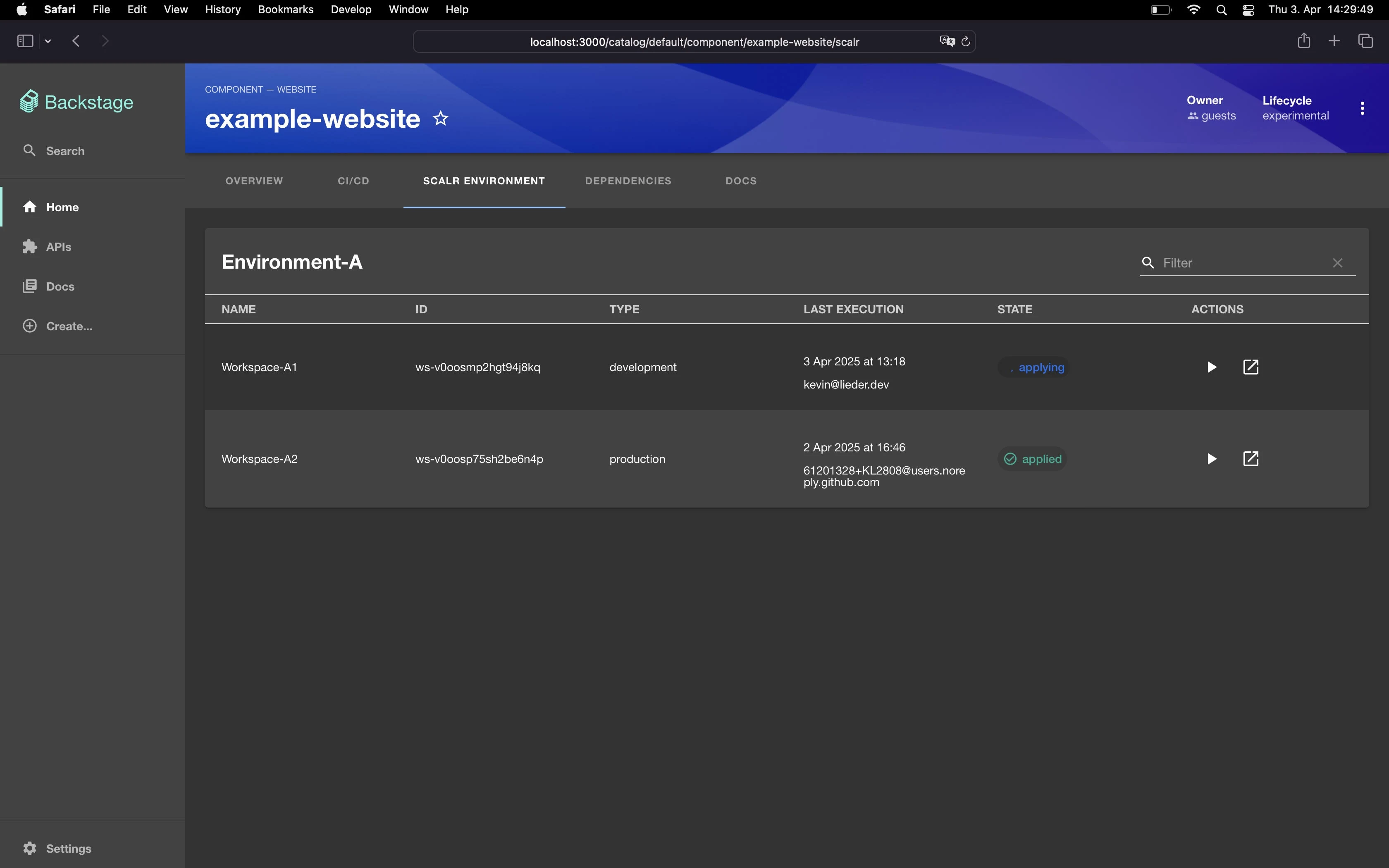
AI Error Explanation in Pull Requests
Scalr AI now automatically generates explanations with potential resolutions for failed VCS runs and streams them directly to pull request comments. You don't have to trigger AI explanations by hand or switch back to Scalr to see why a run failed; the explanation shows up where you review code. All VCS providers are supported. (June 11th, 2025/8.208.0)
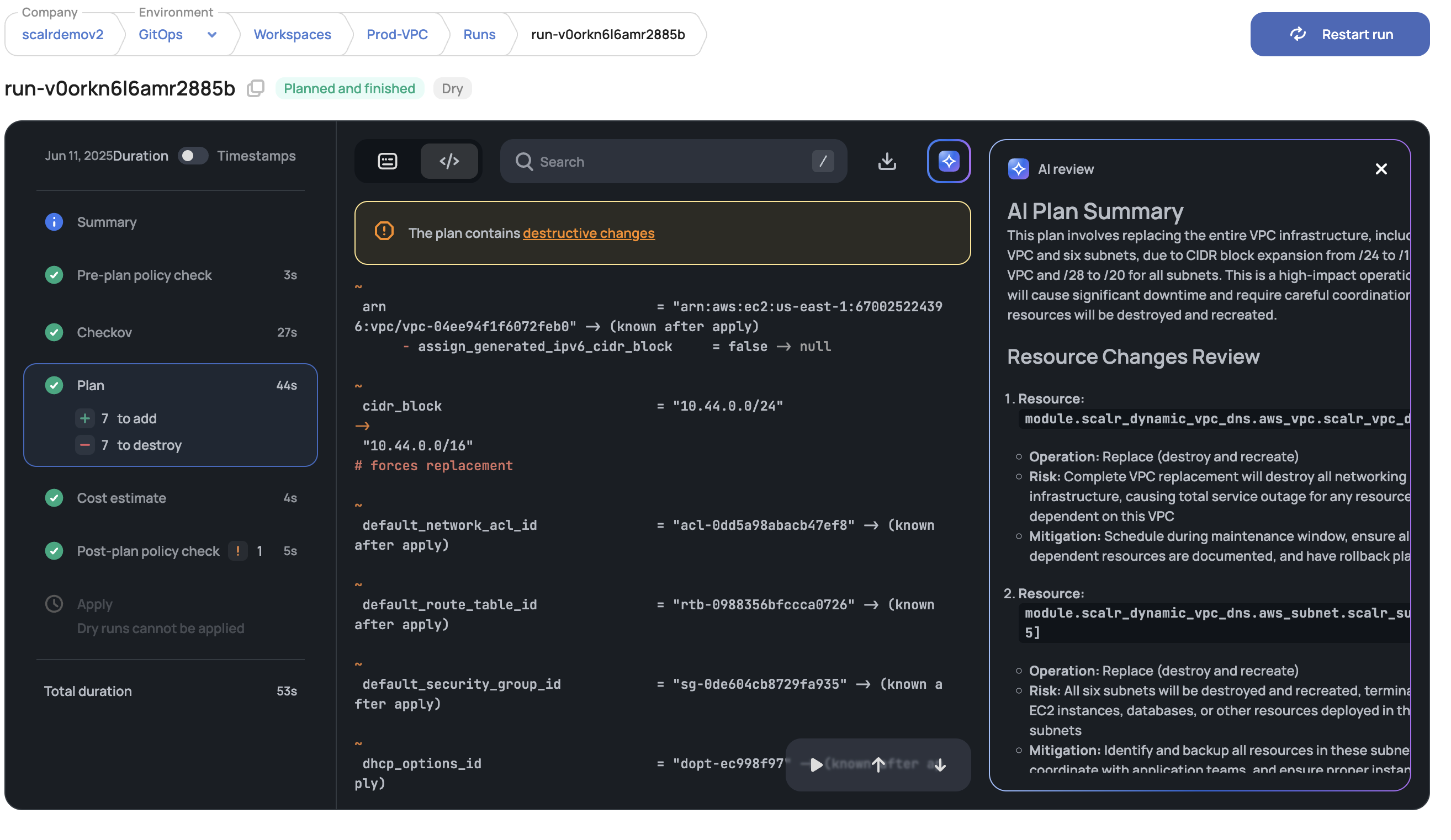
AI Plan Summary for Dry Runs
Scalr now generates AI summaries of dry-run plans. Previously, this was only available during the apply approval phase. If AI is enabled in the account and someone has clicked the AI button in the workspace before, the summary appears in the workspace automatically. (June 11th, 2025/8.208.0)
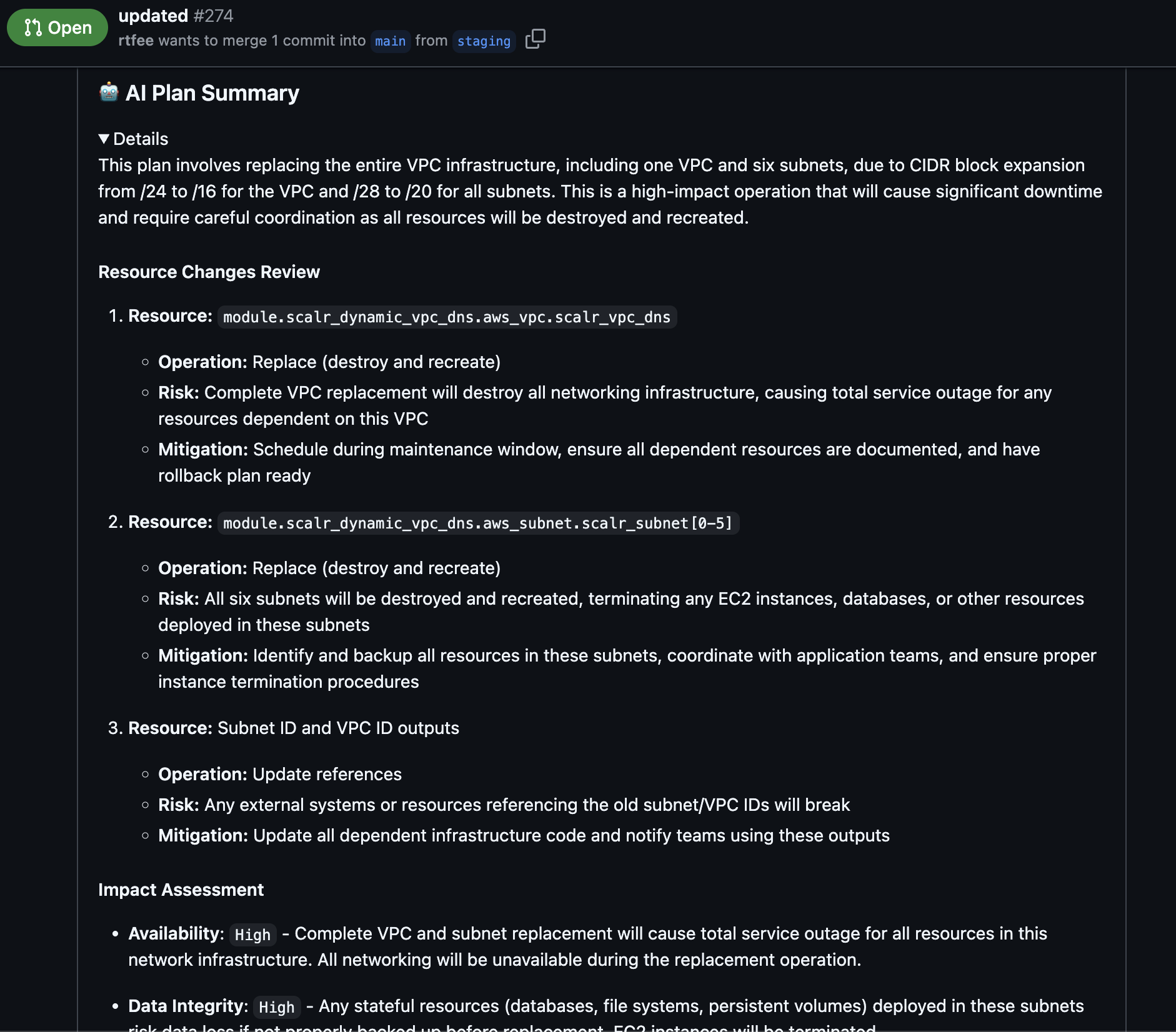
AI Plan Summary Sent to Pull Requests
Scalr now includes AI-generated Terraform plan summaries directly in pull request comments. Reviewers can see what an infrastructure change does and catch problems without leaving their VCS workflow. All VCS providers are supported. (June 11th, 2025/8.208.0)
Updated Scalr Apply PR Comment Commands
Scalr Apply pull request comments now display approve/decline commands (/scalr approve, /scalr decline) instead of outdated run-triggering commands. The change removes options like /scalr apply and /scalr apply -force, which should only be available during the plan phase, not for the apply approval. Use the new commands with optional workspace specifications and reasons, such as:
"/scalr approve -reason='Approved from PR'"
"/scalr decline -workspace-id=ws-xxxx -reason='Your reason here'"
(June 5th, 2025/8.207.0)
Email Alerts when Audit Logging is Disabled
Scalr now monitors active audit log integrations and sends email alerts to the Scalr account owner when previously working integrations fail, including failure details so the problem can be fixed quickly. Because you hear about logging failures right away, you avoid gaps in the audit trail that would cause trouble for SOC 2 and ISO 27001 requirements. Monitoring is automatically enabled for all active integrations with no setup required; alerts include integration details, failure timestamps, and error descriptions. (June 5th, 2025/8.207.0)
Runs Queue Permissions and Access Updates
Environment-level and account-level runs queues now follow the same permission model. To keep access to the runs queue, check that users have these permissions:
Environment-level Runs Queue:
environments:read-runs-queueenvironments:readworkspaces:read
Account-level Runs Queue:
runs-queue:readenvironments:readworkspaces:read
Runs History (any level):
environments:readworkspaces:read
(June 2nd, 2025/8.206.0)
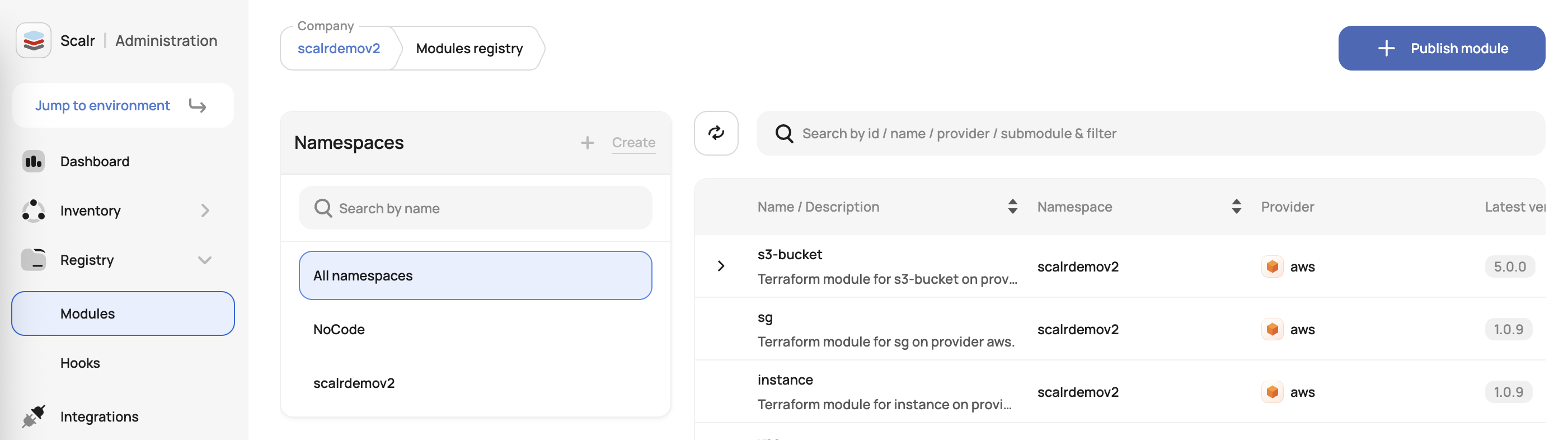
Improved Module Filtering
Scalr now displays private module registry namespaces directly in the UI, so users can browse, filter, and search modules by their account or environment namespaces. The namespace structure was previously visible only through the API. Visibility is scoped to user permissions automatically, and no setup changes are required. (June 19th, 2025/8.210.0)
About the author

director of platform engineering at Scalr
Ryan Fee is the director of platform engineering at Scalr, with over 15 years of experience improving infrastructure experiences at companies large and small.