

Article
Product Update: Scalr Federated Environments
Manage Terraform workspace dependencies with Scalr federated environments. Federated environments is available on the free or paid tier of Scalr!
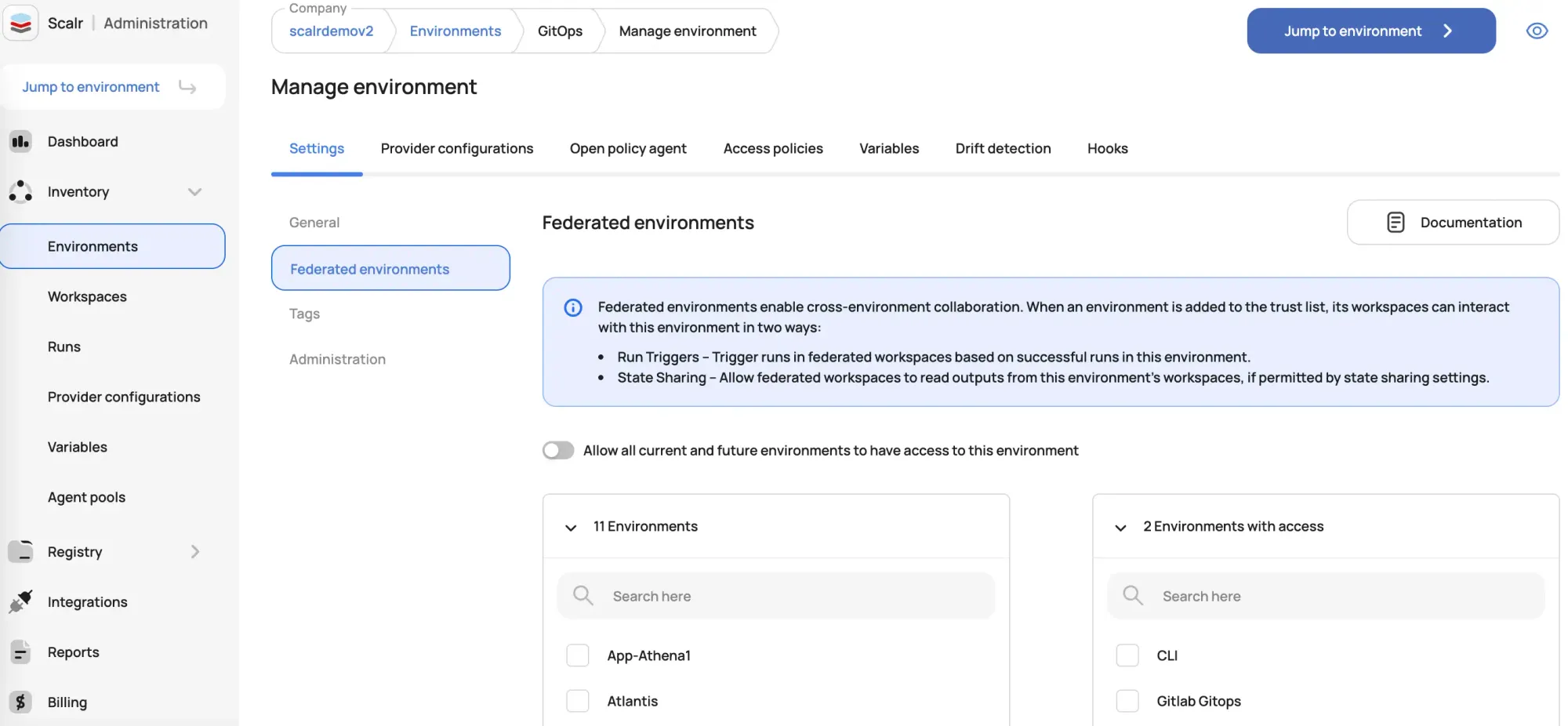
What Are Scalr Federated Environments?
A federated environment in Scalr is a designated environment that you explicitly grant access to from another environment. By default, environments are isolated from one another to maintain security and separation of concerns. Federation creates a secure, one-way bridge, allowing workspaces in a designated downstream environment to access resources and trigger actions in an upstream environment.
This relationship opens up automation that is normally restricted to a single environment. Federation is what lets two Scalr features cross environment boundaries: run triggers and state sharing. With them, a successful run in one environment can kick off a job in a completely different one, and workspaces can read the outputs from infrastructure elsewhere, like a VPC ID or database endpoint, without anyone copying values by hand.
Without federated environments, there's no way to trigger runs or share state between workspaces in different environments. Federation is how Scalr handles those Terraform workspace dependencies while keeping the environments separate by default.
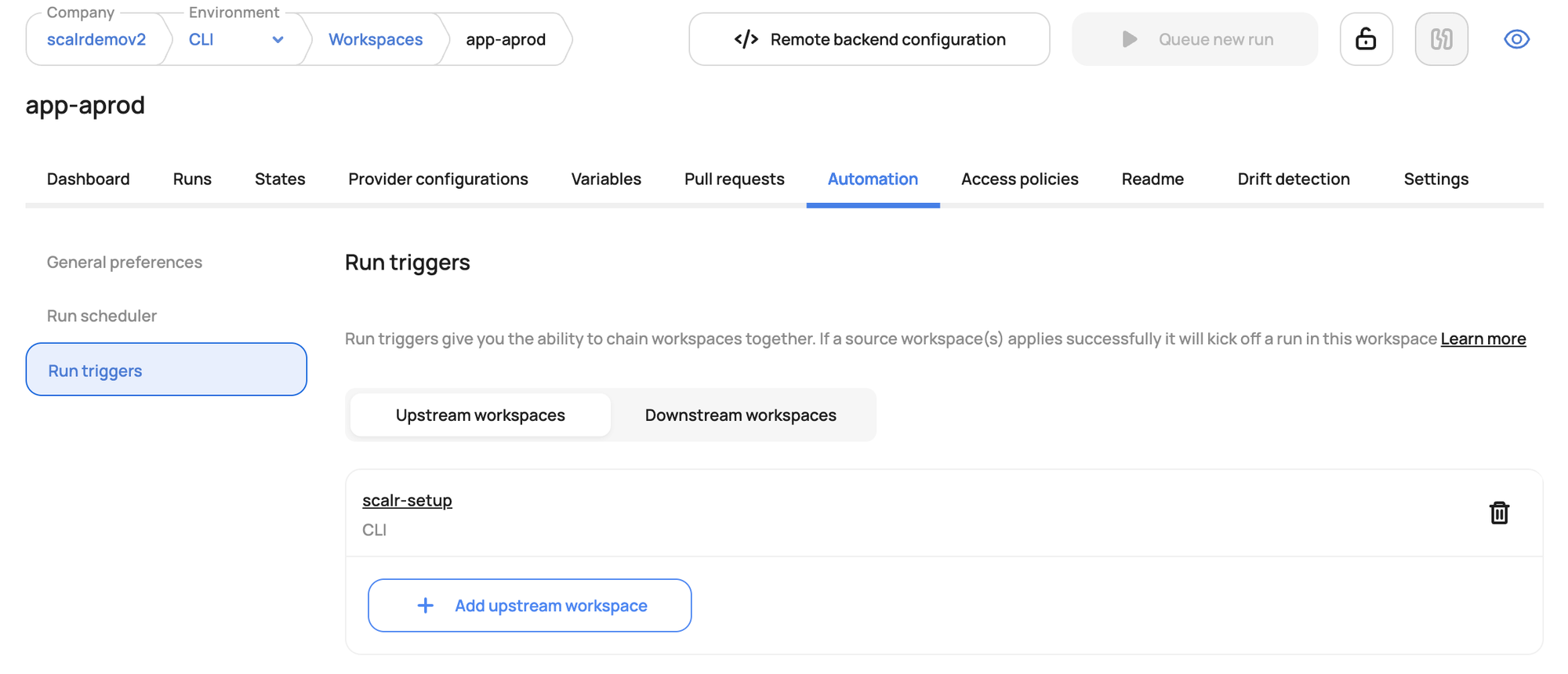
How Do Run Triggers Create Workspace Dependencies?
A run trigger in Scalr creates a dependency between workspaces, where a successful run in an upstream workspace automatically initiates a run in a downstream workspace. It fits cases where a change in one component of your infrastructure should prompt an update in another.
For example, a successful update to a shared networking infrastructure in a "network" environment can automatically trigger a run in an application's workspace in a "development" environment, so the application always uses the latest network configuration.
How Does State Sharing Access Outputs Across Environments?
Workspaces often need to reference outputs from other workspaces. A common example is an application needing the ID of a VPC created in a separate networking workspace. Scalr handles this with state sharing, which lets a workspace read the state outputs of another.
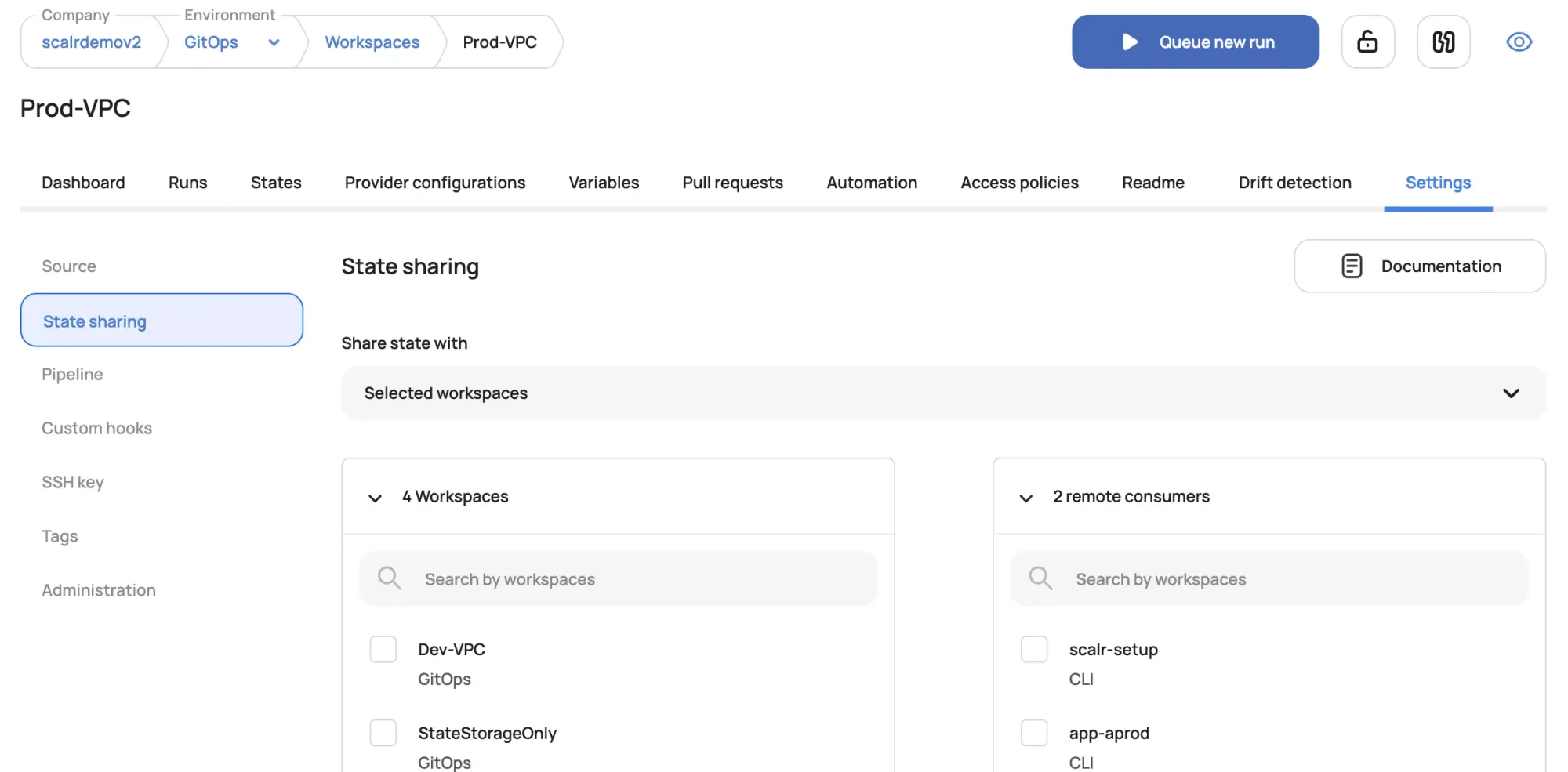
State sharing is off by default for every workspace until you enable it. Federated environments let you grant access to state across different environments.
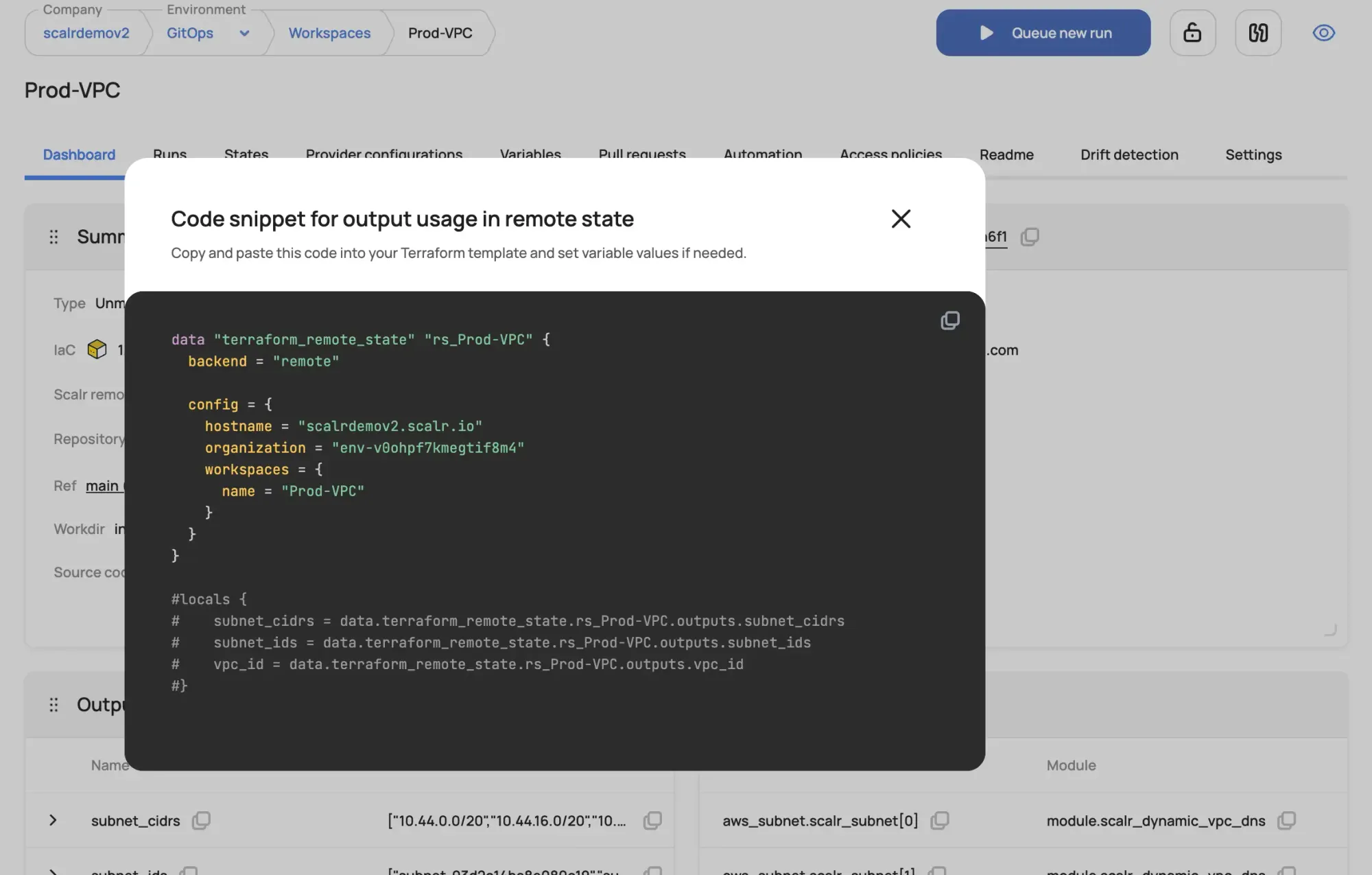
Once state sharing is enabled, the remote state code snippet can be used to pull outputs from the source workspace:
Why Combine Run Triggers and State Sharing for Cross-Environment Automation?
Run triggers and state sharing are most useful together. A change in a foundational infrastructure workspace can trigger a run in a dependent workspace in another environment, and that run can read the outputs it needs from the first one.
Nobody has to step in between the two, and the dependent infrastructure stays current.
Example: How Do Networking and Application Environments Work Together?
Consider a scenario with two environments:
- Networking Environment: Contains a workspace that manages the core network infrastructure, including a VPC.
- Application Environment: Contains a workspace for deploying an application that needs to be placed within the VPC.
Here’s how to use federated environments, run triggers, and state sharing to automate this workflow:
- Federate the Environments: In the settings of the Networking Environment, grant federated access to the Application Environment.
- Configure State Sharing: In the Networking Environment's workspace, explicitly allow the Application Environment's workspace to access its state outputs. This will expose the VPC ID.
- Set Up a Run Trigger: In the Application Environment's workspace, configure a run trigger that points to the Networking Environment's workspace as the upstream.
Now, when a change is successfully applied to the network infrastructure, the following automated workflow occurs:
- The successful run in the Networking Environment automatically triggers a new run in the Application Environment workspace.
- During this new run, the application's Terraform configuration uses a
terraform_remote_statedata source to fetch the VPC ID from the Networking Environment's state file. - The application is then deployed or updated within the correct VPC.
Together, these features let teams wire up multi-environment infrastructure workflows that run on their own and keep each environment walled off until access is granted.
See the official docs on workspace dependencies and federated environments here and try it out in Scalr today!
About the author

director of platform engineering at Scalr
Ryan Fee is the director of platform engineering at Scalr, with over 15 years of experience improving infrastructure experiences at companies large and small.