

Article
Introducing Scalr Metrics
Track, analyze, and optimize your IaC performance. Scalr Metrics shows run times and bottlenecks across your workspaces.
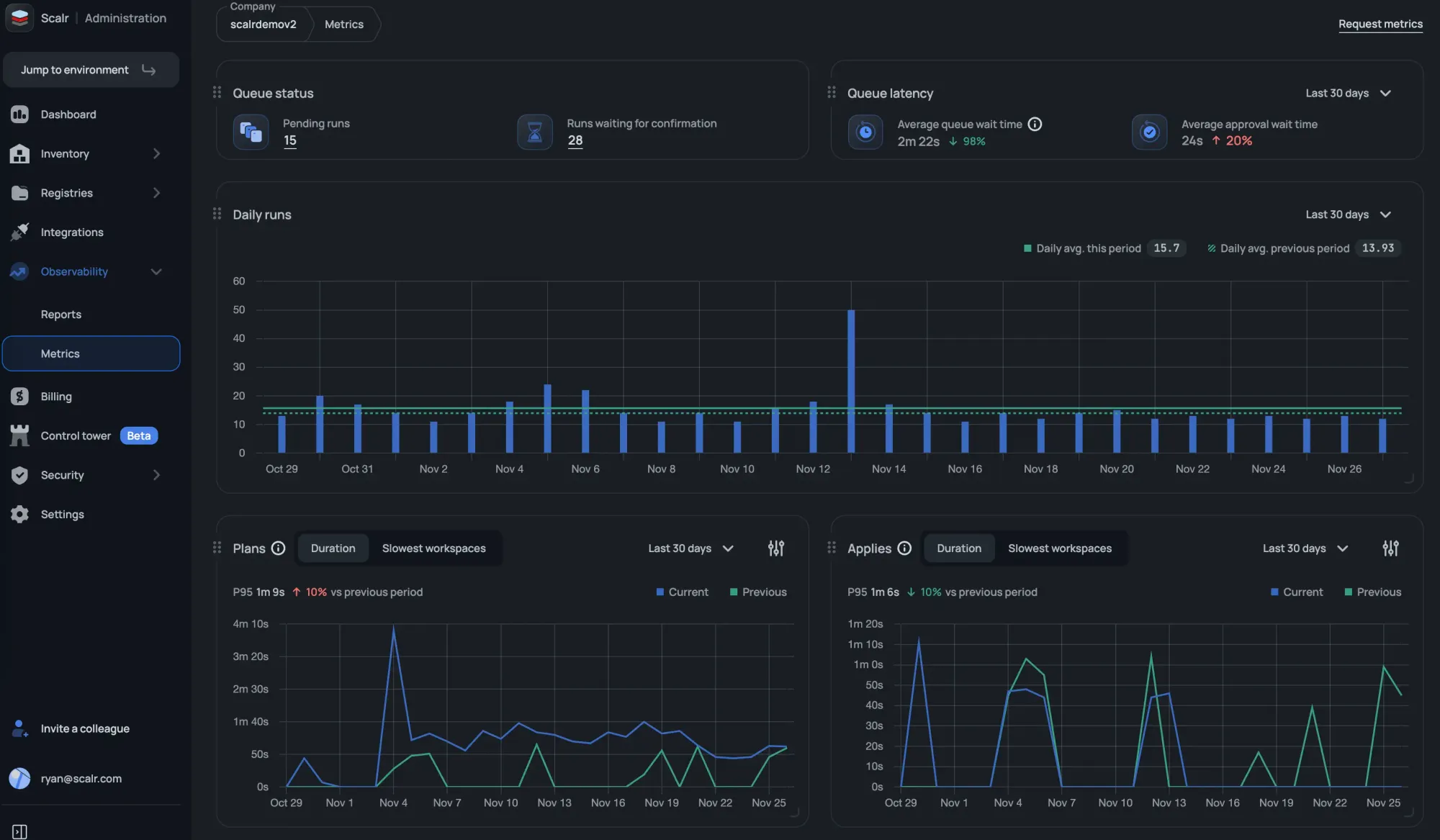
If you manage an Infrastructure-as-Code (IaC) pipeline, you eventually need to know how fast it actually runs. Slow Terraform runs cost developer time and money, but tracking down where the time goes used to mean digging through run histories by hand.
Scalr Metrics shows you that performance data directly. It surfaces run timing across all your workspaces, so teams can spot the slow ones and figure out why before they become a problem.
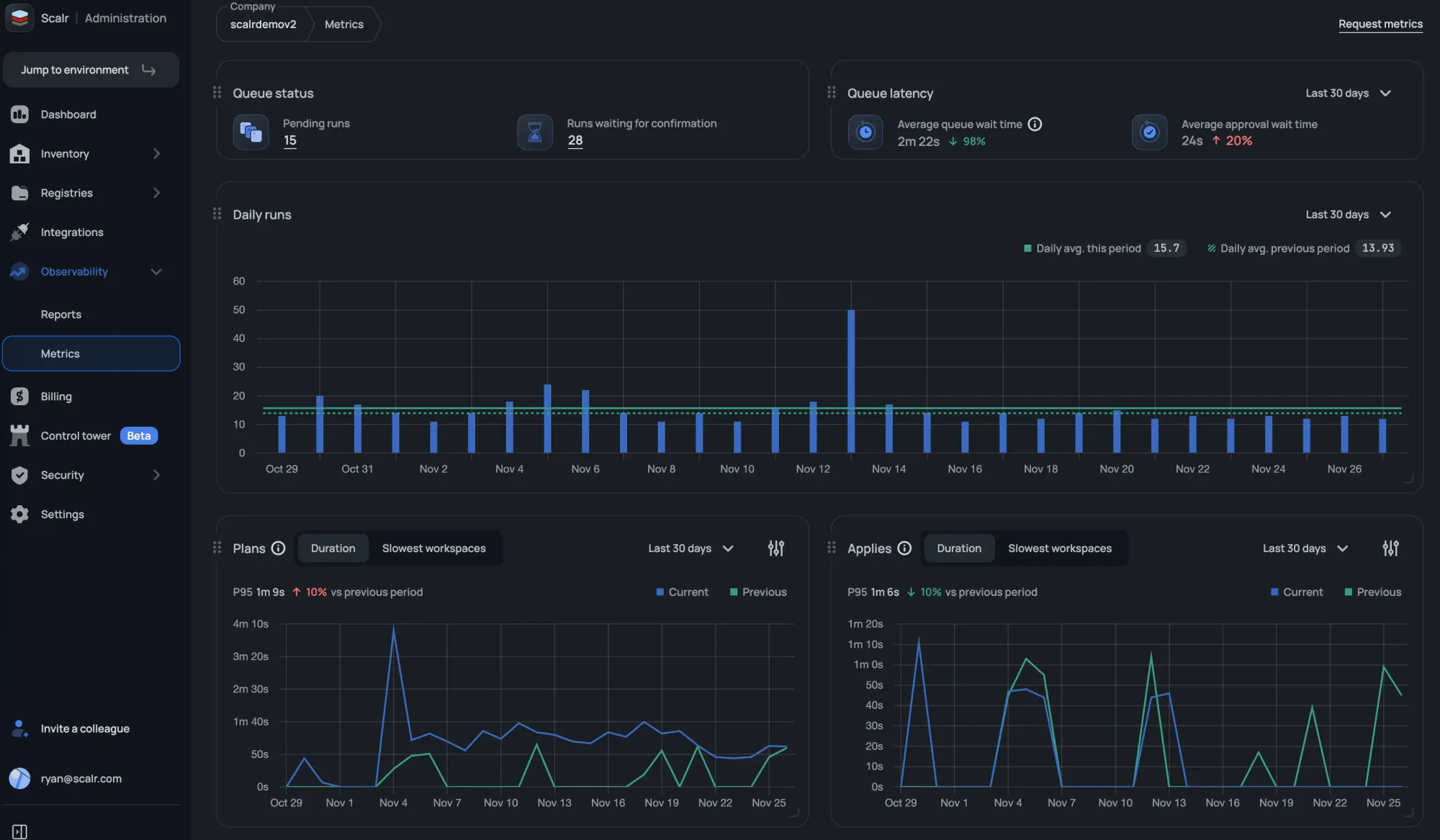
Scalr Metrics: Core Features and Purpose
Scalr Metrics turns raw run execution data into performance indicators you can read at a glance. It works from your historical run data, so the picture builds up over time.
You'll find the Metrics feature in the Admin scope under the Observability section. It tracks indicators tied to how long your runs take.
Key Metrics Available:
The following metrics are available in the initial release:
- Apply duration trends (7, 30, and 90-day views)
- Plan duration trends (7, 30, and 90-day views)
- Slowest workspaces impacting apply performance
- Slowest workspaces impacting plan performance
- Daily run statistics
- Pending runs
- Runs waiting for confirmation
- Average queue wait time
- Average approval wait time
More is planned. Future releases will add drift detection metrics and more. Filtering by environment and tags will also make it easier to exclude lab or development workspaces that can skew the metrics.
Benefits of Using Scalr Metrics
Here's what engineering and platform teams get out of it:
- Identify Bottlenecks: Pinpoint workspaces with consistently long execution times to investigate potential causes, such as resource count or provider configuration issues.
- Validate Changes: Use historical duration trends to measure the performance impact of module updates or configuration changes.
- Proactive Optimization: Watching run duration trends lets teams catch performance degradation early, so developers spend less time waiting on runs.
How to Access Scalr Metrics
To get started, open the Observability section in your Admin Scope.
For setup and usage details, see the official documentation: Scalr Metrics Documentation
About the author

director of platform engineering at Scalr
Ryan Fee is the director of platform engineering at Scalr, with over 15 years of experience improving infrastructure experiences at companies large and small.