

Guide · 4 articles branch off this one
Terraform Provisioners: The Complete Guide
Master Terraform provisioners: learn what they do, when to use or avoid them, and best-practice tips for cleaner, more reliable infrastructure code.

Key takeaways
- Terraform provisioners (local-exec, remote-exec, file) run imperative scripts during a resource's lifecycle. HashiCorp calls them a 'last resort' because terraform plan can't see what the scripts do and their changes aren't tracked in state.
- local-exec means local to wherever Terraform runs. On remote execution platforms that is a fresh, ephemeral container per run (not your laptop), and the mismatch (missing interpreters, lost execute bits, HOME=/tmp) is the most common provisioner failure mode in Scalr's support queue.
- Provider credentials do not flow into provisioner shells: a kubernetes provider can authenticate fine while kubectl inside a local-exec falls back to localhost:8080 because it finds no kubeconfig.
- Provisioner scripts must be idempotent. Because they aren't tracked in the plan, their success depends on the network and environment at the moment of execution, which produces intermittent works-on-retry failures.
- Destroy-time provisioners don't run if the resource is tainted, create_before_destroy is enabled, or the block was removed from configuration before destroy. They also inherit every environment assumption of creation-time provisioners.
- Evaluate alternatives in order before reaching for a provisioner: cloud-init/user-data, Packer images, provider-native resources, then configuration management tools. For resourceless provisioning in new projects, prefer terraform_data over null_resource.
Terraform provisioners are one of the most polarizing features in the Infrastructure as Code toolkit. They exist to bridge the gap between Terraform's declarative model and the messy, imperative reality of running infrastructure. But HashiCorp, who built Terraform, says to use them only as a "last resort."
This guide covers what Terraform provisioners are, when (rarely) to use them, why they cause trouble, and what to use instead. The same guidance applies if you're on the open-source OpenTofu fork.
What Are Terraform Provisioners?
Terraform provisioners allow you to execute scripts or specific actions on a local or remote machine during a resource's lifecycle, typically after creation or before destruction. They exist to perform tasks that don't map directly to Terraform's declarative model, such as:
- Bootstrapping instances with initial software
- Running configuration scripts post-deployment
- Uploading configuration files to remote resources
- Executing cleanup operations before resource destruction
- Interacting with legacy systems that lack APIs
Provisioners are an admission that Terraform alone can't handle every real-world infrastructure scenario, and a pragmatic way out of the purely declarative model when you hit one.
The Philosophy Behind Provisioners
Terraform's core strength is its declarative nature: you define the desired state, and Terraform figures out how to achieve it. Provisioners break this model by introducing imperative commands. That tension is why HashiCorp discourages them.
When you use a provisioner, you're saying: "Terraform, create this resource, then run this arbitrary script that I'm responsible for managing." Terraform can't fully model what the script does, and changes the script makes aren't tracked in state. Idempotency becomes your responsibility, debugging gets harder, and your configuration becomes less portable.
The Three Core Provisioners
Terraform includes three built-in provisioners (vendor-specific ones like Chef and Puppet were removed in Terraform 0.15).
1. local-exec: Run Commands Locally
The local-exec provisioner executes commands on the machine where Terraform itself is running, typically after a resource has been created.
Syntax:
resource "aws_instance" "web" {
  ami           = "ami-0c55b31ad2c456998"
  instance_type = "t2.micro"

  provisioner "local-exec" {
    command = "echo Instance ${self.id} has IP ${self.public_ip} >> instance_ips.txt"
    environment = {
      INSTANCE_ID = self.id
      PUBLIC_IP   = self.public_ip
    }
  }
}
Key Arguments:
command(required): The command to executeinterpreter: Specifies the shell interpreter (e.g.,["/bin/bash", "-c"])working_dir: Directory where the command runsenvironment: Map of environment variables to passwhen: When to run (createordestroy)on_failure: What to do on failure (failorcontinue)
Use Cases:
- Writing resource attributes to local files
- Triggering local build scripts
- Sending notifications about newly created resources
- Running health checks against deployed services
Important: local-exec doesn't require a connection block because it runs on the Terraform execution environment itself.
That phrase, "the machine where Terraform itself is running," generates more support requests at Scalr than any other provisioner concept. A platform team we worked with at Scalr used null_resource with for_each to seed database rows, running python -c "import psycopg2..." inline with Postgres credentials passed through the environment block. Every run failed with Error running command 'python -c ...': exit status 127. Output: /bin/sh: 1: python: not found. They checked their Kubernetes controller and worker pods, both of which had Python 3.10, and concluded the command must be running "somewhere outside our EKS pod." It was. On any remote execution platform, each run executes in a fresh container created from the runner image, where python doesn't exist but python3 does. "Local" means local to that ephemeral container: not your laptop, and not the cluster nodes hosting it. The same run log also showed (output suppressed due to sensitive value in config). Database mutations driven by secrets in environment variables are a good illustration of why this pattern sits in last-resort territory.
Credentials trip teams up the same way, because provider authentication does not flow into provisioner shells. A team installing a cluster-autoscaler addon had their kubernetes and helm providers authenticating without issue, yet a kubectl apply inside a local-exec failed with failed to download openapi: Get "http://localhost:8080/openapi/v2?timeout=32s": dial tcp [::1]:8080: connect: connection refused ("locally it works normal," in their words). kubectl falls back to localhost:8080 when it finds no kubeconfig, so the provider's credentials were never visible to the shell. They then wrote a kubeconfig to ~/.kube/config with a local_file resource, and kubectl still couldn't find it: in the runner container, HOME was /tmp. Writing the file to /tmp/.kube/config and passing --kubeconfig explicitly fixed the run. The more durable lesson is to never hardcode home directories.
For detailed guidance on local-exec, see Guide to local-exec.
2. remote-exec: Run Commands on Remote Resources
The remote-exec provisioner executes scripts or commands directly on a newly created remote resource via SSH or WinRM.
Syntax:
resource "aws_instance" "app_server" {
  ami           = "ami-0c55b31ad2c456998"
  instance_type = "t2.micro"

  connection {
    type        = "ssh"
    user        = "ec2-user"
    private_key = file("~/.ssh/your-private-key.pem")
    host        = self.public_ip
  }

  provisioner "remote-exec" {
    inline = [
      "sudo yum update -y",
      "sudo yum install -y httpd",
      "sudo systemctl start httpd",
      "sudo systemctl enable httpd"
    ]
  }
}
Execution Methods:
# Method 1: Inline commands
provisioner "remote-exec" {
  inline = [
    "command1",
    "command2"
  ]
}

# Method 2: Single script file
provisioner "remote-exec" {
  script = "path/to/setup.sh"
}

# Method 3: Multiple script files (executed in order)
provisioner "remote-exec" {
  scripts = [
    "path/to/first_script.sh",
    "path/to/second_script.sh"
  ]
}
Connection Requirements:
Remote-exec requires a connection block to define SSH or WinRM access. The connection can be specified at the resource level (applying to all provisioners) or at the provisioner level (specific to that provisioner).
SSH Connection Example:
connection {
  type        = "ssh"
  user        = "ubuntu"
  private_key = file("~/.ssh/id_rsa")
  host        = self.public_ip
  timeout     = "5m"
}
WinRM Connection Example:
connection {
  type     = "winrm"
  user     = "Administrator"
  password = var.admin_password
  host     = self.public_ip
  port     = 5986
  https    = true
}
For more on remote-exec and connection configuration, see:
3. file: Transfer Files to Remote Resources
The file provisioner copies files or directories from your local machine to a newly created remote resource.
Syntax:
resource "aws_instance" "db_server" {
  ami           = "ami-0c55b31ad2c456998"
  instance_type = "t2.micro"

  connection {
    type        = "ssh"
    user        = "ec2-user"
    private_key = file("~/.ssh/your-private-key.pem")
    host        = self.public_ip
  }

  # Copy a file with content
  provisioner "file" {
    content     = "db_host=${self.private_ip}"
    destination = "/etc/myapp/db.ini"
  }

  # Copy a file from local path
  provisioner "file" {
    source      = "configs/app.conf"
    destination = "/etc/myapp/app.conf"
  }

  # Copy a directory
  provisioner "file" {
    source      = "configs/"
    destination = "/etc/myapp"
  }
}
Key Arguments:
- Either
source(local path) orcontent(inline text), never both destination(required): Remote path where the file/directory should be placed- Connection block (required for SSH/WinRM)
when: When to run (createordestroy)on_failure: What to do on failure (failorcontinue)
Directory Transfer Behavior:
When copying directories, trailing slashes matter:
source = "local/dir"→ contents copied to/remote/path/dirsource = "local/dir/"→ contents copied directly into/remote/path
Important Note: With SSH, the destination directory must already exist. Use remote-exec to create it first:
provisioner "remote-exec" {
  inline = ["mkdir -p /opt/application/config"]
}

provisioner "file" {
  source      = "configs/"
  destination = "/opt/application/config"
}
For detailed guidance on file provisioners, see Guide to file provisioners.
Provisioner Comparison Table
| Feature | local-exec | remote-exec | file |
|---|---|---|---|
| Execution Locus | Terraform Host | Remote Resource | Remote Resource (copies from Local) |
| Primary Use Case | Run local scripts/commands | Software installation, service config | Copy files/directories to remote |
| Connection Required | No | Yes (SSH or WinRM) | Yes (SSH or WinRM) |
| Key Arguments | command, environment | inline, script, scripts | source/content, destination |
| Common Scenario | Triggering local build/notification scripts | Software installation on VM | Uploading config files for execution |
Understanding Provisioner Mechanics
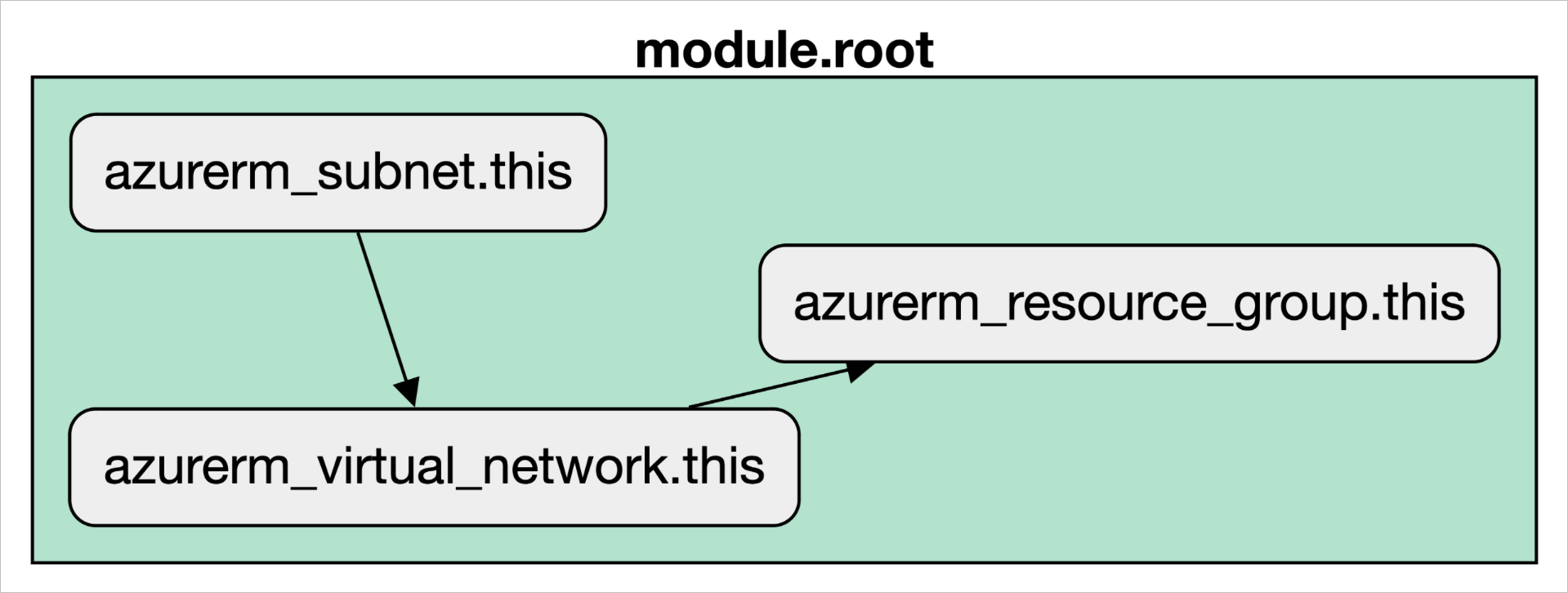
Provisioner Lifecycle
Provisioners execute at specific points in the resource lifecycle:
Creation-Time (Default Behavior: when = "create")
- Runs after the resource is created
- If it fails, the resource is marked as "tainted"
- A tainted resource will be destroyed and recreated on the next
terraform apply - Does not re-run on subsequent applies unless the resource is replaced
Destroy-Time (when = "destroy")
- Runs before the resource is destroyed
- Useful for cleanup operations (unmounting volumes, deregistering from load balancers, etc.)
- Scripts should be idempotent as they might re-run on failure
- Important Limitation: Destroy-time provisioners don't run if:
- The resource is tainted
create_before_destroyis enabled- The provisioner block is removed from configuration while destroying
Destroy-time provisioners also inherit every environment assumption a creation-time provisioner makes, plus one more: the environment at destroy time may differ from the one you tested at create time. An architect migrating off Terraform Cloud brought along a pattern that had worked there for years: a Docker-based agent with a scripts volume mount, and a when = destroy local-exec running a teardown script (hostname, credentials, and IDs interpolated from self.triggers) to deregister VMs from a configuration-management server that only the agent's network could reach. On the new platform, every destroy failed with "script not found": the agent orchestrated each run phase in fresh child containers that couldn't see the host's volume mounts. The workable options were shipping the script inside the Terraform configuration itself, baking a custom runner image, or moving the destroy-only logic into platform hooks (on Scalr, gated on the SCALR_RUN_IS_DESTROY variable).
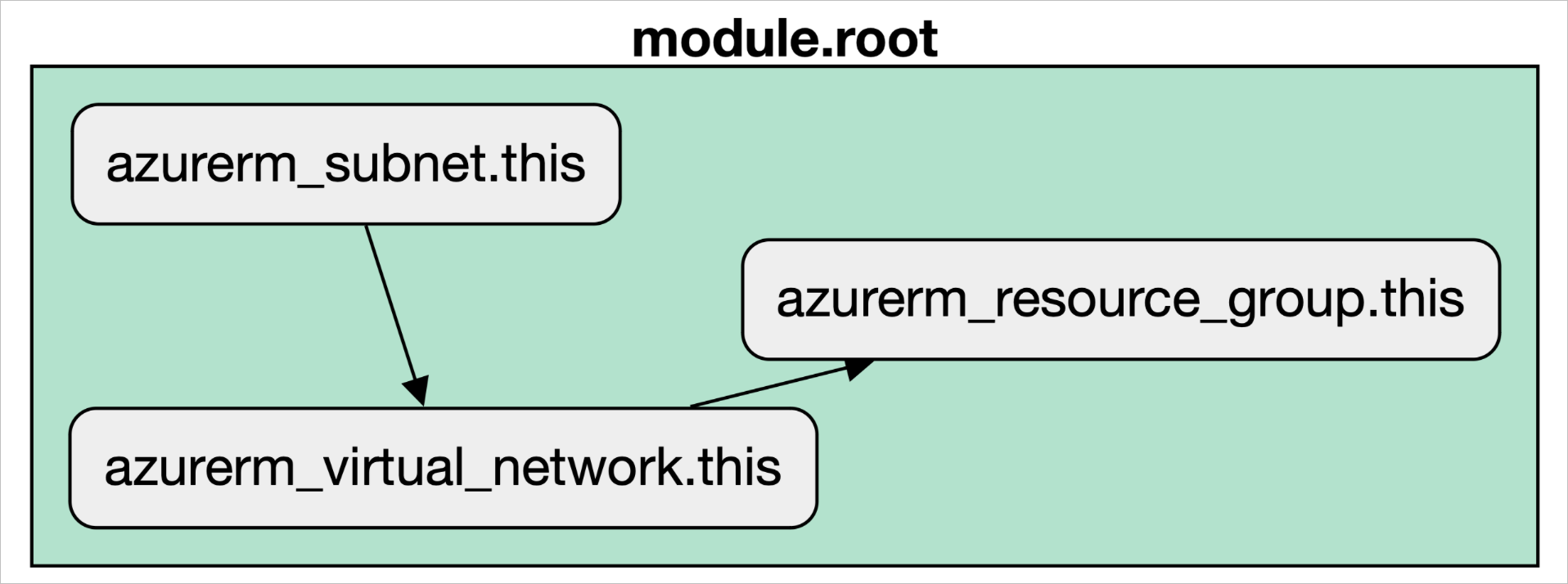
Failure Behavior
Control how Terraform handles provisioner failures with the on_failure parameter:
| Timing | on_failure | Resource Status | Terraform Behavior |
|---|---|---|---|
| Creation-Time | fail (default) |
Tainted | Apply stops, error raised |
| Creation-Time | continue |
Tainted | Apply continues with warning |
| Destroy-Time | fail (default) |
Not destroyed | Provisioner reruns on next attempt |
| Destroy-Time | continue |
Destroyed | Apply continues with warning |
The self Object
Within provisioner blocks, you can reference the parent resource using self:
provisioner "local-exec" {
  command = "echo ${self.id} > resource_id.txt"
}

provisioner "remote-exec" {
  connection {
    host = self.public_ip
  }
  inline = ["echo 'Connected to ${self.id}'"]
}
Why Provisioners Are a "Last Resort"
HashiCorp's "last resort" guidance comes from five architectural problems with provisioners.
1. The Declarative Model Problem
Terraform's power comes from its declarative approach: you define the desired end state, and Terraform works out how to get there. Provisioners break this model by introducing imperative scripts.
The Problem:
terraform plancannot show you what changes a provisioner script will make- It just says "run a script" without visibility into the actual changes
- This opacity increases operational risk and makes changes harder to reason about
- Your single source of truth (the Terraform configuration) becomes incomplete
2. State Management Blind Spots
Terraform's state file is its source of truth for infrastructure. Provisioner actions are not recorded in state.
The Problem:
- Changes made by provisioners (installing software, modifying files) aren't tracked
- Configuration drift becomes invisible: your actual infrastructure diverges from what Terraform knows
- Terraform cannot detect or remediate this drift on subsequent runs
- If someone manually fixes a provisioner-installed component, Terraform won't know
- Rollback becomes impossible: Terraform has no record of what the script changed
Example:
provisioner "remote-exec" {
  inline = ["apt-get install -y nginx"]
}
If someone later manually removes nginx, Terraform won't detect or reinstall it. The drift is invisible to your IaC system.
3. The Idempotency Burden
Terraform resources are idempotent: applying the same configuration multiple times produces the same result. Scripts are not idempotent by default.
The Problem:
- You're entirely responsible for making provisioner scripts idempotent
- Non-idempotent scripts can cause cumulative, unwanted changes if re-run
- If a provisioner fails and is re-run (e.g., on a tainted resource), non-idempotent scripts can fail
- Writing idempotent shell scripts is harder than it looks
This usually shows up as the works-on-retry heisenbug. Scalr support once had two engineers at the same enterprise independently report the same flaky step: a null_resource.install_requirements running /usr/bin/pip3 install --trusted-host pypi.org ... -r requirements.txt failed intermittently with exit 1, "most of the time on the first workspace run," then passed on rerun with the same git SHA. Scalr's engineering team never reproduced it. That's the structural problem: because provisioner actions aren't tracked in the plan, their success depends on the network and a mutable environment at the moment of execution. Terraform neither models nor records those conditions, so the failure leaves nothing to diff.
Bad Example (Non-Idempotent):
#!/bin/bash
# This appends to a config file every time it runs
echo "config_value=123" >> /etc/myapp/config.conf
Run this script twice and the config entry appears twice, which probably isn't what you wanted.
Better Example (Idempotent):
#!/bin/bash
set -e
# Check if already configured before adding
if ! grep -q "config_value=123" /etc/myapp/config.conf; then
  echo "config_value=123" >> /etc/myapp/config.conf
fi
4. Security Concerns
Provisioners, especially remote-exec, open up direct command execution on your resources.
Credential Management:
- SSH keys or passwords must be stored in or accessible to your Terraform environment
- Credentials that come from resource attributes or data sources (a generated
tls_private_key, a secret read from Vault) end up in the state file, even though the connection block itself isn't saved there - Managing and rotating credentials becomes a security headache
- In CI/CD environments, this creates dangerous attack vectors
The attack surface is concrete. One customer demonstrated to us that a shell-script data source, which executes at plan time, before any approval gate, could run env | base64 and echo the platform's provider credentials into an output. That's credential exfiltration from a plan, the phase most teams treat as safe to run automatically on every pull request. Their follow-up request was read-only credentials for the plan phase. In a separate incident, a stray printenv in a run hook dumped every sensitive environment variable into the run logs. Arbitrary code execution during Terraform runs is a real liability, and provisioners are the most common way that door gets opened.
Injection Vulnerabilities:
With local-exec, directly interpolating variables into commands is dangerous:
# VULNERABLE - command injection risk
provisioner "local-exec" {
  command = "echo '${var.user_input}' > file.txt"
}
If var.user_input contains '; rm -rf /; echo ', the consequences are catastrophic.
Safe Approach:
# SAFE - pass data via environment variables
provisioner "local-exec" {
  command = "safe_script.sh"
  environment = {
    USER_INPUT = var.user_input
  }
}
5. Debugging Difficulties
When provisioner scripts fail, troubleshooting can be painful.
The Problems:
- Error messages from scripts can be opaque
- You're debugging shell script issues in addition to Terraform issues
- The resource might be left in a partially configured state
- Network issues, missing dependencies, and environment-specific problems all interfere
- Limited visibility into what the script actually did before failing
Exit codes are the first diagnostic, and two of them account for most of the local-exec failures we see: exit status 127 means the shell couldn't find the command at all (the python: not found case earlier), while exit status 126 means the file exists but isn't executable. An engineer packaging a Lambda function hit the second one: a null_resource with base64sha256 triggers ran ${path.module}/src/build.sh and failed with exit status 126. Output: /bin/sh: 1: modules/ami-lambda/src/build.sh: Permission denied, despite working on every laptop that tried it. The configuration a remote runner checks out doesn't preserve the execute bits set on a developer's machine. The fix was one line: command = "chmod +x ${path.module}/src/build.sh; ${path.module}/src/build.sh".
Security Considerations
Credential Management Best Practices
Never hardcode credentials:
# BAD
connection {
  password = "hardcoded_password"
}

# GOOD - use variables marked sensitive
variable "admin_password" {
  type      = string
  sensitive = true
}

connection {
  password = var.admin_password
}
Use Terraform 1.10+ ephemeral values (when available) to prevent credentials from being stored in state files:
variable "admin_password" {
  type      = string
  sensitive = true
  ephemeral = true
}
Source secrets from external systems:
data "aws_secretsmanager_secret_version" "db_creds" {
  secret_id = "prod/database/credentials"
}

locals {
  db_creds = jsondecode(data.aws_secretsmanager_secret_version.db_creds.secret_string)
}

provisioner "remote-exec" {
  environment = {
    DB_USER = local.db_creds.username
    DB_PASS = local.db_creds.password
  }
  inline = [
    "bash /tmp/configure_db.sh"
  ]
}
Network Security
Restrict SSH/WinRM access:
resource "aws_security_group" "provisioning" {
  ingress {
    from_port   = 22
    to_port     = 22
    protocol    = "tcp"
    cidr_blocks = ["${data.external.my_ip.result.ip}/32"]  # Your IP only
  }

  egress {
    from_port   = 0
    to_port     = 0
    protocol    = "-1"
    cidr_blocks = ["0.0.0.0/0"]
  }
}
Use bastion hosts for private resources:
connection {
  type                = "ssh"
  user                = "ubuntu"
  private_key         = file("~/.ssh/id_rsa")
  host                = self.private_ip
  bastion_host        = aws_instance.bastion.public_ip
  bastion_user        = "ec2-user"
  bastion_private_key = file("~/.ssh/bastion_key")
}
Script Security
Make scripts defensive:
provisioner "remote-exec" {
  inline = [
    "set -euo pipefail",  # Exit on error, undefined vars, pipe failures
    "export DEBIAN_FRONTEND=noninteractive",
    "if ! command -v nginx &> /dev/null; then",
    "  sudo apt-get update",
    "  sudo apt-get install -y nginx",
    "fi",
    "sudo systemctl enable nginx",
    "sudo systemctl start nginx"
  ]
}
Best Practices When Provisioners Are Necessary
If you've exhausted the alternatives and still need a provisioner, follow these practices:
1. Document Why It's Necessary
# This provisioner integrates with our legacy ERP system (custom CLI only, no API)
# Alternatives considered: vendor API (doesn't exist), Lambda (insufficient permissions)
# This is acceptable as a documented exception under INFRA-POLICY-47
provisioner "local-exec" {
  command = "legacy_erp_cli register --system-id=${self.id}"
}
2. Ensure Script Idempotency
Every script must be safe to run multiple times without unintended side effects:
#!/bin/bash
set -e  # Exit on any error

# Idempotent: check before modifying
if ! grep -q "DATABASE_HOST" /etc/app/config.env; then
  echo "DATABASE_HOST=db.example.com" >> /etc/app/config.env
fi

# Idempotent: only install if not present
if ! command -v nginx &> /dev/null; then
  apt-get update
  apt-get install -y nginx
fi

# Idempotent: enable service (safe to run multiple times)
systemctl enable nginx
systemctl start nginx
3. Secure Credential Handling
Always use environment variables or external secrets systems:
data "aws_secretsmanager_secret_version" "api_key" {
  secret_id = "prod/api-key"
}

provisioner "local-exec" {
  command = "deploy.sh"
  environment = {
    API_KEY = jsondecode(data.aws_secretsmanager_secret_version.api_key.secret_string).key
  }
}
4. Implement Error Handling
Scripts should clearly indicate success or failure:
#!/bin/bash
set -e
exec > >(tee -a /var/log/terraform-provisioner.log) 2>&1

echo "[$(date)] Starting provisioning..."

if ! apt-get update; then
  echo "[$(date)] FATAL: apt-get update failed"
  exit 1
fi

echo "[$(date)] Provisioning completed successfully"
exit 0
5. Test Thoroughly in Isolation
# Use null_resource to test provisioner logic without affecting real infrastructure
resource "null_resource" "test_provisioner" {
  provisioner "local-exec" {
    command = "bash scripts/test.sh"
  }
}
6. Keep Logic Simple and Focused
If a provisioner script becomes complex, it's a sign you need a dedicated configuration management tool:
# BAD: Doing too much in the provisioner
provisioner "local-exec" {
  command = "bash -c 'if [[ $PROD == true ]]; then ... complex setup ...; fi'"
}

# GOOD: Use a dedicated tool for complex logic
provisioner "local-exec" {
  command = "ansible-playbook -i inventory playbook.yml"
}
Resourceless Provisioners: null_resource vs terraform_data
When you need provisioner logic not tied to a specific infrastructure resource, two options exist:
null_resource (External Provider)
The null_resource from the null provider is a special resource that creates no actual infrastructure but can host provisioners.
resource "null_resource" "run_script_on_change" {
  triggers = {
    # Re-run when content changes
    config_file_sha1 = filesha1("configs/my_config.json")
  }

  provisioner "local-exec" {
    command = "echo 'Configuration changed: ${self.triggers.config_file_sha1}' && ./my_script.sh"
  }
}
Key Characteristics:
- External provider (
terraform { required_providers { null = {...} } }) - Uses
triggersmap to control re-execution - Established, widely used pattern
- May eventually be deprecated
terraform_data (Built-in Resource)
Introduced in Terraform 1.4 (2023), terraform_data is a built-in alternative to null_resource:
resource "terraform_data" "cluster_setup" {
  triggers_replace = aws_instance.cluster[*].id

  provisioner "local-exec" {
    command = "echo 'Cluster IPs: ${join(" ", aws_instance.cluster[*].private_ip)}'"
  }
}
Key Characteristics:
- Built-in (no external provider required)
- Uses
triggers_replacefor cleaner control - Can store values through
input/outputattributes - Better integration with Terraform's dependency system
- Recommended for new projects
- Native support in Terraform 1.4+
Comparison
| Feature | null_resource | terraform_data |
|---|---|---|
| Provider | External null provider | Built-in |
| Trigger mechanism | triggers map |
triggers_replace |
| Data storage | No built-in storage | input/output attributes |
| First introduced | Early Terraform versions | Terraform 1.4 (2023) |
| Future direction | May be deprecated | Preferred going forward |
| OpenTofu support | Full | Full (built in since OpenTofu 1.6) |
Recommendation: For new projects, prefer terraform_data. For existing projects, null_resource continues to work fine.
Use Cases for Resourceless Provisioners
Orchestration across multiple resources:
resource "terraform_data" "initialize_cluster" {
  triggers_replace = aws_instance.cluster[*].id

  provisioner "remote-exec" {
    connection {
      host = aws_instance.cluster[0].public_ip
    }
    inline = [
      "cluster-init.sh ${join(" ", aws_instance.cluster[*].private_ip)}"
    ]
  }
}
Running scripts conditionally based on data changes:
resource "terraform_data" "config_generator" {
  triggers_replace = aws_db_instance.main.endpoint

  provisioner "local-exec" {
    command = "python generate_config.py --db-host=${aws_db_instance.main.address}"
  }
}
Cleanup on destruction:
resource "null_resource" "unmount_volume" {
  triggers = {
    volume_id   = aws_ebs_volume.data.id
    instance_ip = aws_instance.web.public_ip
  }

  provisioner "remote-exec" {
    when = destroy
    connection {
      host = self.triggers.instance_ip
    }
    inline = [
      "sudo umount /data",
      "sudo sed -i '/\\/data/d' /etc/fstab"
    ]
  }
}
Alternatives to Provisioners
Before reaching for any provisioner, exhaustively evaluate these alternatives. They solve the same problems more declaratively and securely.
1. Cloud-Init / User Data (Best for Initial Setup)
Cloud providers allow passing initialization scripts at instance launch:
resource "aws_instance" "web_via_userdata" {
  ami           = "ami-0c55b31ad2c456998"
  instance_type = "t2.micro"

  user_data = <<-EOF
    #!/bin/bash
    apt-get update -y
    apt-get install -y nginx
    systemctl enable nginx
    systemctl start nginx
    echo "<h1>Hello from User Data!</h1>" > /var/www/html/index.html
  EOF

  tags = {
    Name = "web-via-userdata"
  }
}
Advantages:
- Native to cloud platforms (no Terraform-to-instance network dependency)
- Excellent for auto-scaling (scripts run when instances boot)
- Faster initial boot than post-deployment provisioning
- Simpler dependency management
Limitations:
- Only runs at first boot
- Not tracked by Terraform (like provisioners)
- Can become complex for extensive configurations
Best For:
- Initial package installs
- SSH key setup
- Basic service configuration
- First-boot scripts
2. Custom Machine Images (Best for Immutable Infrastructure)
Use HashiCorp Packer to pre-bake software and configurations into machine images:
# With Packer, you build this image once
# This Packer configuration is stored separately from Terraform
# packer build packer.hcl → produces AMI: ami-0dbaca5d269497603

# Terraform simply references the pre-built image
resource "aws_instance" "web" {
  ami           = "ami-0dbaca5d269497603"  # Pre-built with Packer
  instance_type = "t2.micro"
}
Advantages:
- Instances boot with all software pre-installed (faster deployments)
- Immutable infrastructure pattern (predictable, testable, reproducible)
- No runtime configuration dependencies
- Easy versioning of OS and software configurations
- Consistent across auto-scaling groups
Disadvantages:
- Requires image build pipeline
- Image management overhead
- Updates require rebuilding and re-deploying images
Best For:
- Creating "golden images" with standardized OS and security hardening
- Pre-installing common tools and application baselines
- Fast, consistent deployments
- Auto-scaling scenarios
Example Packer Workflow:
1. Develop packer/web-server.hcl
2. Run: packer build packer/web-server.hcl
3. Packer outputs AMI ID (e.g., ami-xyz123)
4. Reference in Terraform: ami = "ami-xyz123"
3. Configuration Management Tools (Best for Complex Setup)
Dedicated tools like Ansible, Chef, Puppet, and SaltStack are purpose-built for configuration management:
resource "null_resource" "ansible_config" {
  depends_on = [aws_instance.web]

  provisioner "local-exec" {
    command = "ANSIBLE_HOST_KEY_CHECKING=False ansible-playbook -u ec2-user -i '${aws_instance.web.public_ip},' --private-key ~/.ssh/key.pem playbook.yml"
  }
}
Advantages:
- Designed for reliable, idempotent configuration
- Mature ecosystems and large communities
- Handle complex dependencies and state management
- Detect and remediate drift (unlike Terraform provisioners)
- Better for ongoing maintenance after initial deployment
Disadvantages:
- Adds another tool to your stack
- Learning curve for new team members
- Can be slower for initial deployment than pre-baked images
Best For:
- Complex application deployment and configuration
- Ongoing configuration management and compliance
- Large-scale infrastructure with frequent updates
- Drift detection and remediation
4. Provider-Specific Functionality
Cloud providers offer native resources for many configuration tasks:
AWS Systems Manager:
resource "aws_ssm_document" "web_setup" {
  name          = "web-server-setup"
  document_type = "Command"

  content = jsonencode({
    schemaVersion = "2.2"
    description   = "Setup web server"
    mainSteps = [
      {
        action = "aws:runShellScript"
        name   = "InstallNginx"
        inputs = {
          runCommand = [
            "apt-get update",
            "apt-get install -y nginx",
            "systemctl enable nginx",
            "systemctl start nginx"
          ]
        }
      }
    ]
  })
}

resource "aws_ssm_association" "web_setup" {
  name = aws_ssm_document.web_setup.name
  targets {
    key    = "InstanceIds"
    values = [aws_instance.web.id]
  }
}
Advantages:
- Fully declarative and integrated with Terraform state
- Centralized management and logging
- No credential management in Terraform
- Better security posture
Best For:
- Service-specific configuration
- Actions that your cloud provider supports natively
Comparison of Alternatives
| Alternative | How It Works | Pros | Cons | Primary Use Cases |
|---|---|---|---|---|
| Cloud-Init / User Data | Scripts/directives executed by instance at boot | Native to cloud; avoids Terraform-to-instance network dependency; good for initial bootstrap | Limited to boot time; can become complex; debugging tricky | Initial package installs, SSH setup, basic service config |
| Custom Machine Images (Packer) | Pre-bake software and configs into images; Terraform launches from image | Faster startup; immutable; consistent deployments; reduced runtime config errors | Image build pipeline required; image management overhead; updates require rebuild | Golden images, standardized OS, fast deployments, auto-scaling |
| Config Management Tools (Ansible, Chef, etc.) | Dedicated tools for software installation and system configuration | Reliable, idempotent; mature ecosystems; designed for drift detection | Another tool to manage; learning curve; can be slower initially | Complex application setup, ongoing management, compliance |
| Provider-Specific Resources | Use Terraform resources to manage configurations natively | Declarative; integrated with state; often most reliable | Limited to what provider exposes; may not cover custom needs | Service-specific settings (database params, load balancer rules) |
Golden Rule: Evaluate alternatives in this order:
- Cloud-init / User Data - Does it solve your problem for initial setup?
- Custom Images (Packer) - Can you pre-bake the configuration?
- Provider-specific resources - Does your cloud provider offer native resources?
- Configuration Management Tools - Is this a complex, ongoing management need?
- Provisioners - Only after all others are exhausted.
Real-World Use Cases
When Provisioners Make Sense
Despite the warnings, there are legitimate cases for provisioners:
1. Integrating with Legacy Systems
resource "aws_instance" "erp_connector" {
  ami           = "ami-0c55b31ad2c456998"
  instance_type = "t2.micro"
}

resource "null_resource" "erp_registration" {
  triggers = {
    instance_id = aws_instance.erp_connector.id
    instance_ip = aws_instance.erp_connector.private_ip
  }

  provisioner "local-exec" {
    command = <<-EOT
      # Custom script to register with legacy ERP system (CLI-only, no API)
      python register_with_erp.py \
        --system-name="AWS-Connector-${aws_instance.erp_connector.id}" \
        --system-ip=${aws_instance.erp_connector.private_ip}
    EOT
  }

  provisioner "local-exec" {
    when    = destroy
    command = "python deregister_from_erp.py --system-id=${self.triggers.instance_id}"
  }
}
Reasoning:
- Legacy ERP has no API, only CLI
- No configuration management tool support
- Short-term integration (planned for eventual replacement)
- Documented as an acceptable exception
2. Cluster Orchestration
resource "aws_instance" "k8s_master" {
  ami           = "ami-0c55b31ad2c456998"
  instance_type = "t2.medium"

  user_data = base64encode(file("${path.module}/master-init.sh"))
}

resource "aws_instance" "k8s_worker" {
  count         = 3
  ami           = "ami-0c55b31ad2c456998"
  instance_type = "t2.medium"

  user_data = base64encode(templatefile("${path.module}/worker-init.sh.tpl", {
    master_ip = aws_instance.k8s_master.private_ip
  }))

  depends_on = [aws_instance.k8s_master]
}

resource "terraform_data" "initialize_cluster" {
  triggers_replace = aws_instance.k8s_worker[*].id

  provisioner "remote-exec" {
    connection {
      host = aws_instance.k8s_master.public_ip
    }
    inline = [
      "kubeadm init --pod-network-cidr=10.244.0.0/16",
      "kubectl apply -f https://raw.githubusercontent.com/coreos/flannel/master/Documentation/kube-flannel.yml"
    ]
  }

  depends_on = [aws_instance.k8s_worker]
}
Reasoning:
- Kubernetes cluster needs coordinated initialization across multiple nodes
- Cluster discovery requires nodes to be created first
- Minimal provisioner logic (just runs standard Kubernetes commands)
- Could be replaced with Packer-built images in future
3. Database Migration and Schema Management
resource "aws_db_instance" "main" {
  allocated_storage = 20
  engine            = "postgres"
  instance_class    = "db.t3.micro"
  # ... configuration ...
}

resource "null_resource" "db_migration" {
  triggers = {
    schema_version = var.schema_version
    db_endpoint    = aws_db_instance.main.endpoint
  }

  provisioner "local-exec" {
    command = <<-EOT
      # Wait for database to be fully available
      until psql -h ${aws_db_instance.main.address} -U ${aws_db_instance.main.username} -d ${aws_db_instance.main.name} -c "SELECT 1"; do
        echo "Waiting for database connection..."
        sleep 5
      done

      # Run migrations up to current schema version
      DB_HOST=${aws_db_instance.main.address} \
      DB_PORT=${aws_db_instance.main.port} \
      DB_NAME=${aws_db_instance.main.name} \
      DB_USER=${aws_db_instance.main.username} \
      DB_PASS=${random_password.db_password.result} \
      ./migrate.sh up
    EOT
  }

  depends_on = [aws_db_instance.main]
}
Reasoning:
- Database schema management requires programmatic access
- Migrations need to run exactly when database is created
- Database schema version is part of infrastructure versioning
- Keeps infrastructure and schema deployment in sync
When Provisioners Don't Make Sense
❌ Installing basic software:
# BAD: Use cloud-init instead
provisioner "remote-exec" {
  inline = [
    "apt-get update",
    "apt-get install -y nginx"
  ]
}

# GOOD: Use cloud-init/user-data
user_data = <<-EOF
  #!/bin/bash
  apt-get update -y
  apt-get install -y nginx
  systemctl start nginx
EOF
❌ Uploading simple config files:
# BAD: Use file provisioner and remote-exec
provisioner "file" {
  source      = "nginx.conf"
  destination = "/tmp/nginx.conf"
}
provisioner "remote-exec" {
  inline = ["sudo cp /tmp/nginx.conf /etc/nginx/nginx.conf"]
}

# GOOD: Use cloud-init with inline content
user_data = templatefile("${path.module}/init.tpl", {
  nginx_config = file("${path.module}/nginx.conf")
})
❌ Deploying applications at scale:
# BAD: remote-exec for each instance
provisioner "remote-exec" {
  inline = [
    "git clone https://github.com/myapp.git",
    "npm install",
    "npm start"
  ]
}

# GOOD: Packer builds image with app pre-installed
resource "aws_instance" "app" {
  ami = aws_ami.app.id  # Built with Packer
}
Monitoring and Managing Provisioners at Scale
Using Platforms for Better Control
Provisioners get harder to manage as infrastructure grows. IaC management platforms like Scalr help by providing:
Centralized Execution:
- Provisioners run from a secure, managed environment
- Consistent execution regardless of local machine state
- Better network access and timeout handling
Credential Injection:
- Secrets stored securely outside code
- Injected at runtime without state file exposure
- Automated rotation support
Execution Logging:
- All provisioner activities logged for audit
- Detailed success/failure tracking
- Historical record for troubleshooting
Policy Enforcement:
- Governance policies prevent risky provisioner patterns
- Approval workflows for provisioner changes
- Compliance tracking and reporting
Scalable Orchestration:
- Handle hundreds of concurrent provisioning operations
- Retry logic and failure recovery
- Better resource management
OpenTofu Compatibility
OpenTofu, the open-source fork of Terraform maintained by the community, provides full support for all provisioner types:
- ✅
local-exec- Fully supported - ✅
remote-exec- Fully supported - ✅
file- Fully supported - ✅
null_resource- Fully supported - ⚠️
terraform_data- Being added (usenull_resourceas fallback)
All guidance in this pillar applies equally to OpenTofu deployments.
What to Remember About Provisioners
Provisioners exist because infrastructure is messy and sometimes you need imperative actions that don't fit Terraform's model. They run scripts the plan can't see and state can't track, so keep them rare. HashiCorp's "last resort" guidance is deliberate and sound: work through cloud-init, Packer images, provider-native resources, and configuration management tools first. When a provisioner is still the answer, document why, make the script idempotent, pass credentials through environment variables or a secrets manager, add error handling, and test it in isolation. For new projects and resourceless provisioning, prefer terraform_data over null_resource.
If provisioners are part of your workflow, a management platform like Scalr adds governance, logging, and security around them. Scalr runs them on usage-based pricing that's free up to 50 runs a month.
Last Reviewed for Accuracy by Ryan Fee on June 1, 2025.
Frequently asked questions
What are Terraform provisioners?
Provisioners (local-exec, remote-exec, and file) execute scripts or transfer files during a resource's lifecycle, typically after creation or before destruction. They handle imperative tasks that don't map to Terraform's declarative model, such as bootstrapping instances or running cleanup scripts. HashiCorp recommends them only as a last resort.
Why does HashiCorp call provisioners a last resort?
Provisioners break Terraform's declarative model: terraform plan cannot show what a script will change, provisioner actions are never recorded in state, idempotency becomes your responsibility, and failures leave resources tainted. Any drift the script's changes later experience is invisible to Terraform.
Why does my local-exec provisioner fail in CI or on a remote runner when it works on my laptop?
local-exec runs on whatever machine executes Terraform. On remote platforms each run gets a fresh container from a runner image, so commands available locally may be missing (python vs python3), execute bits set on your laptop aren't preserved in the checked-out configuration, and HOME may be a directory like /tmp rather than your user home.
What is the difference between exit status 126 and 127 in a provisioner error?
Exit status 127 means the shell could not find the command at all (for example, '/bin/sh: 1: python: not found'). Exit status 126 means the file exists but is not executable ('Permission denied'), commonly because git checkouts on a remote runner don't carry your local execute bits, fixed by prepending chmod +x to the command.
Do provider credentials work inside provisioner scripts?
No. Credentials configured on a Terraform provider do not flow into provisioner shells. A kubernetes provider can authenticate successfully while kubectl inside a local-exec fails with a connection refused on localhost:8080 because it finds no kubeconfig. You must supply credentials to the script explicitly, for example via a --kubeconfig flag or environment variables.
What should I use instead of Terraform provisioners?
In order of preference: cloud-init/user-data for first-boot setup, Packer-built machine images for immutable infrastructure, provider-native resources like AWS SSM where available, and configuration management tools such as Ansible for complex ongoing setup. Reach for provisioners only after exhausting these.
About the author

CEO at Scalr
Sebastian Stadil is the CEO of Scalr with 15+ years of DevOps experience. He started with AWS in 2004 and advised early Microsoft Azure and Google Cloud.