

Article
Terraform No Code Provisioning made easy on Scalr
How Scalr no-code workspaces let anyone on your team deploy published Terraform modules without writing HCL.

Key takeaways
- Scalr no-code workspaces let any user deploy a workspace and run Terraform without writing HCL, using modules published by a core group of authors.
- There are two steps: a module team publishes reusable modules to the Scalr registry, and end users deploy them by creating a workspace from the registry in a few clicks.
- Module administrators can limit which modules are deployable via a no-code workspace by adding a scalr-module.hcl file to the repository.
- Modules in a deployed workspace can be upgraded to a new version through the workspace settings, then re-run, instead of tearing the workspace down.
- No-code provisioning is available on all Scalr plans, including the free plan, and pairs well with reporting, Open Policy Agent, and RBAC.
Terraform is a flexible way to manage infrastructure, but it does require writing code in HCL. Not everyone on your team will pick up Terraform as fast as you might like, and most organizations don't need many Terraform experts anyway. What you need is a core group who can write reusable modules. Everyone else can consume them. That's the gap Scalr "no code" workspaces fill.
A no code workspace lets any user deploy a Scalr workspace and run Terraform without writing any code themselves. It works in two steps: a module team publishes modules, then end users deploy them.
Publishing Modules
Publishing is usually handled by the team that writes and manages the Terraform code. Once you've built a module, push it to the Scalr module registry and it's ready to use in a workspace.
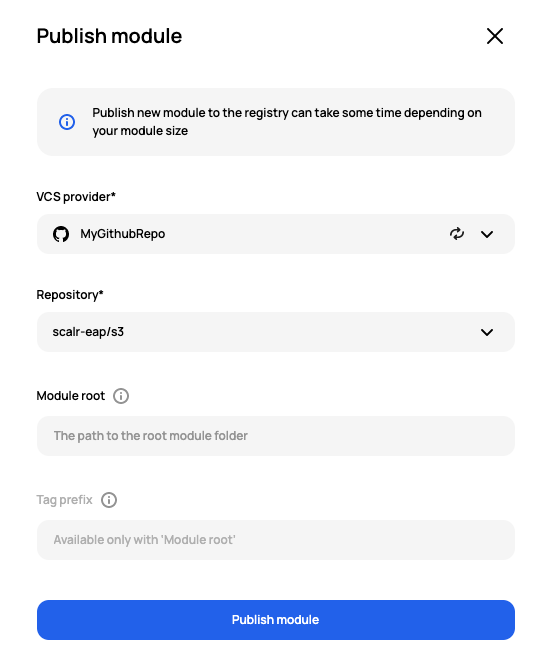
Screenshot of Module publication in Scalr
Module administrators can limit which modules are deployable through a no code workspace by adding a scalr-module.hcl file to the repository.
Example: All modules in the modules/ directory are included, except for the system module.
version="v2"
root-modules = ["modules/**", "!modules/system"]
See more examples here.
Deploying the Modules
Consuming a published module takes a few clicks. As an end user, you go to the module registry within your environment, click the module you want, and select create workspace. You'll then see the workspace settings, with the module and version already filled in for you:
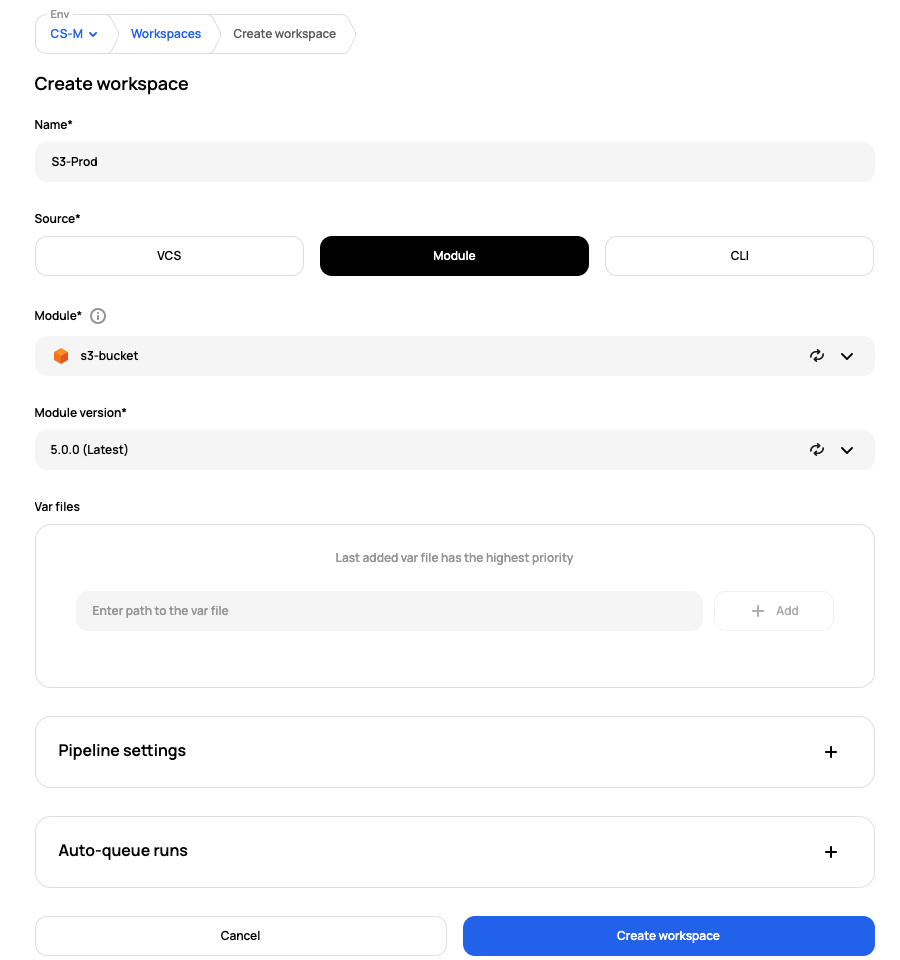
Screenshot of Workspace creation
Once the workspace is created, Scalr reviews the configuration file and prompts you for a value for any required variable that hasn't been set:
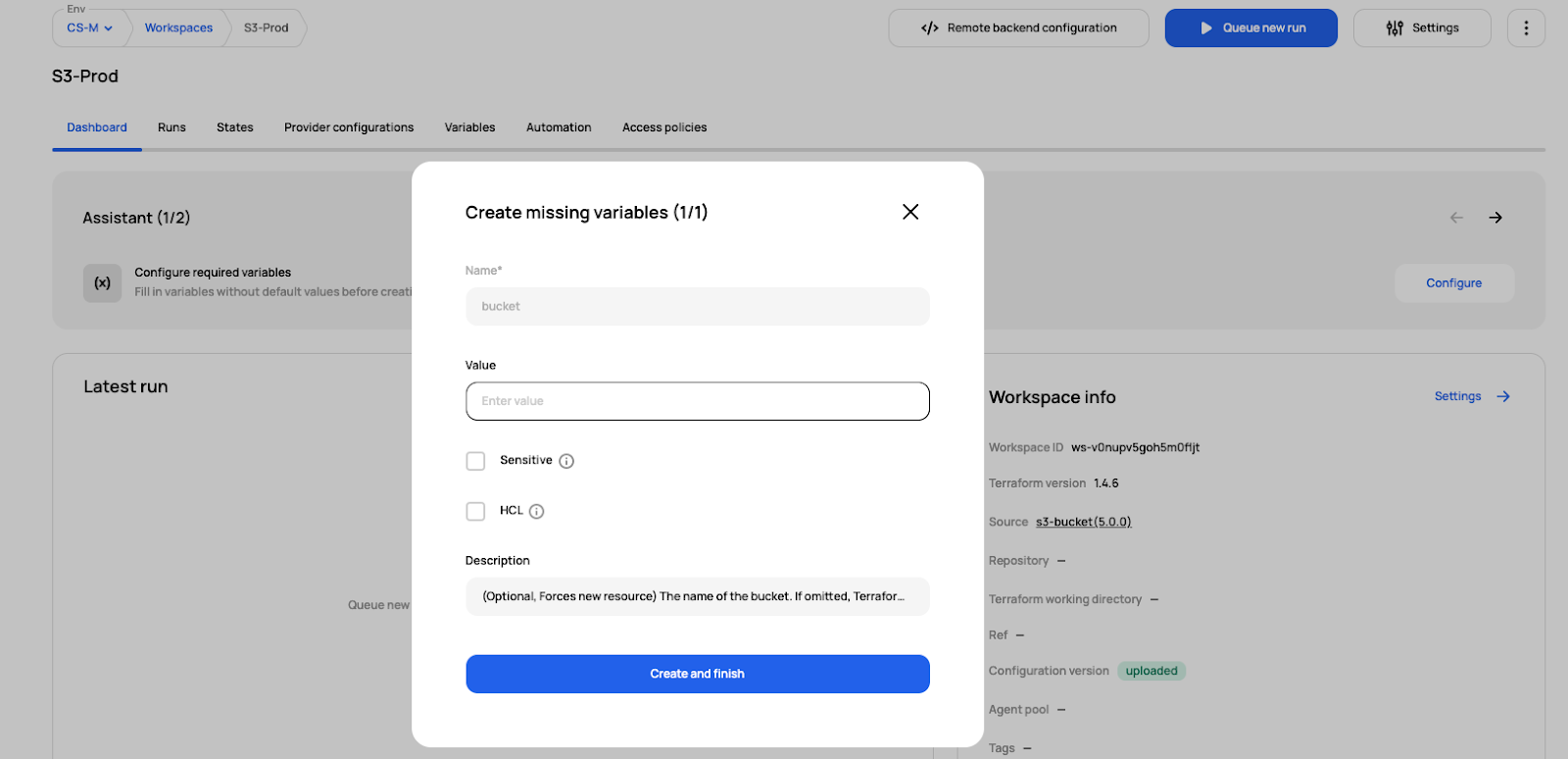
Screenshot of Prompt to add variables
Once the values are in, execute the run and Terraform deploys your resources.
With a few clicks, we deployed a Terraform workspace and ran it without writing any code.
Upgrading Module Versions
After your initial deployment, the module your workspace was built from will change. You don't have to tear down the workspace and rebuild it. Go to the settings and select the new version:
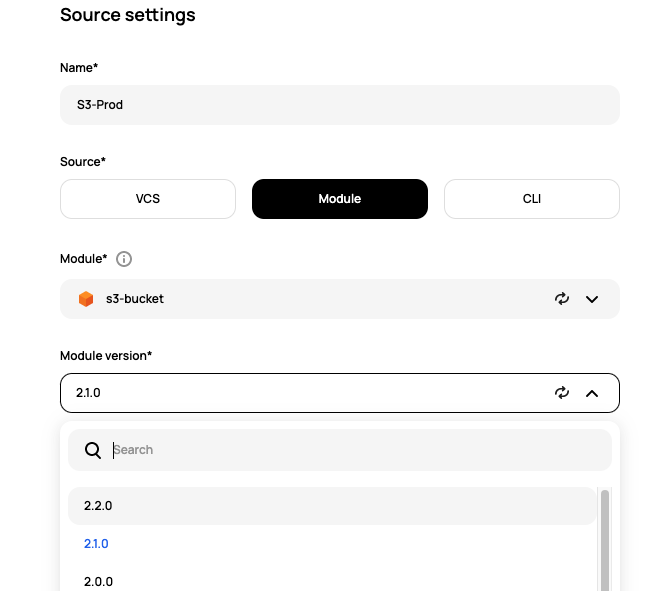
Screenshot of updating the module in Scalr.
Create a new run in the same workspace and your infrastructure picks up the new version of the module.
Advantages to No Code Workspaces
- Quickly Standardize - It may be impractical to bring every individual up to speed with writing Terraform code, yet your organization wants to establish Terraform as a standard. No code workspaces allow you to adopt and standardize on Terraform, while the team gets up to speed.
- Improve Security - When users consume published modules, you know they're following your best practices instead of writing potential vulnerabilities into their own code.
- Not a Service Catalog - Sometimes users are resistant to change and organizations resort to a service catalog to push a new standard. Service catalogs usually don't help with cultural change; they mostly hide what's going on in the background. The no-code workspace allows users to have the self-service feeling while still understanding the basics of Terraform.
What other Scalr features pair well with no-code workspaces?
- Reporting - Use Scalr reporting to understand which modules are the most popular and which modules are not used or out of date. Reports also show which workspaces still need to move to the latest version.
- Open Policy Agent - Use OPA to check if users are violating any security controls.
- RBAC - Control who can manage modules, who can create Terraform plans, or who can approve and apply.
All of the features we talked about as part of the no-code provisioning are available on all plans, including the free plan. Sign up and try it out! Want to see it in action? Watch our video.
About the author

director of platform engineering at Scalr
Ryan Fee is the director of platform engineering at Scalr, with over 15 years of experience improving infrastructure experiences at companies large and small.