

Article · part of a guide
Stop Troubleshooting Terraform: How Scalr AI Helps Platform Teams
Scalr AI helps teams troubleshoot Terraform issues, so platform teams spend less time on other people's failed runs.
Platform teams spend a lot of their day on repetitive tickets, debugging someone else's failed run, and reviewing plans by hand. All of it eats into the time you'd rather spend building.
How many times have you picked up a ticket, a Slack message, or an email from an end user that just needs a bit of Googling? Usually a few searches turn up the answer, you send it back, and you move on. The searching is quick. What hurts is dropping what you were doing, loading the user's problem into your head, and then trying to find your place again afterward.
That context switch is what Scalr AI is meant to remove. It helps end users work through their own issues first, so the platform team isn't always the first stop.
Scalr AI is built right into the Scalr platform, and it's in all Scalr plans, including the free tier, so every team can use it.
What Scalr AI does
Scalr AI works on your Terraform and OpenTofu runs in a few spots where the manual effort usually piles up.
Intelligent Troubleshooting for Errored Terraform Runs
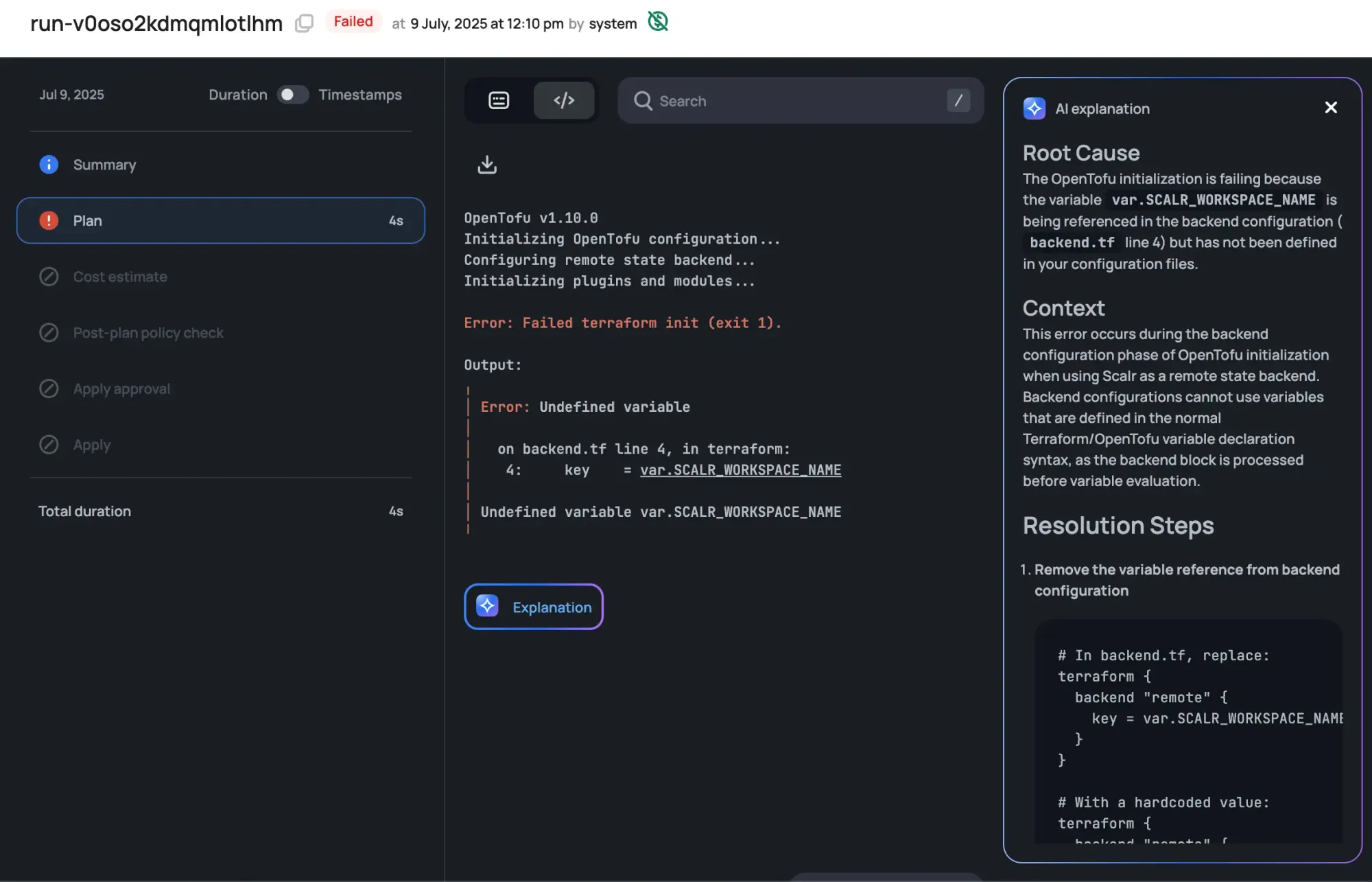
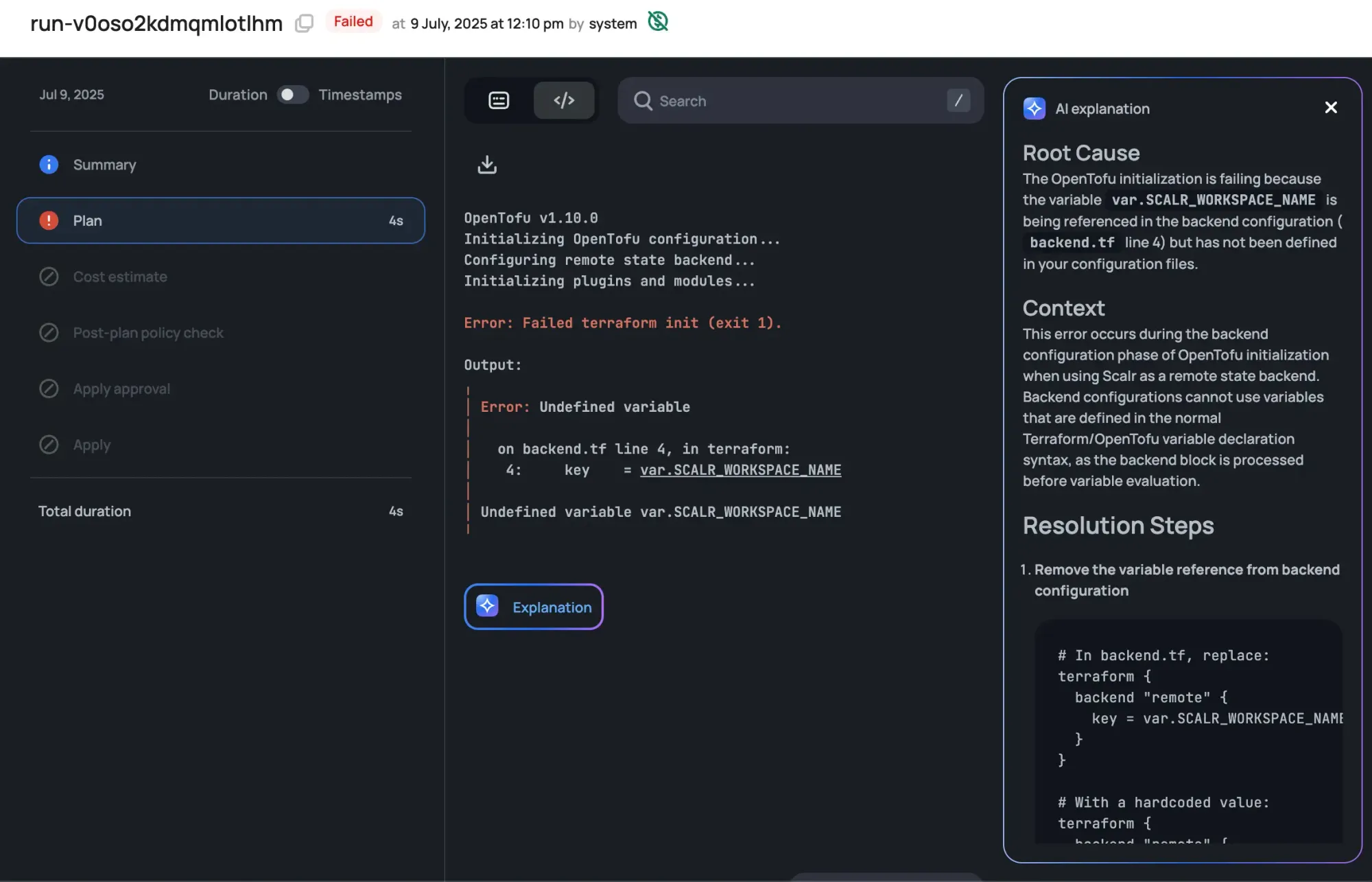
Debugging a failed deployment can eat up an afternoon. Scalr AI uses an AI assistant to help your users find and fix the problem.
For errored Terraform or OpenTofu runs, click the "Explain" button and Scalr AI reviews the error logs, identifies the likely root cause, and adds context. It also suggests steps to resolve the error, so users spend less time sifting through logs or searching for solutions.
Concise Terraform Plan Reviews
You want to know what a plan will do before you apply it. Scalr AI writes an automated summary of each plan so the review goes faster.
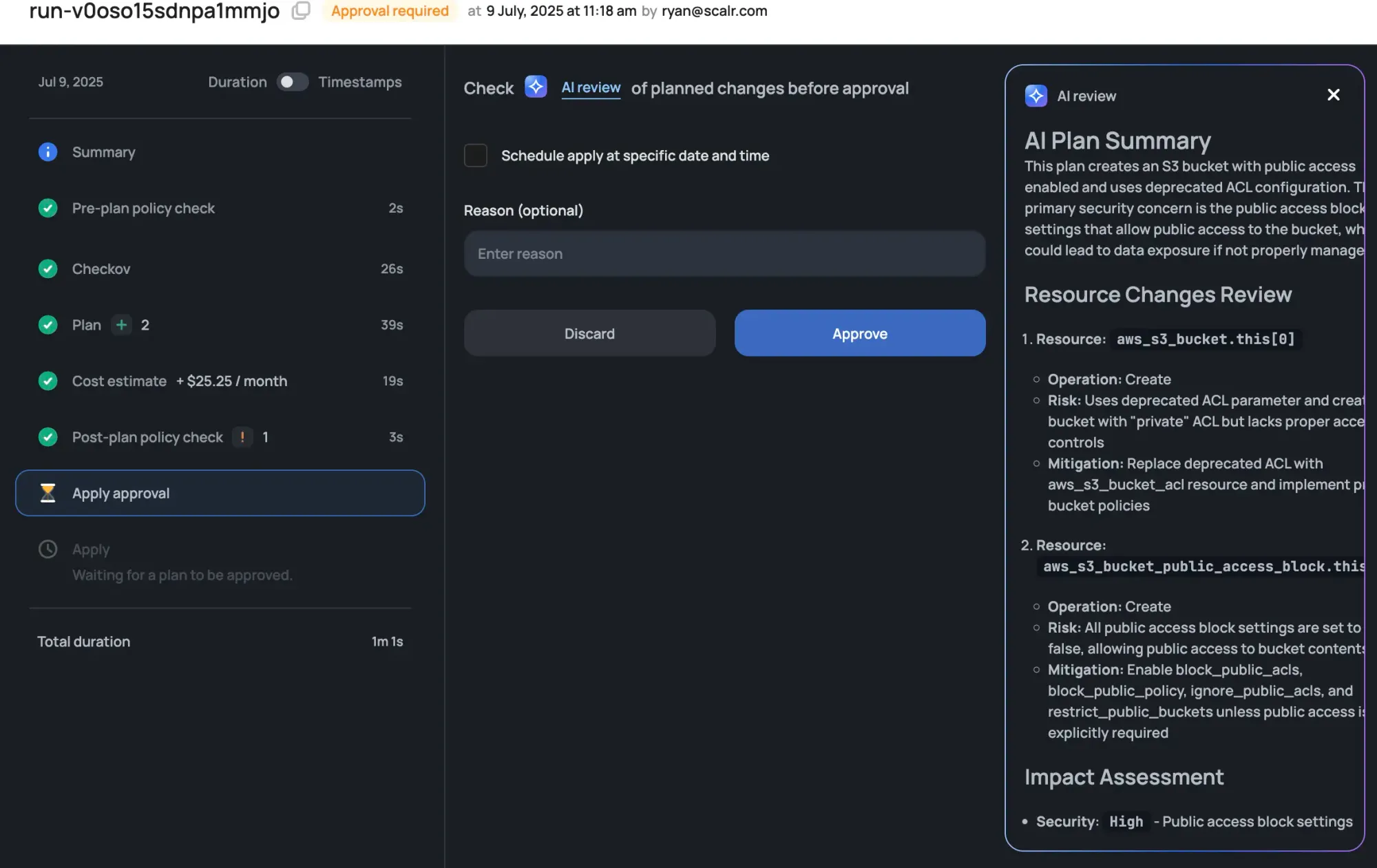
When AI is enabled in your workspace, Scalr AI automatically evaluates your plan and generates a high-level overview. The summary appears in the run interface and, for VCS-based workflows, in your VCS comments.
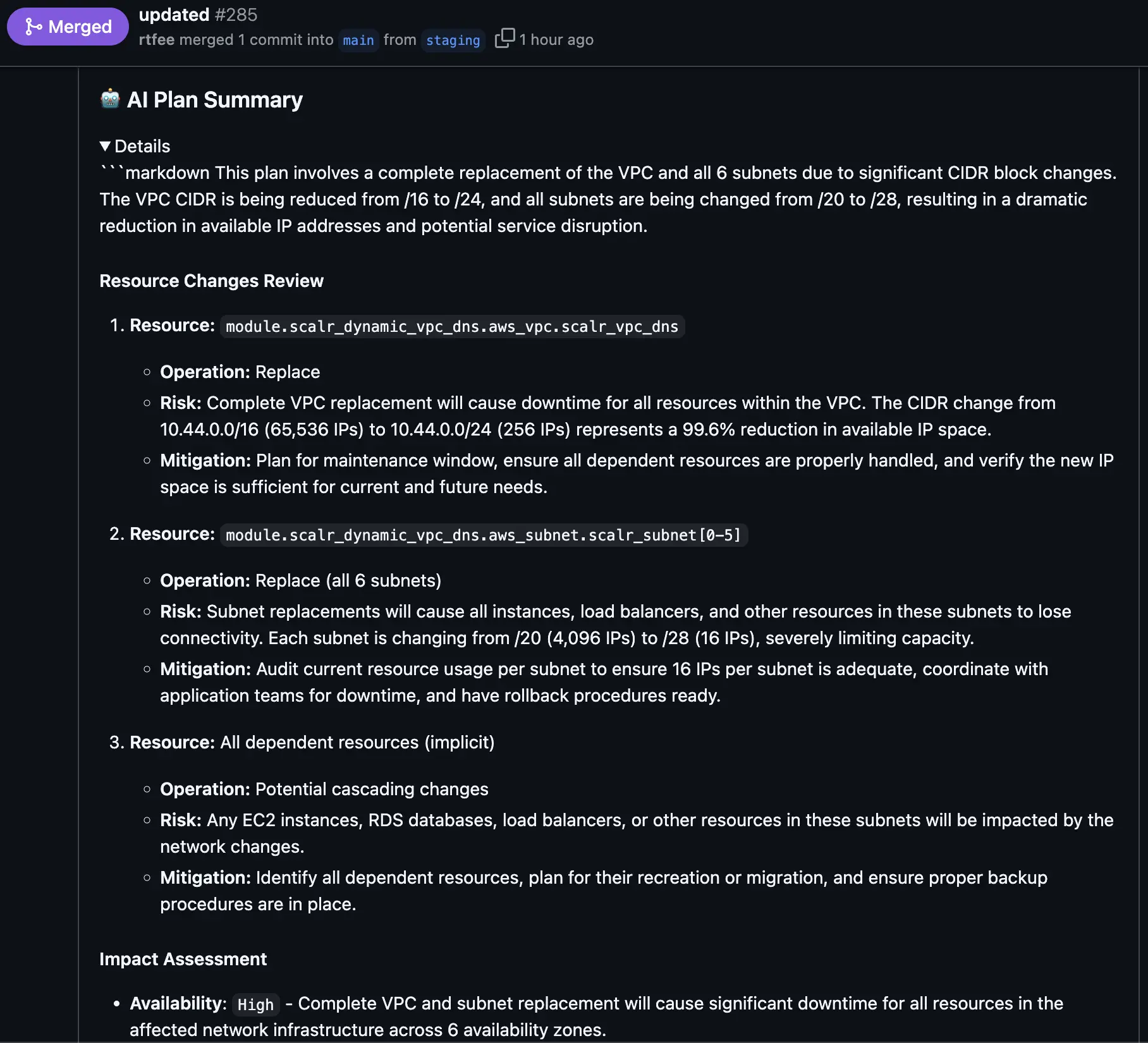
Scalr AI reviews the proposed plan and its cost estimation, then pulls both into a concise summary. Teams can see what changes will occur without manually parsing detailed plan output, and approvers get an overview of what to expect if the run is approved, so they can decide without reading every line of code.
Available to Every Platform Team
Scalr AI is in all Scalr plans, including the free tier. A solo practitioner or a small team gets the same AI help here as a large platform org, with nothing extra to buy.
If your platform team is spending too much time on other people's failed runs, Scalr AI hands some of that time back. The links below have the details.
- Learn more about Scalr AI: Scalr AI Documentation
- Scalr Pricing and Features: Scalr Pricing
Frequently asked questions
How does Scalr AI help troubleshoot failed Terraform runs?
For an errored Terraform or OpenTofu run, clicking the Explain button has Scalr AI review the error logs, identify the likely root cause, and add context. It also suggests steps to resolve the error, so users spend less time digging through logs or searching for solutions and can fix issues without opening a ticket with the platform team.
Can Scalr AI summarize Terraform plans before they are applied?
Yes. When AI is enabled in a workspace, Scalr AI automatically evaluates each plan and generates a high-level summary that includes the proposed changes and the cost estimation. The summary appears in the run interface and, for VCS-based workflows, as a pull request comment, so approvers can review faster without reading every line.
Is Scalr AI available on the free tier?
Yes, Scalr AI is included in all Scalr plans, including the free tier. A solo practitioner or small team gets the same AI troubleshooting and plan summaries as a large platform organization, with nothing extra to buy.
Why does AI troubleshooting matter for platform teams?
Much of the cost of support requests is the context switch: dropping your own work, loading someone else's problem into your head, then finding your place again. Scalr AI helps end users work through their own failed runs first, so the platform team isn't always the first stop and keeps more time for building.
About the author

director of platform engineering at Scalr
Ryan Fee is the director of platform engineering at Scalr, with over 15 years of experience improving infrastructure experiences at companies large and small.
Part of this guide
9 sheets
Terraform Troubleshooting, Optimization and Error Resolution
- Terraform State Lock Errors: Emergency Solutions & Prevention Guide
- AWS Provider Memory Explosion: The v4.67.0+ Survival Guide
- AWS Provider v6.0: What's Breaking and How to Prepare
- Empty Terraform State File Recovery
- Waiting for 1 run(s) to finish before being queued: Why Terraform Runs Wait
- Terraform Operations at Scale
- Top 5 Best Practices for Terraform