

New Feature: Smart Plan Outputs
Know exactly what will happen when you approve a Terraform plan by showing destructive changes and adding search.
We shipped a feature a few hours ago, and I want to walk through it. The goal is to let you see exactly what a Terraform plan will do before you approve it. It highlights destructive changes, adds search, and cleans up the layout.
Problem & Pain
Veteran Terraform developers like yourselves know just how painful it is to miss a destructive change. It's the number one source of bad deployments and downtime.
Since you know how important it is to carefully review terraform plan output, you must also know how excessively tedious it is. Reviewing a long Terraform plan is the devops equivalent of reviewing a massive PR. Ya don't want them.
You squint your eyes as you review the drab output in the terminal and use a combination of grep and other tools to review it, being careful not to mistake ~ for -, the former being used for updates and the - for deletes. Perhaps you copy-paste into an editor to search through it. Perhaps you even created a homegrown tool like many did, such as Scalr community members, Coinbase with Landscape or Chris Lewis with prettyplan. Sadly these last two projects are no longer maintained and don't work with tf >=0.12.
Solution
Scalr addresses this with a new layout, search, and highlight interface for Terraform plans. See for yourself:
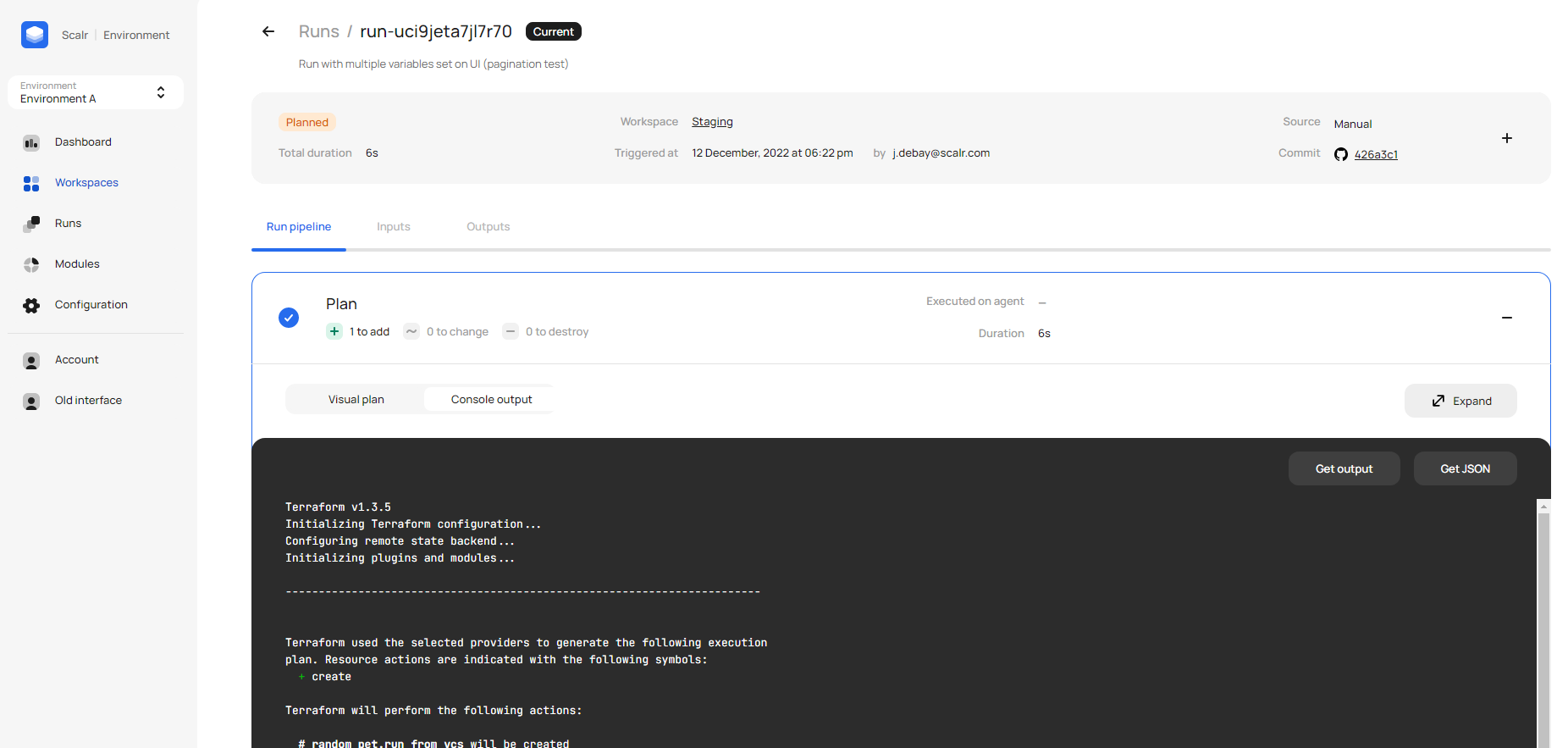
The new interface highlights destructive changes and lets you search the whole plan. It's linked to your VCS and CLI, so you can jump to it straight from your PR or command line.
It's awesome, and "makes the review process much simpler to drill into resources of concern" as a customer put it today.
We try to ship a quality of life feature in every release, and this is one heck of one. Missing destructive changes is the number one source of deployment disasters, so flagging them at review time matters a lot. The search and filters also make even the longest plans easy to get through.
How the Feature Works
Scalr runs operations like plan or apply on its own service (or on self-deployed agents) before streaming the output to your console. That lets us capture the plan and show it to you in better ways.
How to Get Started
This new interface is available to everyone, at no cost and with no subscription needed. To get started, add this snippet of code to your Terraform config and keep using terraform as normal. You'll find the link to click in the output.